
行情收集器再升级--支持CSV格式文件导入提供自定义数据源
最近一个用户需要让自己的CSV格式文件作为数据源,让发明者量化交易平台的回测系统使用。发明者量化交易平台的回测系统功能众多,使用简洁高效,这样只要自己有数据,就可以进行回测了,不再局限于平台数据中心支持的交易所、品种。
设计思路
设计思路其实很简单,我们只要在之前的行情收集器基础上稍微改动即可,我们给行情收集器增加一个参数isOnlySupportCSV用来控制是否只使用CSV文件作为数据源提供给回测系统,再增加一个参数filePathForCSV,用于设置行情收集器机器人运行的服务器上放置CSV数据文件的路径。最后就是根据isOnlySupportCSV参数是否设置为True来决定使用那种数据源(1、自己收集的,2、CSV文件中的数据),这个改动主要在Provider类的do_GET函数中。
什么是CSV文件?
逗号分隔值(Comma-Separated Values,CSV,有时也称为字符分隔值,因为分隔字符也可以不是逗号),其文件以纯文本形式存储表格数据(数字和文本)。纯文本意味着该文件是一个字符序列,不含必须像二进制数字那样被解读的数据。CSV文件由任意数目的记录组成,记录间以某种换行符分隔;每条记录由字段组成,字段间的分隔符是其它字符或字符串,最常见的是逗号或制表符。通常,所有记录都有完全相同的字段序列。通常都是纯文本文件。建议使用WORDPAD或是记事本来开启,再则先另存新档后用EXCEL开启,也是方法之一。
CSV文件格式的通用标准并不存在,但是有一定规律,一般为一条记录一行,第一行为表头。每行中的数据用逗号间隔。
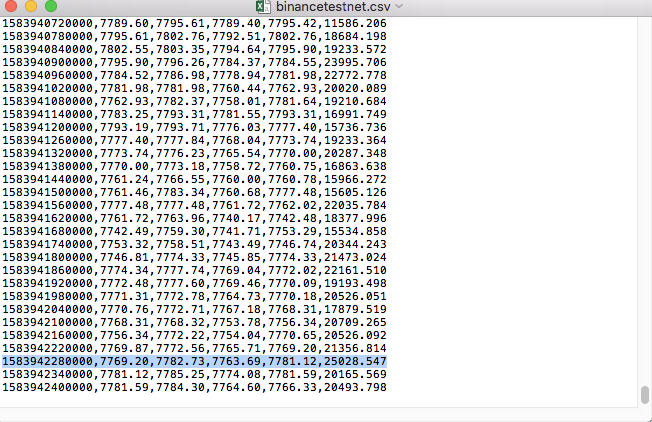
例如,我们用于测试的CSV文件用记事本打开是这样的:
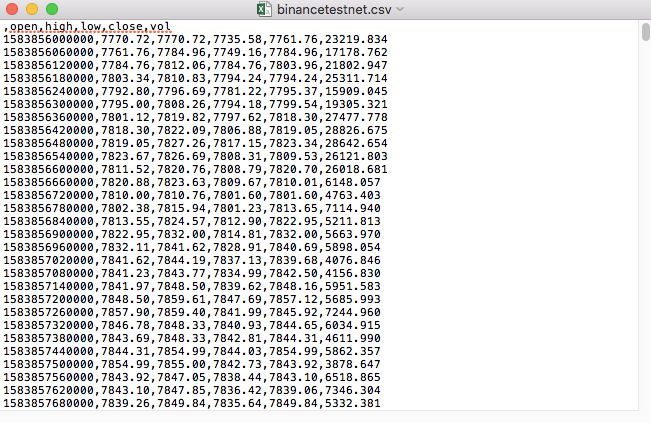
观察下,CSV文件第一行是表格头。
,open,high,low,close,vol
我们就是要把这样的数据解析整理,然后构造成回测系统自定义数据源要求的格式,这个我们之前的文章中的代码里已经处理了,只需稍加修改。
修改后的代码
            import _thread
import pymongo
import json
import math
import csv
from http.server import HTTPServer, BaseHTTPRequestHandler
from urllib.parse import parse_qs, urlparse

def url2Dict(url):
    query = urlparse(url).query
    params = parse_qs(query)
    result = {key: params[key][0] for key in params}
    return result

class Provider(BaseHTTPRequestHandler):
    def do_GET(self):
        global isOnlySupportCSV, filePathForCSV
        try:
            self.send_response(200)
            self.send_header("Content-type", "application/json")
            self.end_headers()

            dictParam = url2Dict(self.path)
            Log("自定义数据源服务接收到请求,self.path:", self.path, "query 参数:", dictParam)

            # 目前回测系统只能从列表中选择交易所名称,在添加自定义数据源时,设置为币安,即:Binance
            exName = exchange.GetName()
            # 注意,period为底层K线周期
            tabName = "%s_%s" % ("records", int(int(dictParam["period"]) / 1000))
            priceRatio = math.pow(10, int(dictParam["round"]))
            amountRatio = math.pow(10, int(dictParam["vround"]))
            fromTS = int(dictParam["from"]) * int(1000)
            toTS = int(dictParam["to"]) * int(1000)

            # 要求应答的数据
            data = {
                "schema" : ["time", "open", "high", "low", "close", "vol"],
                "data" : []
            }

            if isOnlySupportCSV:
                # 处理CSV读取,filePathForCSV路径
                listDataSequence = []
                with open(filePathForCSV, "r") as f:
                    reader = csv.reader(f)
                    # 获取表头
                    header = next(reader)
                    headerIsNoneCount = 0
                    if len(header) != len(data["schema"]):
                        Log("CSV文件格式有误,列数不同,请检查!", "#FF0000")
                        return
                    for ele in header:
                        for i in range(len(data["schema"])):
                            if data["schema"][i] == ele or ele == "":
                                if ele == "":
                                    headerIsNoneCount += 1
                                if headerIsNoneCount > 1:
                                    Log("CSV文件格式有误,请检查!", "#FF0000")
                                    return
                                listDataSequence.append(i)
                                break

                    # 读取内容
                    while True:
                        record = next(reader, -1)
                        if record == -1:
                            break
                        index = 0
                        arr = [0, 0, 0, 0, 0, 0]
                        for ele in record:
                            arr[listDataSequence[index]] = int(ele) if listDataSequence[index] == 0 else (int(float(ele) * amountRatio) if listDataSequence[index] == 5 else int(float(ele) * priceRatio))
                            index += 1
                        data["data"].append(arr)

                Log("数据:", data, "响应回测系统请求。")
                self.wfile.write(json.dumps(data).encode())
                return

            # 连接数据库
            Log("连接数据库服务,获取数据,数据库:", exName, "表:", tabName)
            myDBClient = pymongo.MongoClient("mongodb://localhost:27017")
            ex_DB = myDBClient[exName]
            exRecords = ex_DB[tabName]

            # 构造查询条件:大于某个值{'age': {'$gt': 20}} 小于某个值{'age': {'$lt': 20}}
            dbQuery = {"$and":[{'Time': {'$gt': fromTS}}, {'Time': {'$lt': toTS}}]}
            Log("查询条件:", dbQuery, "查询条数:", exRecords.find(dbQuery).count(), "数据库总条数:", exRecords.find().count())

            for x in exRecords.find(dbQuery).sort("Time"):
                # 需要根据请求参数round和vround,处理数据精度
                bar = [x["Time"], int(x["Open"] * priceRatio), int(x["High"] * priceRatio), int(x["Low"] * priceRatio), int(x["Close"] * priceRatio), int(x["Volume"] * amountRatio)]
                data["data"].append(bar)

            Log("数据:", data, "响应回测系统请求。")
            # 写入数据应答
            self.wfile.write(json.dumps(data).encode())
        except BaseException as e:
            Log("Provider do_GET error, e:", e)


def createServer(host):
    try:
        server = HTTPServer(host, Provider)
        Log("Starting server, listen at: %s:%s" % host)
        server.serve_forever()
    except BaseException as e:
        Log("createServer error, e:", e)
        raise Exception("stop")

def main():
    LogReset(1)
    if (isOnlySupportCSV):
        try:
        # _thread.start_new_thread(createServer, (("localhost", 9090), ))         # 本机测试
            _thread.start_new_thread(createServer, (("0.0.0.0", 9090), ))         # VPS服务器上测试
            Log("开启自定义数据源服务线程,数据由CSV文件提供。", "#FF0000")
        except BaseException as e:
            Log("启动自定义数据源服务失败!")
            Log("错误信息:", e)
            raise Exception("stop")
        while True:
            LogStatus(_D(), "只启动自定义数据源服务,不收集数据!")
            Sleep(2000)

    exName = exchange.GetName()
    period = exchange.GetPeriod()
    Log("收集", exName, "交易所的K线数据,", "K线周期:", period, "秒")

    # 连接数据库服务,服务地址 mongodb://127.0.0.1:27017 具体看服务器上安装的mongodb设置
    Log("连接托管者所在设备mongodb服务,mongodb://localhost:27017")
    myDBClient = pymongo.MongoClient("mongodb://localhost:27017")
    # 创建数据库
    ex_DB = myDBClient[exName]

    # 打印目前数据库表
    collist = ex_DB.list_collection_names()
    Log("mongodb ", exName, " collist:", collist)

    # 检测是否删除表
    arrDropNames = json.loads(dropNames)
    if isinstance(arrDropNames, list):
        for i in range(len(arrDropNames)):
            dropName = arrDropNames[i]
            if isinstance(dropName, str):
                if not dropName in collist:
                    continue
                tab = ex_DB[dropName]
                Log("dropName:", dropName, "删除:", dropName)
                ret = tab.drop()
                collist = ex_DB.list_collection_names()
                if dropName in collist:
                    Log(dropName, "删除失败")
                else :
                    Log(dropName, "删除成功")

    # 开启一个线程,提供自定义数据源服务
    try:
        # _thread.start_new_thread(createServer, (("localhost", 9090), ))     # 本机测试
        _thread.start_new_thread(createServer, (("0.0.0.0", 9090), ))         # VPS服务器上测试
        Log("开启自定义数据源服务线程", "#FF0000")
    except BaseException as e:
        Log("启动自定义数据源服务失败!")
        Log("错误信息:", e)
        raise Exception("stop")

    # 创建records表
    ex_DB_Records = ex_DB["%s_%d" % ("records", period)]
    Log("开始收集", exName, "K线数据", "周期:", period, "打开(创建)数据库表:", "%s_%d" % ("records", period), "#FF0000")
    preBarTime = 0
    index = 1
    while True:
        r = _C(exchange.GetRecords)
        if len(r) < 2:
            Sleep(1000)
            continue
        if preBarTime == 0:
            # 首次写入所有BAR数据
            for i in range(len(r) - 1):
                bar = r[i]
                # 逐根写入,需要判断当前数据库表中是否已经有该条数据,基于时间戳检测,如果有该条数据,则跳过,没有则写入
                retQuery = ex_DB_Records.find({"Time": bar["Time"]})
                if retQuery.count() > 0:
                    continue

                # 写入bar到数据库表
                ex_DB_Records.insert_one({"High": bar["High"], "Low": bar["Low"], "Open": bar["Open"], "Close": bar["Close"], "Time": bar["Time"], "Volume": bar["Volume"]})
                index += 1
            preBarTime = r[-1]["Time"]
        elif preBarTime != r[-1]["Time"]:
            bar = r[-2]
            # 写入数据前检测,数据是否已经存在,基于时间戳检测
            retQuery = ex_DB_Records.find({"Time": bar["Time"]})
            if retQuery.count() > 0:
                continue

            ex_DB_Records.insert_one({"High": bar["High"], "Low": bar["Low"], "Open": bar["Open"], "Close": bar["Close"], "Time": bar["Time"], "Volume": bar["Volume"]})
            index += 1
            preBarTime = r[-1]["Time"]
        LogStatus(_D(), "preBarTime:", preBarTime, "_D(preBarTime):", _D(preBarTime/1000), "index:", index)
        # 增加画图展示
        ext.PlotRecords(r, "%s_%d" % ("records", period))
        Sleep(10000)
运行测试
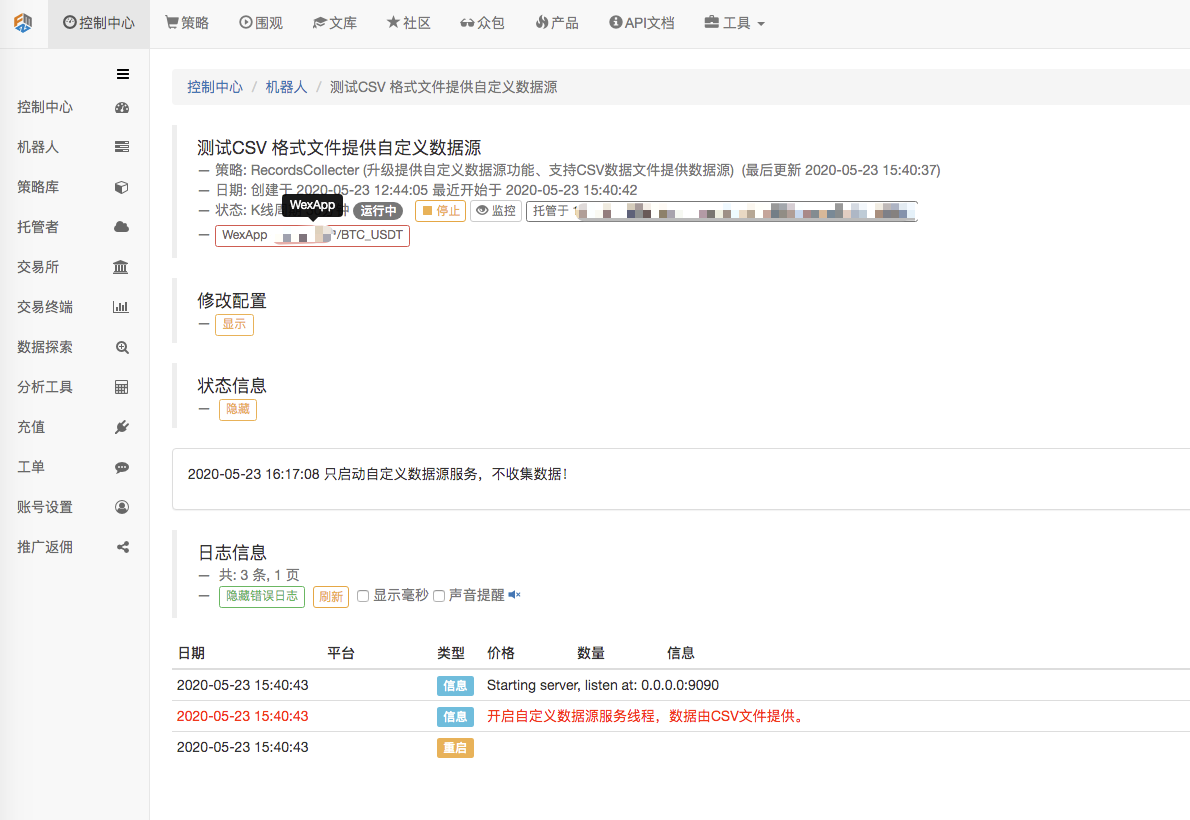
首先我们启动行情收集器机器人,我们给机器人添加一个交易所,让机器人运行起来。
参数配置:

然后我们创建一个测试策略:
            function main() {
    Log(exchange.GetRecords())
    Log(exchange.GetRecords())
    Log(exchange.GetRecords())
}
策略很简单,只获取并打印三次K线数据。
回测页面,设置回测系统的数据源为自定义数据源,并且地址填写行情收集器机器人运行的服务器地址。由于我们的CSV文件中的数据为1分钟K线。所以回测时,我们设置K线周期为1分钟。
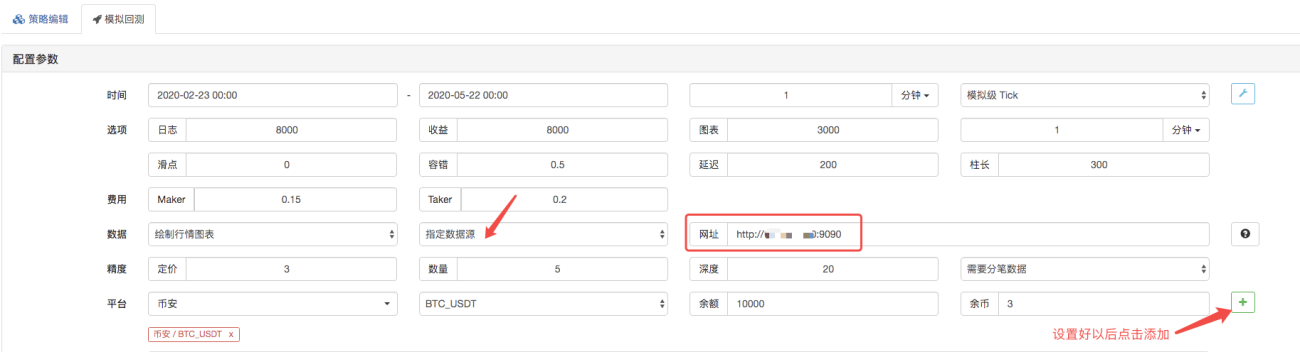
点击开始回测,行情收集器机器人接收到了数据请求:

回测系统执行策略完成后,根据数据源中的K线数据,生成K线图表。
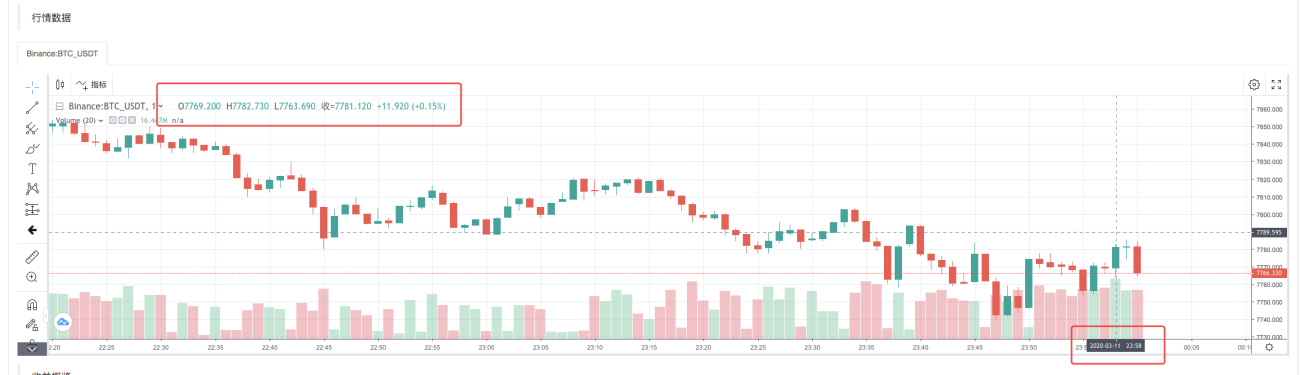
对比文件中的数据:

RecordsCollecter (升级提供自定义数据源功能、支持CSV数据文件提供数据源)
抛砖引玉,欢迎留言。


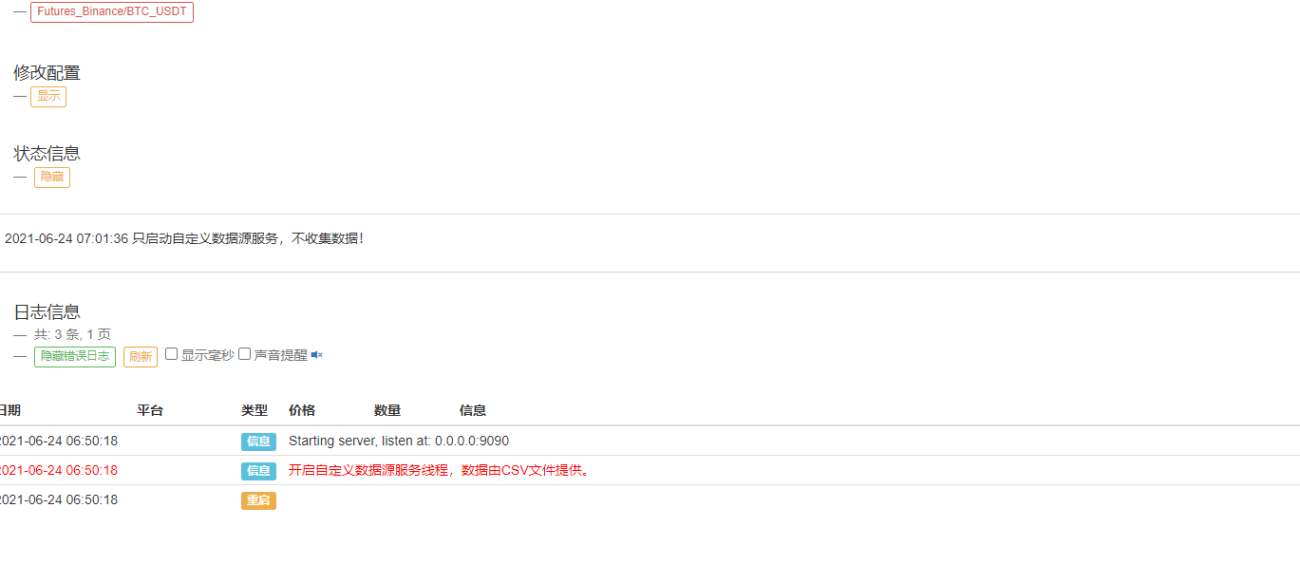
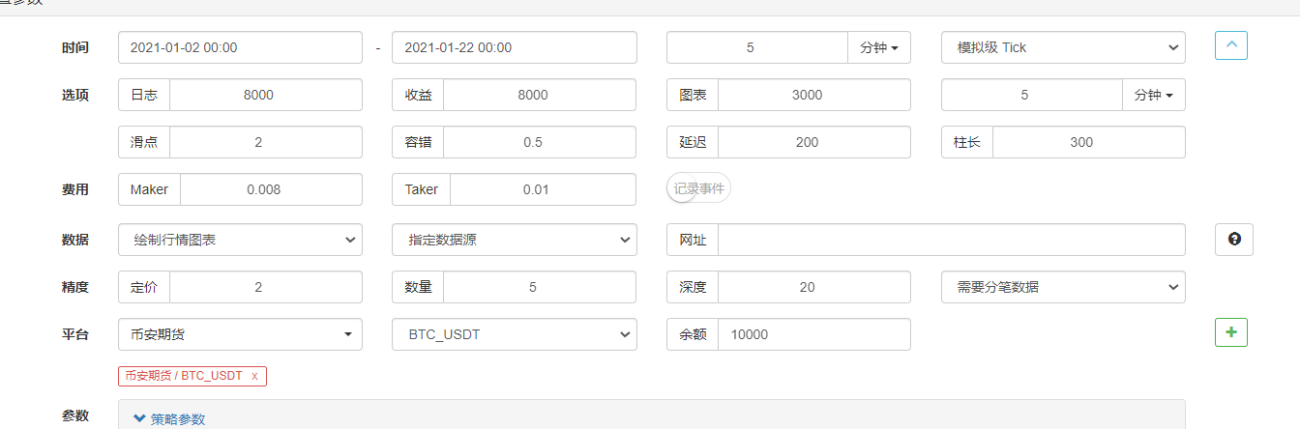

请问一下,为什么我在托管服务器上面设置好了自定义CSV数据源,用页面请求有数据的返回,然后在回测中没有数据的返回,当把数据直接设置为只有俩个数据的时候httpserver服务端可以接收请求中, 

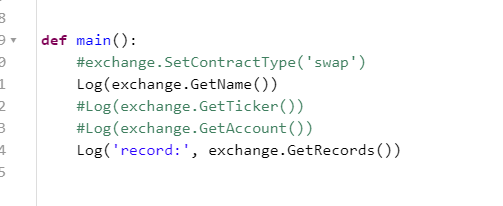

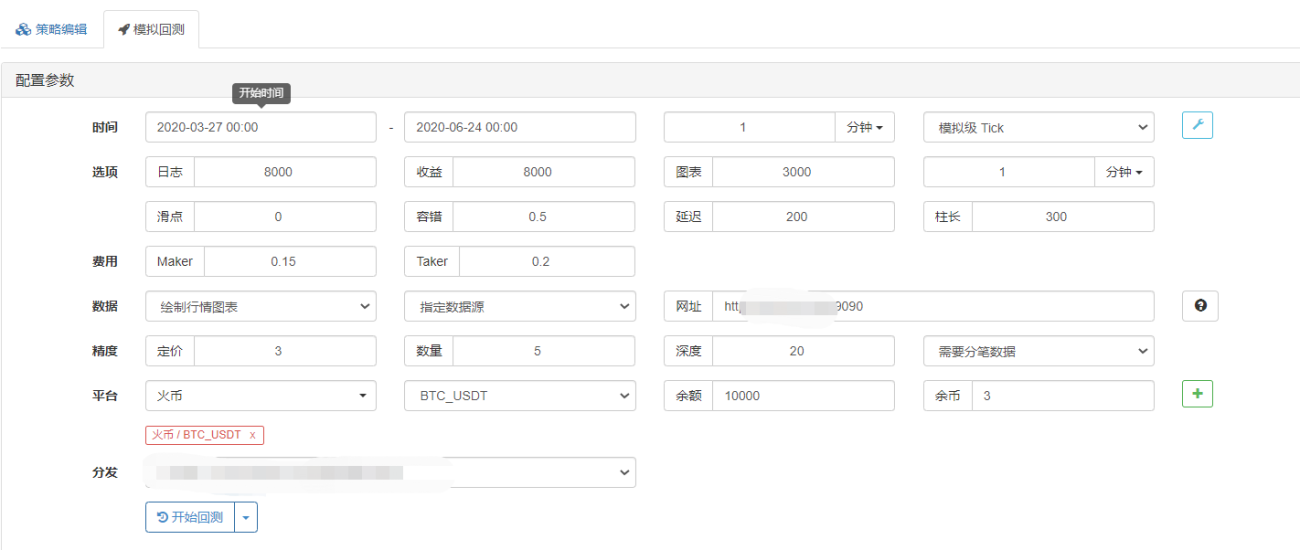

请问一下 怎么可以在本地起http服务端 本地回测数据, 是不是本地回测不支持回测自定义数据源?我在本地回测添加exchanges: [{"eid":"Huobi","currency":"ETH_USDT","feeder":"http://127.0.0.1:9090"}]这种参数,以及改成机器人的IP也是没有请求到服务端


- 1