Adaptive Bollinger Bands Grid Trading Strategy with Dynamic Level Adjustment

Overview
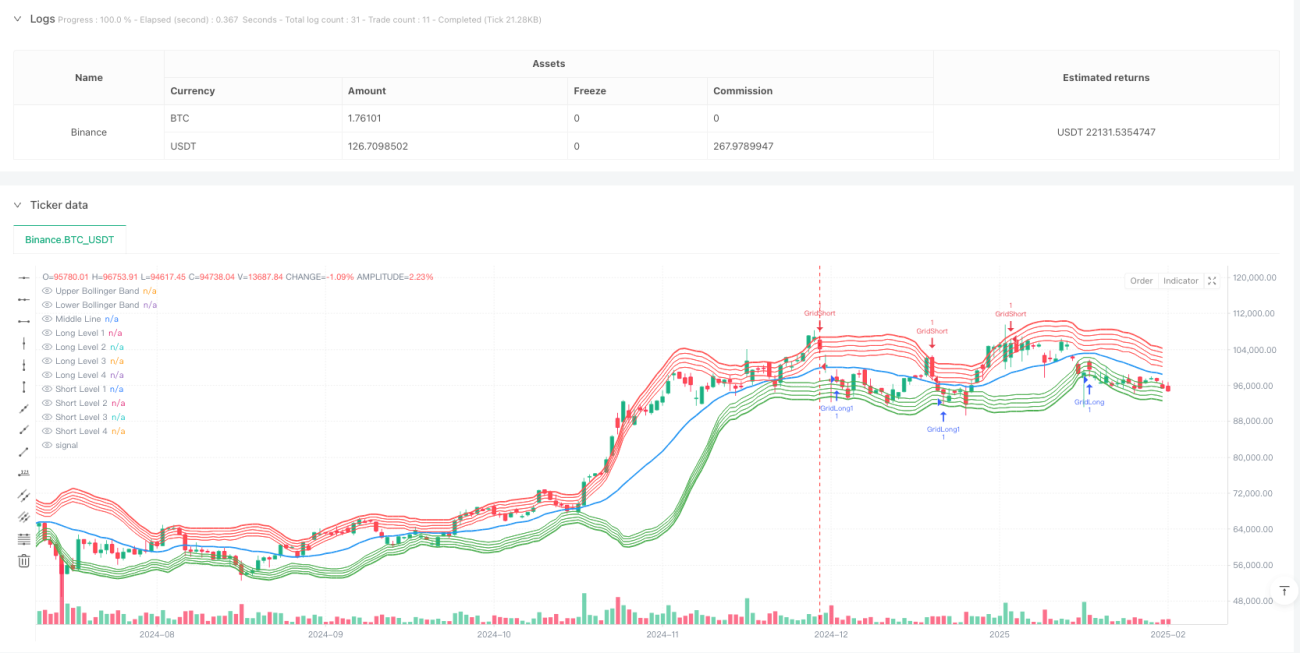
This is an advanced grid trading strategy based on Bollinger Bands indicators. The strategy dynamically determines grid positions using Bollinger Bands' upper, lower, and middle bands, automatically adjusting grid spacing according to market volatility. The system executes corresponding long and short trades when prices break through grid lines, achieving fully automated grid trading.
Strategy Principle
The strategy uses a 20-period moving average as the middle band of Bollinger Bands, with 2 standard deviations as the bandwidth. Based on Bollinger Bands, the strategy sets up 4 grid levels between the upper and lower bands, with 1% grid spacing. When the price breaks through a grid line upward, the system executes a long position; when the price breaks through downward, the system executes a short position. This design enables the strategy to continuously profit in oscillating markets.
Strategy Advantages
- Dynamic Adjustment - Grid positions move with Bollinger Bands, allowing the strategy to adapt to different market environments
- Controlled Risk - Trading range is limited by Bollinger Bands, avoiding excessive positions in extreme market conditions
- High Automation - System executes trades automatically without manual intervention
- Bidirectional Trading - Can profit in both up and down markets
- Adjustable Parameters - Grid spacing and level numbers can be flexibly adjusted as needed
Strategy Risks
- Trend Market Risk - May generate significant drawdowns in unidirectional trend markets
- Fund Management Risk - Multiple triggered grids may lead to excessive positions
- Slippage Risk - Violent market fluctuations may cause execution prices to deviate from grid levels
- Technical Risk - Bollinger Bands may generate false breakout signals
Solutions:
- Set total position limits
- Introduce trend filters
- Optimize order execution mechanism
- Add confirmation signal filtering
Strategy Optimization Directions
- Adaptive Grid Spacing - Dynamically adjust grid spacing based on volatility
- Incorporate Volume-Price Relationship - Optimize entry timing using volume indicators
- Optimize Stop Loss Mechanism - Design more flexible stop loss solutions
- Fund Management Optimization - Implement risk-based position management
- Multi-timeframe Coordination - Introduce multi-period signal confirmation mechanism
Summary
Through the combination of Bollinger Bands and grid trading, this strategy achieves an automated trading system that balances flexibility and stability. The core advantage of the strategy lies in its ability to adapt to different market environments while achieving risk control through parameter adjustment. Although there are some inherent risks, a more robust trading system can be built through continuous optimization and improvement.
- 1