Adaptive Moving Average Crossover Volatility-Tracking Quantitative Trading Strategy

MA交叉 ATR EMA SMA WMA HMA VWMA 趋势过滤 波动率过滤 跟踪止损 双重止盈
Created on: 2025-05-14 10:49:04 Modified on: 2025-05-14 10:49:04
Copy: 0 Number of hits: 317
avatar of ianzeng123 ianzeng123
2
Follow
319
Followers

 Adaptive Moving Average Crossover Volatility-Tracking Quantitative Trading Strategy  Adaptive Moving Average Crossover Volatility-Tracking Quantitative Trading Strategy

Strategy Overview

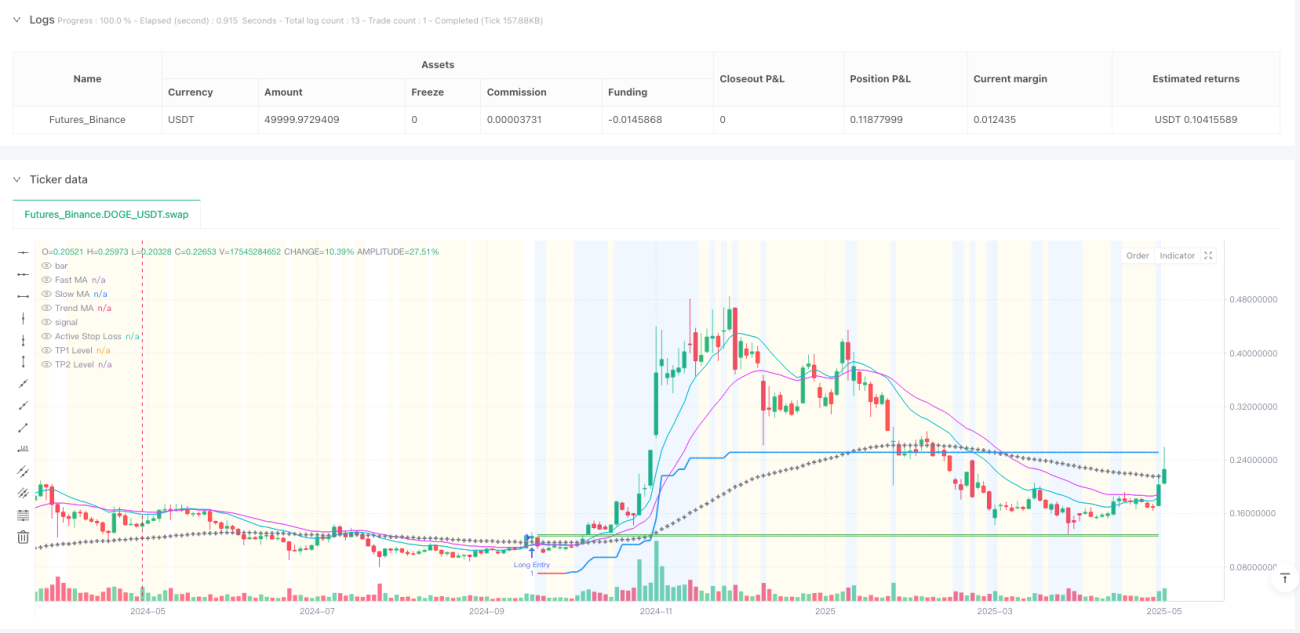
The Adaptive Moving Average Crossover Volatility-Tracking Quantitative Trading Strategy is a systematic approach designed for high-frequency trading and scalping operations. At its core, the strategy utilizes the crossover of a fast moving average (MA) with a slow moving average as the primary signal trigger, combined with multiple essential filters and precise risk management tools to capture small but quick price movements. The strategy offers high configurability, allowing users to flexibly choose MA types (EMA, SMA, WMA, HMA, VWMA) and their period parameters to adapt to trading needs across different market rhythms. Additionally, the strategy is API-ready, enabling seamless integration with automated trading systems for rapid signal execution, making it particularly suitable for traders pursuing high-frequency, small-profit trades.

Strategy Principles

The core logic of this strategy is divided into several key components:

  1. Entry Signals: Primarily triggered by the crossover/crossunder of a fast MA and a slow MA. Users can flexibly configure MA types (EMA, SMA, WMA, HMA, VWMA) and period lengths to adjust signal sensitivity for different market conditions.

  2. Trend Filter: The strategy optionally uses a longer-term moving average as a macro trend filter, ensuring trades are only taken in the direction of the larger trend, avoiding counter-trend scalping in strongly directional markets.

  3. Confirmation Filters:

    • ATR Volatility Filter: Designed to pause entries during extremely flat or “dead” markets where volatility drops below a dynamic threshold (based on average ATR), helping prevent whipsaws in non-trending, low-energy conditions.
    • Volume Filter: Validates entry signals by requiring a minimum level of market participation (volume compared to its moving average), avoiding entries based on low-liquidity spikes or insignificant price action.
  4. Risk Management Suite:

    • Initial Volatility Stop: An ATR-based initial stop provides an objective starting point for risk definition on each trade, adapting to recent volatility.
    • ATR Trailing Stop: Essential for dynamic markets, the trailing stop adjusts according to favorable price action, aiming to protect profits on successful scalps while cutting losses relatively quickly if the move reverses.
    • Break-Even Stop (Optional): Can be configured to automatically move the stop to entry price (plus buffer) once TP1 is hit or price travels a specific ATR distance, useful for quickly neutralizing risk on a trade that has shown initial promise.
    • Dual Take Profit Levels: Features TP1 for rapid, partial profit-taking (e.g., 50%) and TP2 for the remaining position targeting a larger move.
  5. Position Management: Employs fixed quantity sizing for precise control over position size per trade, crucial for consistent risk application in high-frequency environments and straightforward API command generation.

Strategy Advantages

Through deep analysis of the code, this strategy demonstrates several significant advantages:

  1. High Configurability: Users can flexibly adjust various parameters, including MA types and periods, filter settings, and risk management parameters, enabling the strategy to adapt to various market environments and trading styles.

  2. Multi-layered Filtering Mechanism: The combination of trend, volatility, and volume filters effectively reduces false signals and market noise, improving trade quality.

  3. Comprehensive Risk Management: The strategy incorporates multiple stop-loss mechanisms (initial, trailing, break-even) and dual profit targets, enabling fine-grained risk control and profit protection.

  4. API-Friendly Design: Clear and explicit entry and exit logic generates unambiguous signals, facilitating integration with external trading systems for near-instantaneous order execution.

  5. Precise Position Control: Fixed quantity sizing simplifies the payload to API endpoints, making automated execution more reliable.

  6. High Adaptability: Through parameter adjustments, the strategy can transform from a high-frequency scalping mode to a more extended trend-following mode, accommodating different market conditions and personal trading preferences.

Strategy Risks

Despite its well-designed structure, the strategy carries several potential risks and challenges:

  1. Parameter Optimization Risk: With numerous configurable parameters, over-optimization might lead to good backtest results but poor actual performance (overfitting). Investors should validate on out-of-sample data or through forward testing to mitigate this risk.

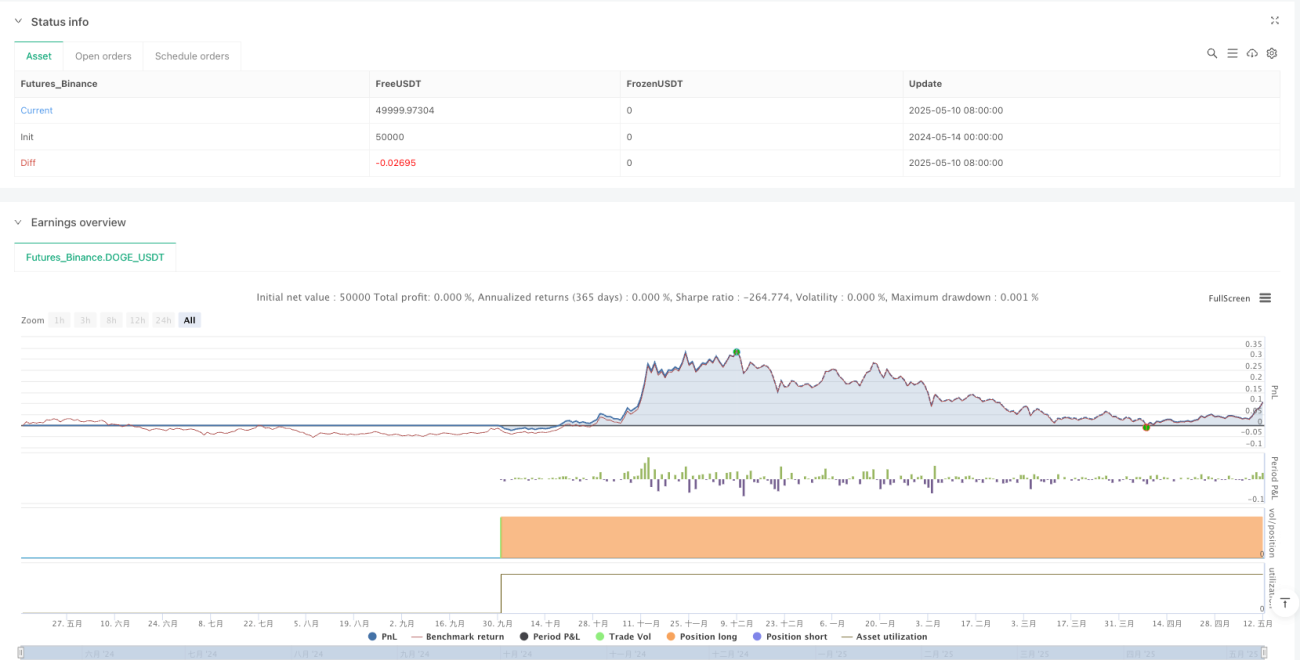
  2. Trading Cost Impact: High-frequency trading implies numerous trades, and the accumulated commissions and slippage can significantly impact net profitability. It’s essential to calculate these costs precisely in settings and backtests before implementation.

  3. Signal Quality Variation: The reliability of MA crossover signals may vary under different market conditions, particularly in sideways or highly volatile markets.

  4. Technical Dependency: As an API-ready strategy, its effectiveness partly depends on execution speed and technical stability. System delays or failures could result in missed opportunities or execution discrepancies.

  5. Capital Scale Limitations: Fixed quantity position sizing may not suit all account sizes, potentially exposing smaller accounts to excessive risk while larger accounts might not utilize funds optimally.

Strategy Optimization Directions

Based on the strategy design and potential risks, here are several possible optimization directions:

  1. Adaptive Parameters: Design key parameters (such as ATR multipliers and MA periods) to automatically adjust based on market conditions, enhancing the strategy’s adaptability across different market phases.

  2. Intelligent Filter Enhancement: Integrate additional market state indicators (such as market structure, volatility pattern recognition, or correlation with related assets) to further improve filter accuracy.

  3. Dynamic Position Management: Replace fixed quantity sizing with dynamic position calculations based on account size, current volatility, and recent strategy performance for smarter capital management.

  4. Multi-timeframe Confirmation: Validate signals across different timeframes to ensure trade direction aligns with the broader market structure, reducing unnecessary trades.

  5. Machine Learning Integration: Use machine learning algorithms to analyze historical signal performance and predict the success probability of future signals, prioritizing high-probability trades.

  6. Trading Session Management: Add trading time filters to avoid low-liquidity or high-volatility periods, focusing on the most efficient market windows.

  7. Correlation Filtering: For multi-asset trading, add correlation analysis with related markets to avoid overexposure to specific risk factors.

Summary

The Adaptive Moving Average Crossover Volatility-Tracking Quantitative Trading Strategy is a comprehensive high-frequency trading system that triggers signals through MA crossovers, combined with multiple essential filters and precise risk management tools, specifically designed to capture small but quick price movements. The strategy’s strength lies in its high configurability and robust risk management framework, enabling traders to fine-tune trading parameters according to personal risk tolerance and market conditions.

For high-frequency traders, this strategy provides clear entry and exit logic, along with seamless integration capability with external execution platforms, which is crucial for rapid decision execution in fast-moving markets. However, when using this strategy, special attention should be paid to the accumulation of trading costs and the risk of over-optimization to ensure the strategy maintains robustness and profitability in actual trading.

Ultimately, this strategy represents a balanced approach—leveraging the power of technical indicators and risk management tools while maintaining sufficient flexibility to adapt to changing market conditions. With careful parameter adjustment and continuous monitoring and improvement, this strategy can become a valuable component in a quantitative trading portfolio.

Strategy source code
/*backtest
start: 2024-05-14 00:00:00
end: 2025-05-12 08:00:00
period: 2d
basePeriod: 2d
exchanges: [{"eid":"Futures_Binance","currency":"DOGE_USDT"}]
*/

//@version=5
// © ArrowTrade x:ArrowTrade

// --- STRATEGY DEFINITION ---
strategy(
     title="Arrow's Flexible MA Cross Strategy [API Ready]", // Added branding
     shorttitle="ArrowFlex",                  // Added branding
     overlay=true,
     initial_capital=1000, // Example capital, user should adjust
     commission_type=strategy.commission.percent,
     commission_value=0.036, // Example commission, user MUST adjust to their broker/exchange
     slippage=2,             // Example slippage (in ticks), user should adjust based on asset/broker
     process_orders_on_close=true, // Calculates/executes on bar close. Set to false for intrabar (use with caution & specific logic)
     pyramiding=0,           // No pyramiding allowed (one entry per direction)
     default_qty_type=strategy.fixed // Defaulting to fixed quantity
     // Removed default_qty_value from here
     )

// ================================================================================
//  Strategy Description (for TradingView Public Library & Users)
// ================================================================================
// © ArrowTrade
//
// A configurable Moving Average Crossover strategy designed for flexibility and
// API integration.
//
// Features:
// - MA Crossover Entries: Uses configurable Fast/Slow MA crossovers for signals.
// - Trend Filter: Optional longer-term MA filter to trade only with the trend.
// - Volatility Filter: Optional ATR filter to avoid low-volatility periods.
// - Volume Filter: Optional Volume filter to confirm entries with sufficient volume.
// - Stop Loss Options:
//     - Initial Volatility Stop (ATR-based)
//     - ATR Trailing Stop
//     - Break-Even Stop (activated by TP1 hit or ATR distance)
// - Take Profit Options:
//     - Two independent TP levels (percentage-based).
//     - Configurable partial close percentage at TP1.
// - Position Sizing: Fixed quantity per trade (adjustable).
//
// Intended Use:
// While configurable for various styles (scalping to trend-following by adjusting
// parameters), this strategy is built with API automation in mind. The clear
// entry and exit logic facilitates integration with external execution platforms
// via webhooks or other methods. Parameters can be tightened (shorter MAs,
// tighter stops/TPs, specific filters) for higher-frequency signals suitable
// for scalping.
//
// Disclaimer:
// Backtesting results are hypothetical and do not guarantee future performance.
// Market conditions change constantly. Always perform your own due diligence,
// forward testing, and rigorous risk management before trading live with any
// strategy. Ensure you adjust inputs like commission, slippage, and position
// size to accurately reflect your specific broker/exchange and risk profile.
// ================================================================================


// === INPUTS (Grouped and Ordered by Importance/Function) ===

// --- 1. Core Signal & Trend Filter ---
grp_signal = "1. Core Signal & Trend Filter"
signalSource   = input.source(high, title="Signal Source", group=grp_signal, tooltip="Price source for calculating the signal MAs (e.g., close, hl2, ohlc4). 'hlc3' or 'ohlc4' can provide smoother signals.")
signalMaType   = input.string("EMA", title="Signal MA Type", options=["EMA", "SMA", "WMA", "HMA", "VWMA"], group=grp_signal, tooltip="Type of Moving Average used for the fast/slow signal lines (EMA reacts faster, SMA smoother, HMA reduces lag).")
signalFastLen  = input.int(12, title="Fast MA Period", minval=2, maxval=100, step=1, group=grp_signal, tooltip="Period for the shorter-term signal MA. Shorter periods lead to more frequent signals (potentially more noise/scalping).")
signalSlowLen  = input.int(25, title="Slow MA Period", minval=3, maxval=200, step=1, group=grp_signal, tooltip="Period for the longer-term signal MA. Must be greater than Fast MA Period. Defines the crossover signal.")
useTrendFilter = input.bool(true, title="Enable Trend Filter", group=grp_signal, tooltip="If enabled, entry signals are only taken in the direction of the longer-term trend defined by the Trend MA.")
trendMaType    = input.string("EMA", title="Trend MA Type", options=["EMA", "SMA", "WMA", "HMA", "VWMA"], group=grp_signal, tooltip="Type of Moving Average used for the trend filter.")
trendMaLen     = input.int(100, title="Trend MA Period", minval=50, maxval=500, step=10, group=grp_signal, tooltip="Period for the Trend MA. Significantly longer than signal MAs typically. Higher values filter more aggressively.")
trendMaSource  = input.source(hl2, title="Trend MA Source", group=grp_signal, tooltip="Price source for the Trend MA calculation.")

// --- 2. Risk Management: Stop Loss ---
grp_stop = "2. Risk Management: Stop Loss"
useVolatilityStop    = input.bool(true, title="Enable Initial Volatility Stop", group=grp_stop, tooltip="Sets the initial stop loss based on Average True Range (ATR) at the time of entry.")
volStopAtrPeriod     = input.int(7, title="   Initial Stop ATR Period", minval=1, maxval=50, step=1, group=grp_stop, tooltip="ATR lookback period for calculating the initial stop distance.")
volStopAtrMultiplier = input.float(5, title="   Initial Stop ATR Multiplier", minval=0.5, maxval=10, step=0.1, group=grp_stop, tooltip="Multiplier for the ATR value to determine stop distance (Stop = Entry +/- ATR * Multiplier). Lower values = tighter initial stop.")
useTrailingStop      = input.bool(true, title="Enable ATR Trailing Stop", group=grp_stop, tooltip="If enabled, the stop loss will trail behind price based on current ATR, potentially locking in profits. Can override the initial/BE stop if it moves favorably.")
trailAtrPeriod       = input.int(15, title="   Trailing ATR Period", minval=1, maxval=50, step=1, group=grp_stop, tooltip="ATR lookback period for calculating the trailing distance.")
trailAtrMultiplier   = input.float(4.0, title="   Trailing ATR Multiplier", minval=0.5, maxval=10, step=0.1, group=grp_stop, tooltip="Multiplier for the current ATR to determine trailing distance. Lower values trail tighter.")
useBreakEvenStop     = input.bool(false, title="Enable Break-Even Stop", group=grp_stop, tooltip="If enabled, moves the stop loss to entry price (plus a small profit buffer) once a certain condition is met.")
beActivationChoice   = input.string("TP1 Reached", title="   BE Activation Condition", options=["TP1 Reached", "ATR Distance Moved"], group=grp_stop, tooltip="When should the Break-Even Stop activate? When TP1 is hit, or when price moves a certain ATR distance from entry?")
beActivationAtrMult  = input.float(1.5, title="   BE Activation ATR Multiplier", minval=0.1, maxval=5, step=0.1, group=grp_stop, tooltip="Used only if 'ATR Distance Moved' is selected. BE activates if price moves (Entry +/- ATR * Multiplier). Uses 'Initial Stop ATR Period'.")
beProfitTicks        = input.int(2, title="   BE Profit Buffer (Ticks)", minval=0, maxval=50, step=1, group=grp_stop, tooltip="Moves the stop to Entry Price +/- this many ticks (e.g., to cover commissions). Set to 0 for exact entry price.")

// --- 3. Risk Management: Take Profit ---
grp_tp = "3. Risk Management: Take Profit (TP)"
useTp1        = input.bool(true, title="Enable TP1", group=grp_tp, tooltip="Enable the first Take Profit level.")
tp1Pct        = input.float(1.5, title="   TP1 Target (%)", minval=0.1, maxval=20, step=0.1, group=grp_tp, tooltip="First TP target as a percentage distance from the entry price. Should be less than TP2 %.")
tp1QtyPercent = input.int(50, title="   TP1 Close Quantity (%)", minval=1, maxval=100, step=5, group=grp_tp, tooltip="Percentage of the original position size to close when TP1 is hit.")
useTp2        = input.bool(true, title="Enable TP2", group=grp_tp, tooltip="Enable the second (final) Take Profit level.")
tp2Pct        = input.float(3.0, title="   TP2 Target (%)", minval=0.2, maxval=30, step=0.1, group=grp_tp, tooltip="Second TP target as a percentage distance from the entry price. Closes the remaining position.")

// --- 4. Additional Filters ---
grp_filters = "4. Additional Filters"
useAtrFilter        = input.bool(true, title="Enable ATR Volatility Filter", group=grp_filters, tooltip="If enabled, avoids entries during periods of very low volatility (ATR below a moving average of ATR). Helps filter choppy/sideways markets.")
atrFilterPeriod     = input.int(14, title="   ATR Filter Period", minval=1, maxval=50, step=1, group=grp_filters, tooltip="Lookback period for calculating the current ATR and its average for the filter.")
atrFilterMultiplier = input.float(0.5, title="   ATR Filter Threshold Multiplier", minval=0.1, maxval=5, step=0.1, group=grp_filters, tooltip="Entry requires current ATR to be >= (Average ATR * Multiplier). Lower values filter more aggressively.")
useVolumeFilter     = input.bool(true, title="Enable Volume Filter", group=grp_filters, tooltip="If enabled, requires the volume of the entry bar to be above a moving average of volume. Acts as confirmation.")
volumeLookback      = input.int(30, title="   Volume MA Period", minval=2, maxval=100, step=1, group=grp_filters, tooltip="Lookback period for calculating the average volume.")
volumeMultiplier    = input.float(1.0, title="   Min Volume Ratio (vs Avg)", minval=0.1, maxval=5, step=0.1, group=grp_filters, tooltip="Entry requires current volume to be >= (Average Volume * Multiplier). Values >= 1 require above-average volume.")

// --- 5. Position Sizing ---
grp_size = "5. Position Sizing"
// Define the quantity input with its own default value
qtyValue = input.float(0.01, title="Position Size (Fixed Qty)", minval=0.0001, step=0.0001, group=grp_size, tooltip="Fixed quantity (contracts/shares/lots) per trade. Adjust based on your account size, risk tolerance, and the asset being traded. Can be overridden by API.")


// === FUNCTIONS ===
f_ma(maType, src, len) =>
    float result = na
    if maType == "SMA"
        result := ta.sma(src, len)
    else if maType == "EMA"
        result := ta.ema(src, len)
    else if maType == "WMA"
        result := ta.wma(src, len)
    else if maType == "HMA"
        result := ta.hma(src, len)
    else if maType == "VWMA"
        result := ta.vwma(src, len)
    result

// === CORE CALCULATIONS ===

// Parameter Sanity Check
if signalSlowLen <= signalFastLen and barstate.islast
    runtime.error("Signal Slow MA Period must be greater than Fast MA Period!")

// 1. Moving Averages
float fastMA = f_ma(signalMaType, signalSource, signalFastLen)
float slowMA = f_ma(signalMaType, signalSource, signalSlowLen)
float trendMA = useTrendFilter ? f_ma(trendMaType, trendMaSource, trendMaLen) : na

// 2. ATR Values
float atrValueStop = ta.atr(volStopAtrPeriod)
float atrValueTrail = ta.atr(trailAtrPeriod)
float atrValueFilter = ta.atr(atrFilterPeriod)
float atrValueBE = ta.atr(volStopAtrPeriod)

// 3. Filter Conditions
bool trendFilterOK_L = not useTrendFilter or (not na(trendMA) and signalSource > trendMA)
bool trendFilterOK_S = not useTrendFilter or (not na(trendMA) and signalSource < trendMA)
float avgAtrFilter = ta.sma(atrValueFilter, atrFilterPeriod)
bool volatilityFilterOK = not useAtrFilter or (not na(atrValueFilter) and not na(avgAtrFilter) and atrValueFilter >= avgAtrFilter * atrFilterMultiplier)
float avgVolume = ta.sma(volume, volumeLookback)
bool volumeFilterOK = not useVolumeFilter or (not na(volume) and not na(avgVolume) and volume >= avgVolume * volumeMultiplier)
bool finalFilterOK_L = trendFilterOK_L and volatilityFilterOK and volumeFilterOK
bool finalFilterOK_S = trendFilterOK_S and volatilityFilterOK and volumeFilterOK

// 4. Entry Signals
bool longCross = not na(fastMA) and not na(slowMA) and ta.crossover(fastMA, slowMA)
bool shortCross = not na(fastMA) and not na(slowMA) and ta.crossunder(fastMA, slowMA)
bool longEntrySignal = longCross and finalFilterOK_L
bool shortEntrySignal = shortCross and finalFilterOK_S

// === STRATEGY EXECUTION LOGIC ===

// --- State Variables (persisted between bars) ---
var float entryPriceVar = na
var float initialStopPrice = na
var float currentStopPrice = na
var float trailStopLevel = na
var bool isBEActive = false
var bool tp1Reached = false
var float qtyToCloseTp1_Var = na

// --- Position Status ---
bool inLong = strategy.position_size > 0
bool inShort = strategy.position_size < 0
bool inTrade = strategy.position_size != 0

// --- Reset State Variables on Trade Exit ---
if not inTrade and inTrade[1]
    entryPriceVar := na
    initialStopPrice := na
    currentStopPrice := na
    trailStopLevel := na
    isBEActive := false
    tp1Reached := false
    qtyToCloseTp1_Var := na

// --- Handle New Entries ---
if longEntrySignal and not inTrade
    strategy.entry("Long Entry", strategy.long, qty=qtyValue) // Use qtyValue from input

if shortEntrySignal and not inTrade
    strategy.entry("Short Entry", strategy.short, qty=qtyValue) // Use qtyValue from input


// --- Manage Stops and Take Profits for Open Positions ---
if inTrade
    // Initialize state on the bar immediately AFTER entry
    if na(entryPriceVar)
        entryPriceVar := strategy.position_avg_price
        float positionQty = strategy.position_size

        if not na(positionQty) and tp1QtyPercent > 0 and useTp1
            qtyToCloseTp1_Var := math.abs(positionQty * tp1QtyPercent / 100)
        else
            qtyToCloseTp1_Var := 0.0

        if useVolatilityStop and not na(atrValueStop)
            initialStopPrice := entryPriceVar + (inLong ? -1 : 1) * atrValueStop * volStopAtrMultiplier
            currentStopPrice := initialStopPrice
        else
            initialStopPrice := na
            currentStopPrice := na

        if useTrailingStop and not na(atrValueTrail)
            trailStopLevel := entryPriceVar + (inLong ? -1 : 1) * atrValueTrail * trailAtrMultiplier
        else
            trailStopLevel := na

        isBEActive := false
        tp1Reached := false

    // --- Calculations within the trade (if entry price is set) ---
    if not na(entryPriceVar)

        // 1. Calculate TP Levels for the current bar
        float tp1LevelL = na, float tp2LevelL = na, float tp1LevelS = na, float tp2LevelS = na
        if useTp1
            tp1LevelL := entryPriceVar * (1 + tp1Pct / 100)
            tp1LevelS := entryPriceVar * (1 - tp1Pct / 100)
        if useTp2
            tp2LevelL := entryPriceVar * (1 + tp2Pct / 100)
            tp2LevelS := entryPriceVar * (1 - tp2Pct / 100)

        // 2. Check and Activate Break-Even Stop
        if useBreakEvenStop and not isBEActive and not na(currentStopPrice)
            float beTriggerL = na, float beTriggerS = na
            if beActivationChoice == "TP1 Reached" and useTp1
                if not na(tp1LevelL)
                    beTriggerL := tp1LevelL
                if not na(tp1LevelS)
                    beTriggerS := tp1LevelS
            else if beActivationChoice == "ATR Distance Moved" and not na(atrValueBE)
                beTriggerL := entryPriceVar + atrValueBE * beActivationAtrMult
                beTriggerS := entryPriceVar - atrValueBE * beActivationAtrMult

            float beTargetLevel = entryPriceVar + (inLong ? 1 : -1) * beProfitTicks * syminfo.mintick

            if not na(beTriggerL) and not na(beTargetLevel) and inLong and high >= beTriggerL and beTargetLevel > currentStopPrice
                currentStopPrice := beTargetLevel
                isBEActive := true
            if not na(beTriggerS) and not na(beTargetLevel) and inShort and low <= beTriggerS and beTargetLevel < currentStopPrice
                currentStopPrice := beTargetLevel
                isBEActive := true

        // 3. Update Trailing Stop
        if useTrailingStop and not na(currentStopPrice) and not na(atrValueTrail)
            float newTrailStopL = low - atrValueTrail * trailAtrMultiplier
            float newTrailStopS = high + atrValueTrail * trailAtrMultiplier
            float prevTrail = trailStopLevel[1]
            float calculatedNewTrail = na

            if inLong
                calculatedNewTrail := na(prevTrail) ? newTrailStopL : math.max(prevTrail, newTrailStopL)
                if not na(calculatedNewTrail)
                    trailStopLevel := calculatedNewTrail
                if not na(trailStopLevel) and trailStopLevel > currentStopPrice
                    currentStopPrice := trailStopLevel
            if inShort
                calculatedNewTrail := na(prevTrail) ? newTrailStopS : math.min(prevTrail, newTrailStopS)
                if not na(calculatedNewTrail)
                    trailStopLevel := calculatedNewTrail
                if not na(trailStopLevel) and trailStopLevel < currentStopPrice
                    currentStopPrice := trailStopLevel

        // --- Execute Exits ---

        // 4. Apply Stop Loss Exit
        if not na(currentStopPrice)
            bool isTrailingActiveNow = useTrailingStop and not na(trailStopLevel) and currentStopPrice == trailStopLevel
            string stop_comment = isBEActive ? "BE Stop" : (isTrailingActiveNow ? "Trail Stop" : "Vol Stop")
            if inLong
                strategy.exit("SL Exit L", from_entry="Long Entry", stop=currentStopPrice, comment=stop_comment + " L")
            if inShort
                strategy.exit("SL Exit S", from_entry="Short Entry", stop=currentStopPrice, comment=stop_comment + " S")

        // 5. Apply Take Profit Exits
        // TP1 Exit (Partial Quantity)
        if useTp1 and not tp1Reached and not na(qtyToCloseTp1_Var) and qtyToCloseTp1_Var > 0
            if inLong and not na(tp1LevelL)
                strategy.exit("TP1 Exit L", from_entry="Long Entry", qty=qtyToCloseTp1_Var, limit=tp1LevelL, comment="TP1 Hit L")
                if high >= tp1LevelL
                    tp1Reached := true
            if inShort and not na(tp1LevelS)
                strategy.exit("TP1 Exit S", from_entry="Short Entry", qty=qtyToCloseTp1_Var, limit=tp1LevelS, comment="TP1 Hit S")
                if low <= tp1LevelS
                    tp1Reached := true

        // TP2 Exit (Remaining Quantity)
        if useTp2
            if inLong and not na(tp2LevelL)
                strategy.exit("TP2 Exit L", from_entry="Long Entry", limit=tp2LevelL, comment="TP2 Hit L")
            if inShort and not na(tp2LevelS)
                strategy.exit("TP2 Exit S", from_entry="Short Entry", limit=tp2LevelS, comment="TP2 Hit S")


// === PLOTTING ===

// 1. Moving Averages
plot(fastMA, "Fast MA", color=color.new(color.aqua, 0), linewidth=1)
plot(slowMA, "Slow MA", color=color.new(color.fuchsia, 0), linewidth=1)
plot(useTrendFilter and not na(trendMA) ? trendMA : na, "Trend MA", color=color.new(color.gray, 0), linewidth=2, style=plot.style_cross)

// 2. Active Stop Loss Level
color stopColor = color.new(color.red, 0)
bool isTrailingActivePlot = useTrailingStop and not na(trailStopLevel) and not na(currentStopPrice) and currentStopPrice == trailStopLevel
if isBEActive
    stopColor := color.new(color.orange, 0)
else if isTrailingActivePlot
    stopColor := color.new(color.blue, 0)
plot(inTrade and not na(currentStopPrice) ? currentStopPrice : na, "Active Stop Loss", stopColor, style=plot.style_linebr, linewidth=2)

// 3. Take Profit Levels
float plot_tp1LevelL = na, float plot_tp1LevelS = na, float plot_tp2LevelL = na, float plot_tp2LevelS = na
if not na(entryPriceVar)
    if useTp1
        plot_tp1LevelL := entryPriceVar * (1 + tp1Pct / 100)
        plot_tp1LevelS := entryPriceVar * (1 - tp1Pct / 100)
    if useTp2
        plot_tp2LevelL := entryPriceVar * (1 + tp2Pct / 100)
        plot_tp2LevelS := entryPriceVar * (1 - tp2Pct / 100)
plot(inTrade and useTp1 and not na(inLong ? plot_tp1LevelL : plot_tp1LevelS) ? (inLong ? plot_tp1LevelL : plot_tp1LevelS) : na, "TP1 Level", color=color.new(color.green, 30), style=plot.style_linebr, linewidth=1)
plot(inTrade and useTp2 and not na(inLong ? plot_tp2LevelL : plot_tp2LevelS) ? (inLong ? plot_tp2LevelL : plot_tp2LevelS) : na, "TP2 Level", color=color.new(color.green, 0), style=plot.style_linebr, linewidth=1)

// 4. Entry Signal Markers
plotshape(longEntrySignal, title="Long Entry Signal", location=location.belowbar, color=color.new(color.green, 0), style=shape.triangleup, size=size.small)
plotshape(shortEntrySignal, title="Short Entry Signal", location=location.abovebar, color=color.new(color.red, 0), style=shape.triangledown, size=size.small)

// 5. Background Color Filters
bgcolor(useTrendFilter and not na(trendMA) and inTrade ? (inLong ? color.new(color.blue, 90) : color.new(color.red, 90)) : na, title="Trend Filter Active")
bgcolor(useAtrFilter and not volatilityFilterOK ? color.new(color.gray, 85) : na, title="Low Volatility Filter Active")
bgcolor(useVolumeFilter and not volumeFilterOK ? color.new(color.yellow, 90) : na, title="Low Volume Filter Active")