BitMEX 거래소 API 사용 사항 (BitMEX exchange API note)
The FMZ platform API Doc
Join us on telegram group
www.fmz.com (used to be BotVs) is a quantitative strategy trading platform where you can easily learn, write, share, and trade quantitative strategies.
-
Our platform has many advantages:
- 1、Cross-platform, support all major trading exchanges, strategy wrote on our platform is suitable for all major exchanges.
- 2、Easy to get started, the specific API documentation and the classical template strategies helps users to get started really quick.
- 3、It has an effective simulate backtesting system.
- 4、Support sending e-mails, pushing messages to your phone.
- 5、Web-based control mechanism, can be acessed through your phone.
- 6、Support for complete Python\C++\JavaScript programming
- 7、Support spots and futures trading, and will support more exchanges in the future.
- 8、The cost is extremely low. 0.125 RMB per hour, based on current exchange rate: USDCNY 6.9303, which means 0.01804 dollar per hour.
- 9、No API-KEY or passwords are saved in our website. FMZ has been running for more than four years without any security issues.
FMZ (BOTVS) 는 BitMEX의 모든 계약을 지원합니다.
function main() {
exchange.IO("base", "https://testnet.bitmex.com")
}
            var initAccount = null;
var nowAccount = null;
function main() {
    LogReset(1);
    Log("This is BitMEX test bot");
    Log("Fee:", exchange.GetFee());
    Log("Initial account:", initAccount = _C(exchange.GetAccount));
    var info = exchange.SetContractType("XBTUSD");   // BitMEX : XBTUSD , OK : this_week
    Log("XBTUSD info:", info);
    Log("Use GetTicker to get ticker information:", _C(exchange.GetTicker))
    Sleep(1000 * 10);
    // make an order
    exchange.SetDirection("sell");                         // set order direction
    var orderId = exchange.Sell(-1, 1);                    // sell at market price。
    Sleep(6000);
    // log positions
    var positions = null;
    Log(positions = _C(exchange.GetPosition));
    Log("Account before changing leverage:", _C(exchange.GetAccount));
    // change leverage
    Log("Change leverage", _C(exchange.SetMarginLevel, positions[0].MarginLevel * 2));
    Log("Account after changing leverage:", _C(exchange.GetAccount));
    // test GetOrder
    if (orderId) {
        Log(_C(exchange.GetOrder, orderId));
    }
    Sleep(1000 * 10);
    Log(_C(exchange.GetPosition));
    // set direction to close
    exchange.SetDirection("closesell");
    var go_buy = exchange.Go("Buy", -1, 1);
    var orderId2 = go_buy.wait();
    Log(_C(exchange.GetOrder, orderId2));
    Log("Current account:", nowAccount = _C(exchange.GetAccount));
    Log(_C(exchange.GetPosition));
    LogProfit(nowAccount.Stocks - initAccount.Stocks, " initAccount:", initAccount, " nowAccount:", nowAccount);
    Sleep(1000 * 10);
    var ticker = _C(exchange.GetTicker);
    exchange.SetDirection("buy");
    exchange.Buy(ticker.Last - 50, 1);
    exchange.SetDirection("sell");
    exchange.Sell(ticker.Last + 50, 1);
    // GetOrders
    Log("Test GetOrders:", _C(exchange.GetOrders));
    var e = exchange;
    while (true) {
        var orders = _C(e.GetOrders);
        if (orders.length === 0) {
            break;
        }
        Sleep(500);
        for (var j = 0; j < orders.length; j++) {
           e.CancelOrder(orders[j].Id);
            if (j < (orders.length - 1)) {
                Sleep(500);
            }
        }
    }
    Log("Cancel order, test GetOrders again:", _C(exchange.GetOrders));
}
-
Check your account information at BitMEX.
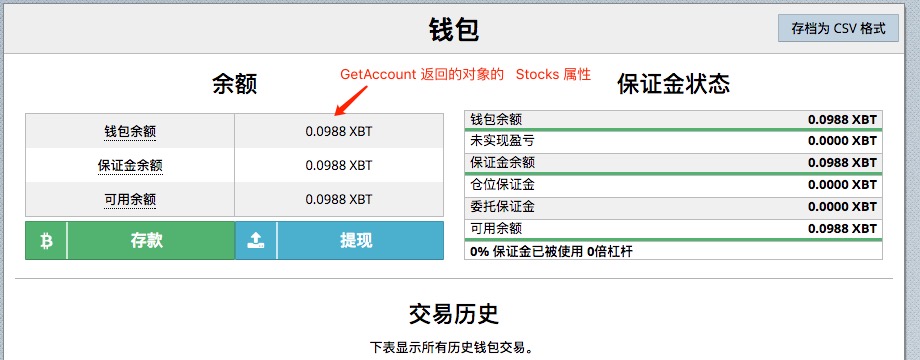
Log the information by bot, which is the same with that on BitMEX.

-
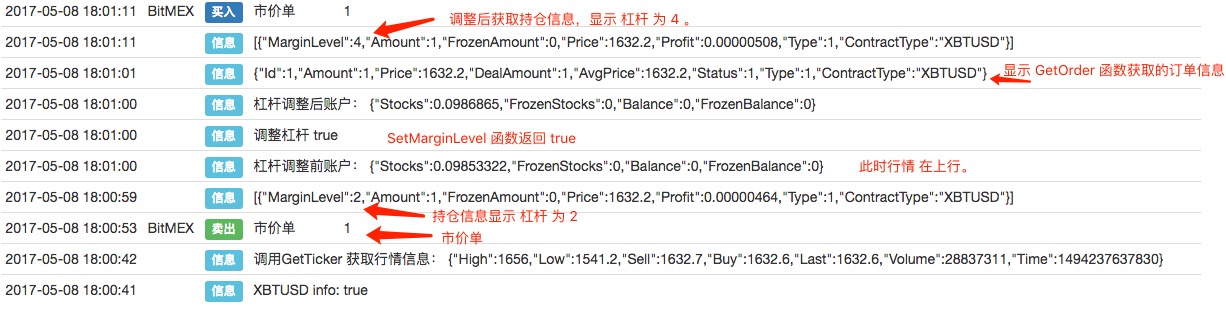
Log positions after changing leverage, the leverage has been changed (하시 가격 주문 후 레버리지를 조정하고, 전후 지분 정보를 비교한다。)
-
Use Go function to cover your positions at the same time. (고 함수를 사용하여 동시에 위치를 커버합니다.)
              exchange.SetDirection("closesell");
  var go_buy = exchange.Go("Buy", -1, 1);
  var orderId2 = go_buy.wait();
  Log(_C(exchange.GetOrder, orderId2));
  Log("当前账户:", nowAccount = _C(exchange.GetAccount));
  Log(_C(exchange.GetPosition));
  LogProfit(nowAccount.Stocks - initAccount.Stocks, " initAccount:", initAccount, " nowAccount:", nowAccount);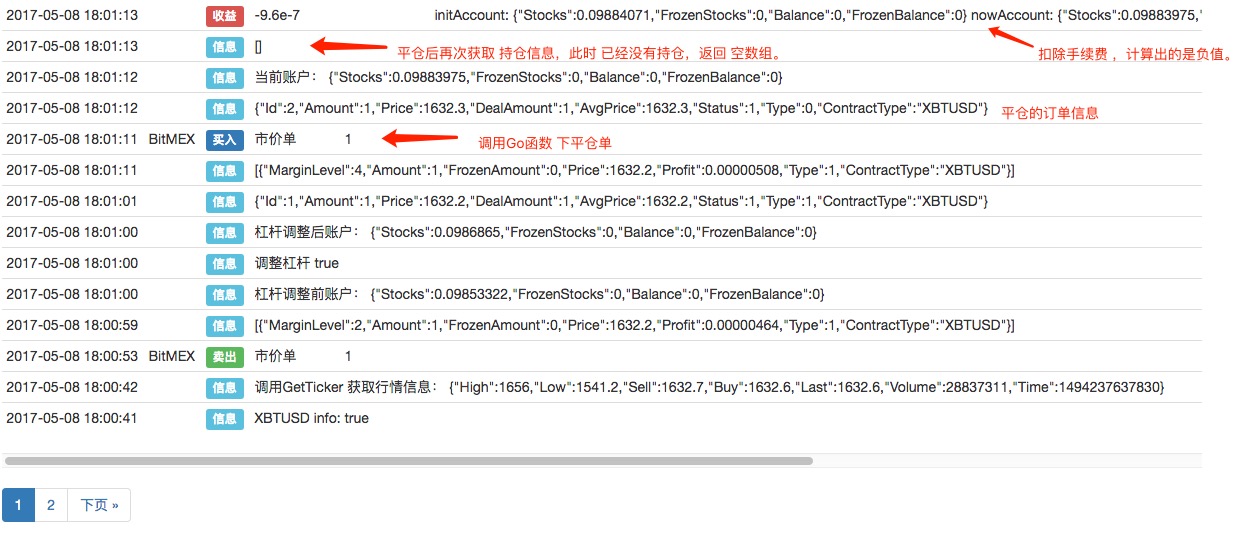
-
Let's try post orders and cancel it. (우리는 주문을 올리고 취소하려고 노력한다.
            var ticker = _C(exchange.GetTicker);
exchange.SetDirection("buy");
exchange.Buy(ticker.Last - 50, 1);
exchange.SetDirection("sell");
exchange.Sell(ticker.Last + 50, 1);
// GetOrders
Log("Test GetOrders:", _C(exchange.GetOrders));
var e = exchange;
while (true) {
    var orders = _C(e.GetOrders);
    if (orders.length === 0) {
        break;
    }
    Sleep(500);
    for (var j = 0; j < orders.length; j++) {
        e.CancelOrder(orders[j].Id);
        if (j < (orders.length - 1)) {
            Sleep(500);
        }
    }
}
Log("orders have been canceled. Now check orders again, order array is empty. GetOrders:", _C(exchange.GetOrders));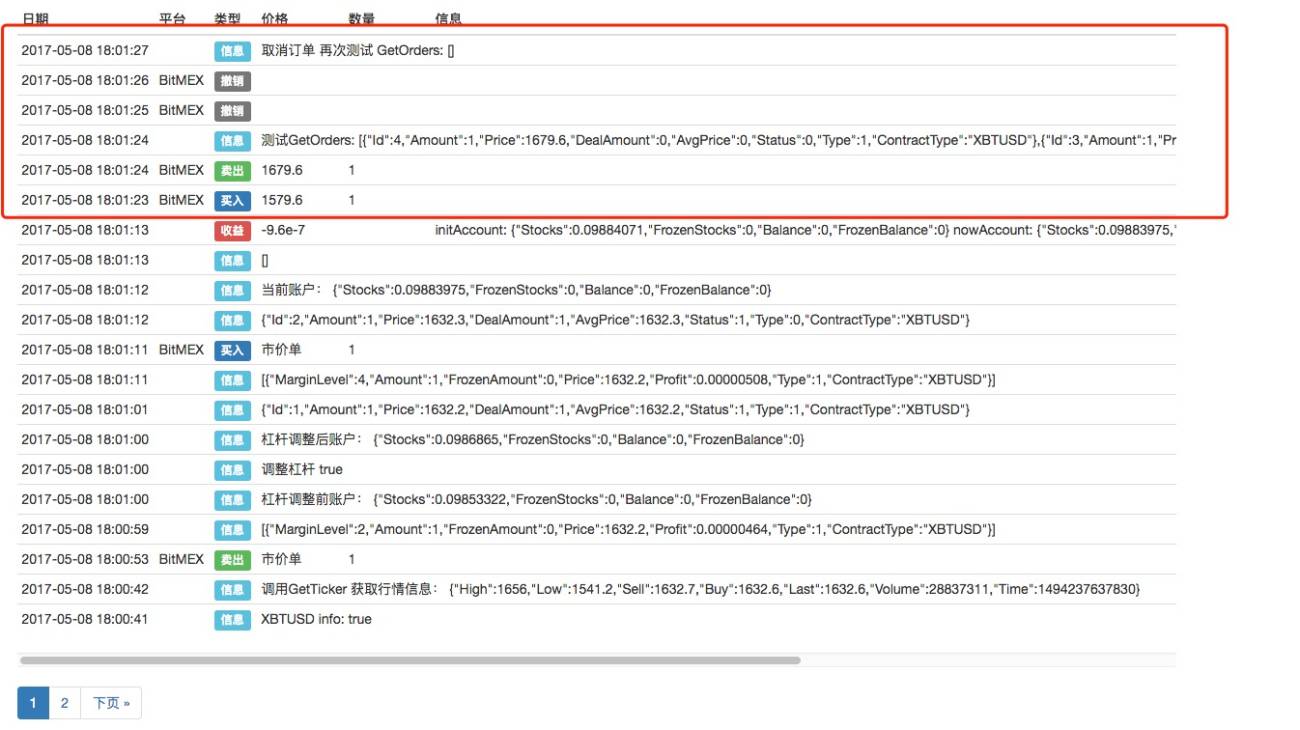
The pending orders' information. (지속된 주문 정보)
             [{"Id":4,"Amount":1,"Price":1679.6,"DealAmount":0,"AvgPrice":0,"Status":0,"Type":1,"ContractType":"XBTUSD"},
 {"Id":3,"Amount":1,"Price":1579.6,"DealAmount":0,"AvgPrice":0,"Status":0,"Type":0,"ContractType":"XBTUSD"}]
-
참고:
-
1 BitMEX only supoort K-line periods of 1m, 5m, 1h, 1d.
최신 호스트를 사용하면 K 라인을 자동으로 합성할 수 있으며, BITMEX가 지원하지 않는 K 라인 주기 데이터를 합성할 수 있습니다. 따라서 K 라인 주기 설정은
1分钟、5分钟、1小时、1天이러한 주기, 모든 주기들을 설정할 수 있습니다.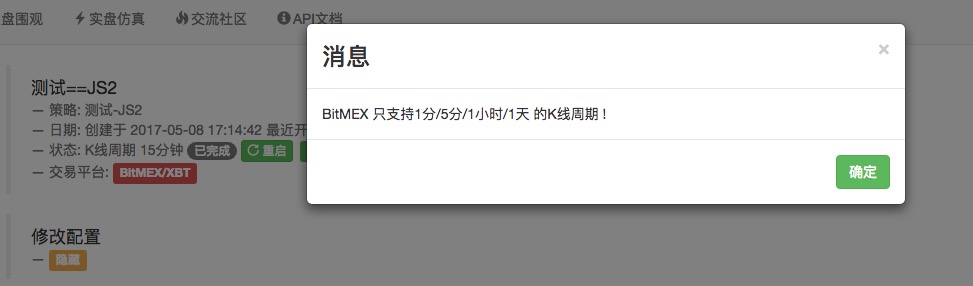
-
2 , Test holding long and short positions at the same time. (한 번에 여러 개의 상위 위치, 빈 상위 위치를 보유하는 테스트)
            LogReset(1);
var info = exchange.SetContractType("XBTUSD");
exchange.SetDirection("sell");
var orderId = exchange.Sell(-1, 1);
Log(_C(exchange.GetPosition));
Sleep(1000*6);
exchange.SetDirection("buy");
var orderId2 = exchange.Buy(-1, 1);
Log(_C(exchange.GetPosition));
exchange.SetDirection("closesell");
var orderId3 = exchange.Buy(-1, 1);
Log(_C(exchange.GetPosition));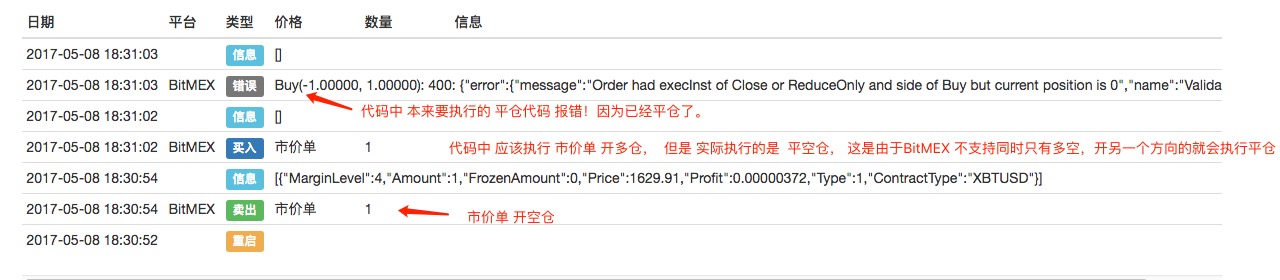
-
3. The leverage can be changed while holding position. (지지를 하면서 레버리지가 변경될 수 있다.
-
4. Support exchange.IO function for more API. (지원하는 교환.IO 기능)
 // exchange.IO example exchange.SetContractType("XBTUSD"); Log(exchange.IO("api", "POST", "position/leverage", "symbol=XBTUSD&leverage=4")); Log(exchange.IO("api", "GET", "user"));
            // exchange.IO example
exchange.SetContractType("XBTUSD");
Log(exchange.IO("api", "POST", "position/leverage", "symbol=XBTUSD&leverage=4"));
Log(exchange.IO("api", "GET", "user"));
The raw information of position/leverage API (거래소 API--position/leverage를 직접 호출하여 반환한 데이터)
            {"homeNotional":0,
"sessionMargin":0,
"bankruptPrice":null,
"initMarginReq":0.25,
"execBuyQty":2,
"execComm":184,
"unrealisedCost":0,
"commission":0.00075,
"leverage":4,
"posLoss":0,
"posMargin":0,
"posMaint":0,
"liquidationPrice":null,
"maintMarginReq":0.005,
"grossExecCost":0,
"execCost":7,
"currentTimestamp":"2017-05-08T10:51:20.576Z",
"markValue":0,
"unrealisedGrossPnl":0,
"taxBase":7720,
"unrealisedPnlPcnt":0,
"prevUnrealisedPnl":0,
"openOrderSellCost":0,
"deleveragePercentile":null,
"openingComm":31588,
"openOrderBuyCost":0,
"posCross":0,
"taxableMargin":0,
"simpleCost":0,
"underlying":"XBT",
"quoteCurrency":"USD",
"execBuyCost":122613,
"execSellCost":122620,
"execQty":0,
"realisedCost":-7720,
"unrealisedPnl":0,
"openingQty":0,
"openOrderBuyQty":0,
"initMargin":0,
"unrealisedTax":0,
"simpleQty":0,
"avgCostPrice":null,
"rebalancedPnl":24052,
"openingTimestamp":"2017-05-08T10:00:00.000Z",
"unrealisedRoePcnt":0,
"posCost":0,
"posInit":0,
"posComm":0,
"realisedTax":0,
"indicativeTax":0,
"breakEvenPrice":null,
"isOpen":false,
"riskValue":0,
"posState":"",
"varMargin":0,
"realisedGrossPnl":7720,
"timestamp":"2017-05-08T10:51:20.576Z",
"account":25992,
"foreignNotional":0,
"openOrderSellPremium":0,
"simpleValue":0,
"lastValue":0,
"riskLimit":20000000000,
"openOrderSellQty":0,
"grossOpenPremium":0,
"marginCallPrice":null,
"prevClosePrice":1562.74,
"openOrderBuyPremium":0,
"currentQty":0,
"currentCost":-7720,
"currentComm":31772,
"markPrice":null,
"posCost2":0,
"realisedPnl":-24052,
"prevRealisedPnl":-95,
"execSellQty":2,
"shortBankrupt":0,
"simplePnl":0,
"simplePnlPcnt":0,
"lastPrice":null,
"posAllowance":0,
"targetExcessMargin":0,
"indicativeTaxRate":0,
"grossOpenCost":0,
"maintMargin":0,
"crossMargin":false,
"openingCost":-7727,
"longBankrupt":0,
"avgEntryPrice":null,
"symbol":"XBTUSD",
"currency":"XBt"}
-
- windows 64bit , 32bit (CLI , Interface)
- MAC OSX (cmd line)
- Linux 64bit , 32bit (cmd line)
- ARM linux (cmd line)
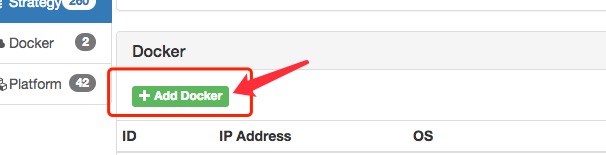
After this , I will make a process which step by step add a docker.
Wait for you message! ^^


使用exchange.IO("api", httpMethod, resource, params) 调用bitmex的rest接口报错,请问这个怎么解决?
我想GET bitmex的这个url:https://www.bitmex.com/api/v1/orderBook/L2?symbol=XBT&depth=1,按照文档使用了如下代码
def main():
depth = exchanges[0].IO("api", "GET", "/api/v1/orderBook/L2","symbol=XBT&depth=1")
Log(depth)
运行后日志报错:
Futures_BitMEX 错误 Futures_OP 4: 401: {"error":{"message":"Signature not valid.","name":"HTTPError"}}
我的aksk是没问题的,因为其他的api可以调用通过,帮忙看看这个是什么原因?

是这样的, 您调用的是 获取深度 的接口, 这个 接口应该是 不用签名 加密的。 对于加密请求的接口 要使用 exchange.IO 调用, 对于 不加密的 使用 HttpQuery (python 使用 urlib 库) , HttpQuery 处理 不加密的 接口 请求。

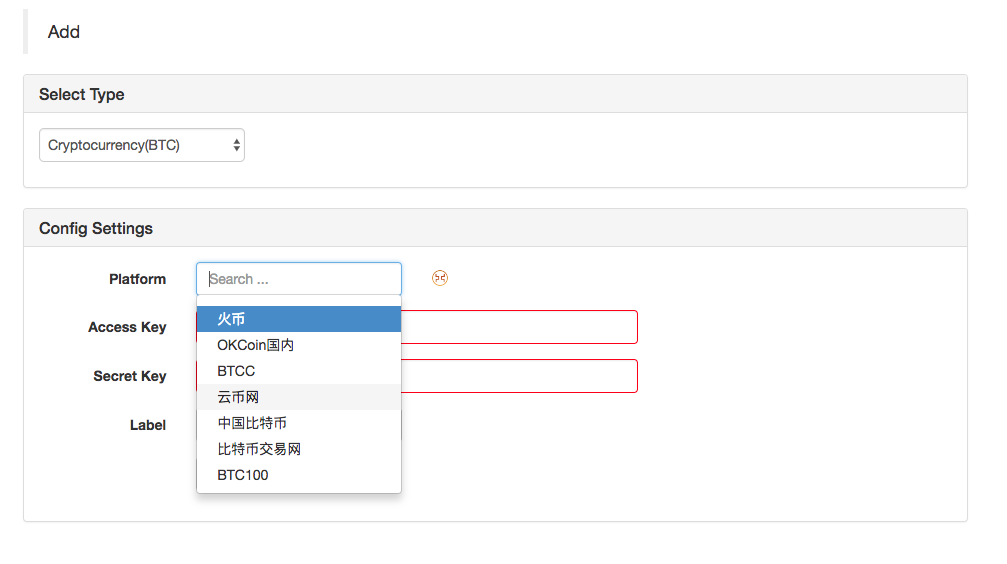
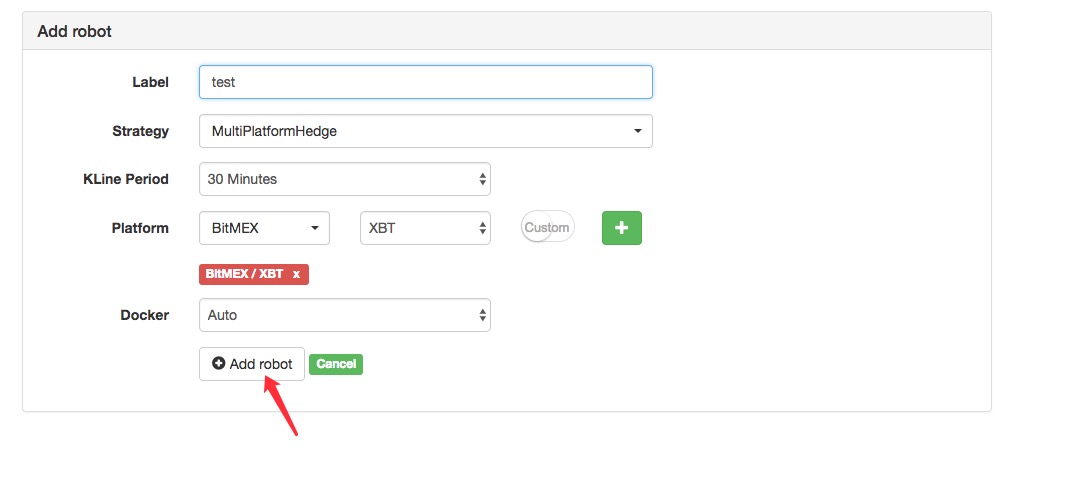
Hello, i can't add droker, it says incorrect password.
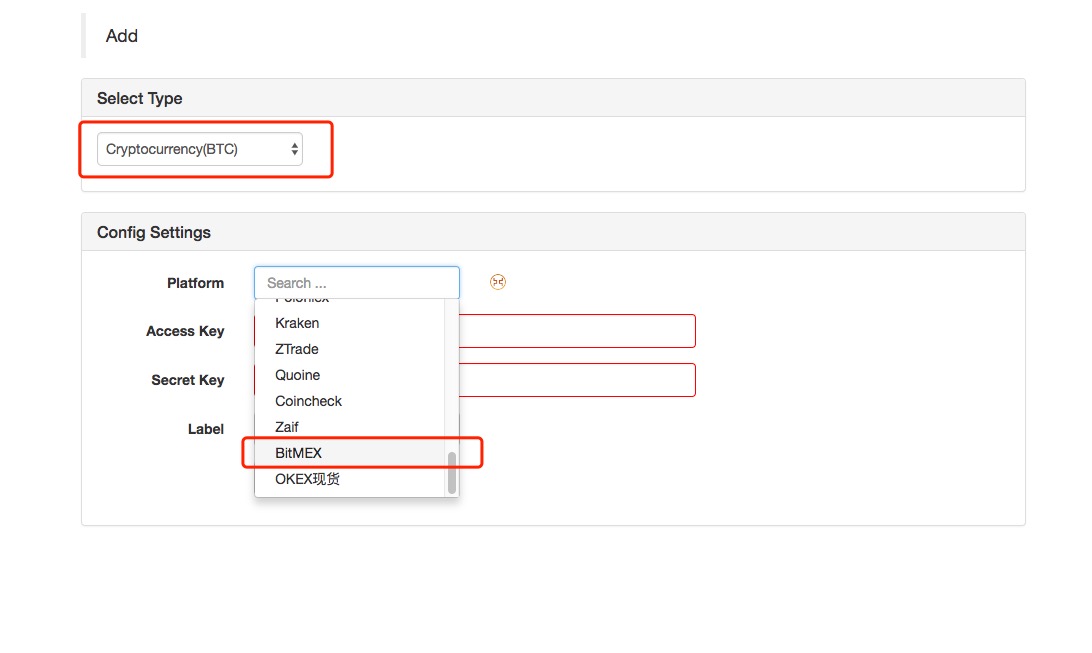
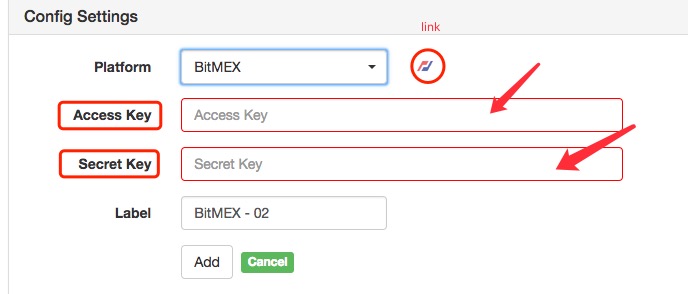
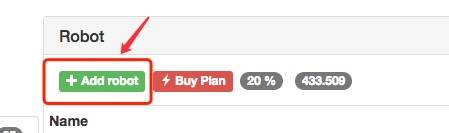
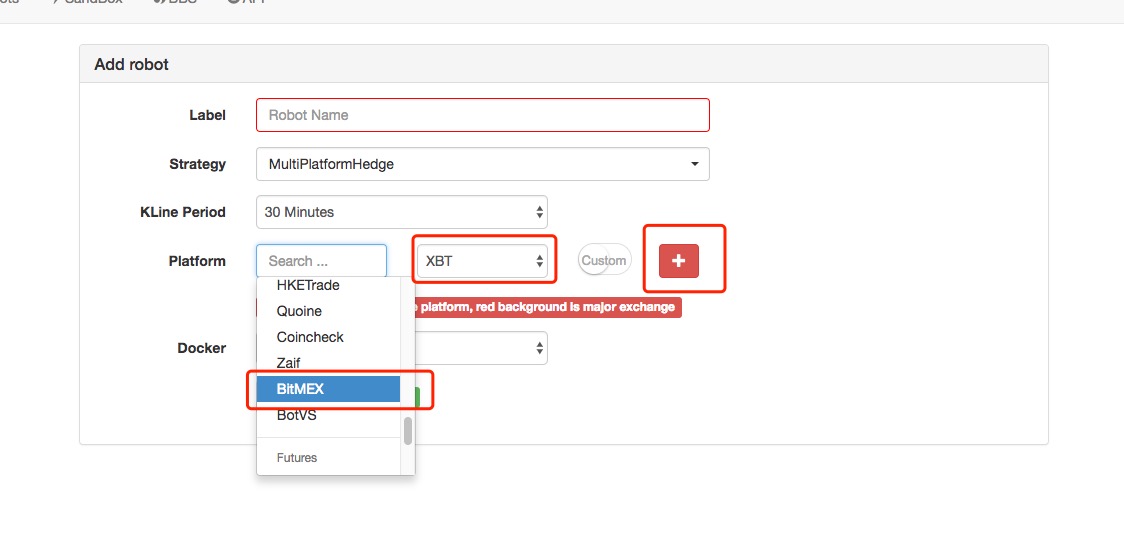
I need help with all steps if it is possible, i could only add the plateform.
Thanks, Victor997
Thanks for your supported!
Could I get some answer about which kinds of your system that you want to run a docker.
BotVS supported:






BitMEX 的GetRecords 返回的K线数据最后一个值不是实时的,造成无法实时计算各项指标。
这个问题已经很久了,是BitMEX本身API 的缺陷,一直没有解决的方法。
BotVS 有实时收集BitMEX 的数据,能否通过收集到的数据来补足BitMEX的这个实时数据呢?
我想自己加上最后这个实时数据,但是遇到一个问题,帮我看看
exchange.SetContractType('XBTUSD')
// 通过 GetRecords() 获取数据
records = exchange.GetRecords()
Log(records)
// 然后自己添加最后一个值。这里随便加个数据,仅供测试
records.push({
Time:records[records.length-1].Time + 3600000,
Close:records[records.length-1].Close + 1
})
Log(records)
// 休息10秒重新调用 GetRecords()
Sleep(10000)
records = exchange.GetRecords()
// 为什么上次添加的数据还在?
Log(records)

- 1