G通道과 EMA 추세 필터 거래 시스템

개요
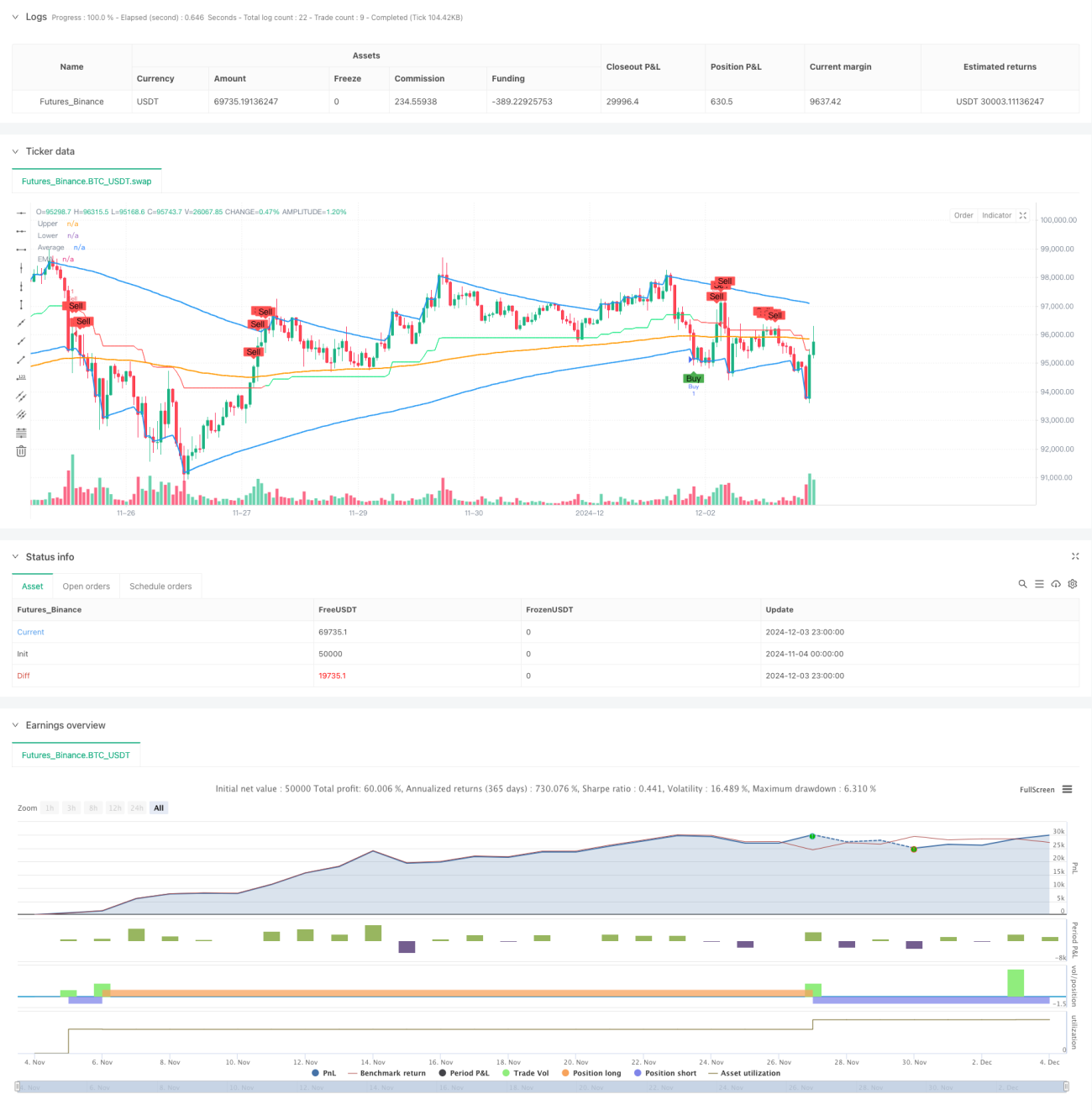
본 전략은 사용자 정의 G채널과 지수이동평균(EMA)을 기반으로 하는 추세 추종 거래 시스템입니다. G채널은 상단선(a), 하단선(b) 및 중간선(avg)으로 구성되며, 현재 및 과거 가격을 동적으로 계산하여 채널 경계를 결정합니다. 이 전략은 EMA를 추세 필터로 결합하여, 가격이 채널선을 교차하는 패턴과 EMA와의 위치 관계를 통해 거래 신호를 생성함으로써 시장 추세 전환점을 효과적으로 포착합니다.
전략 원리
전략의 핵심 로직은 두 가지 주요 구성 요소인 G채널과 EMA 필터로 이루어집니다. G채널의 계산은 현재 가격과 과거 데이터를 기반으로 하며, 적응형 알고리즘을 통해 채널 폭을 동적으로 조정합니다. 상단선(a)은 현재 가격과 이전 상단선 중 큰 값을 취하고, 채널 폭 및 길이 매개변수에 따라 동적으로 조정됩니다. 하단선(b)은 유사한 방법으로 최소값을 계산하며, 중간선은 상하단선의 산술 평균입니다. 거래 신호의 트리거 조건은 가격과 채널선의 교차 및 EMA와의 상대 위치를 결합합니다: 가격이 하단선을 상향 돌파하고 EMA 아래에 있을 때 매수 신호가 발생하며, 가격이 상단선을 하향 돌파하고 EMA 위에 있을 때 매도 신호가 발생합니다.
전략 장점
- 적응성 우수: G채널은 시장 변동성에 따라 채널 폭을 자동으로 조정하여 다양한 시장 환경에 적응할 수 있습니다.
- 추세 확인: EMA를 필터로 사용하여 거래 신호의 신뢰성을 향상시킵니다.
- 위험 관리: 채널 돌파 및 추세 확인의 이중 검증 메커니즘을 통해 허위 신호의 위험을 줄입니다.
- 신호 명확성: 거래 조건이 명확하여 프로그래밍 구현 및 백테스트 검증이 용이합니다.
- 시각화 지원: 전략은 완전한 그래픽 디스플레이를 제공하여 분석 및 판단을 용이하게 합니다.
전략 위험
- 추세 지연: EMA는 후행 지표이므로 진입 시점이 지연될 수 있습니다.
- 횡보장 위험: 횡보장에서 잦은 가짜 돌파 신호가 발생할 수 있습니다.
- 매개변수 민감성: 채널 길이 및 EMA 주기 선택이 전략 성과에 큰 영향을 미칩니다.
- 시장 환경 의존성: 추세가 뚜렷한 시장에서 성과가 좋지만, 횡보장에서는 성과가 저조할 수 있습니다.
전략 최적화 방향
- 변동성 지표 도입: 시장 변동성에 따라 채널 매개변수를 동적으로 조정하여 전략 적응성을 높입니다.
- 시장 환경 필터 추가: 시장 상태 판단 메커니즘을 추가하여 시장 상황에 따라 다른 매개변수를 적용합니다.
- 손절 메커니즘 최적화: 채널 폭 기반의 동적 손절 설계를 통해 위험 관리 능력을 향상시킵니다.
- 신호 필터 보완: 거래량, 변동성 등 보조 지표를 추가하여 신호 품질을 개선합니다.
- 매개변수 최적화: 백테스트를 통해 다양한 시장 환경에 맞는 최적의 매개변수 조합을 찾습니다.
요약
G채널과 EMA 추세 필터 거래 시스템은 채널 돌파와 추세 추종을 결합한 완전한 거래 전략입니다. G채널의 동적 특성과 EMA의 추세 확인 기능을 통해 이 전략은 시장 전환점을 효과적으로 포착하고 거래 위험을 통제할 수 있습니다. 일부 한계가 있지만, 제시된 최적화 방향을 통해 전략의 전반적인 성능을 더욱 향상시킬 수 있을 것으로 기대됩니다. 이 전략은 추세가 뚜렷한 시장에서 사용하기 적합하며, 보다 복잡한 거래 시스템을 구축하기 위한 기본 프레임워크로 활용될 수 있습니다.
- 1