Strategy Editor
Open the edit page from the new strategy page or by opening an existing strategy in the Strategy Library (for strategy ID 123456 the address is https://www.fmz.com/m/edit-strategy/123456) to write strategies.
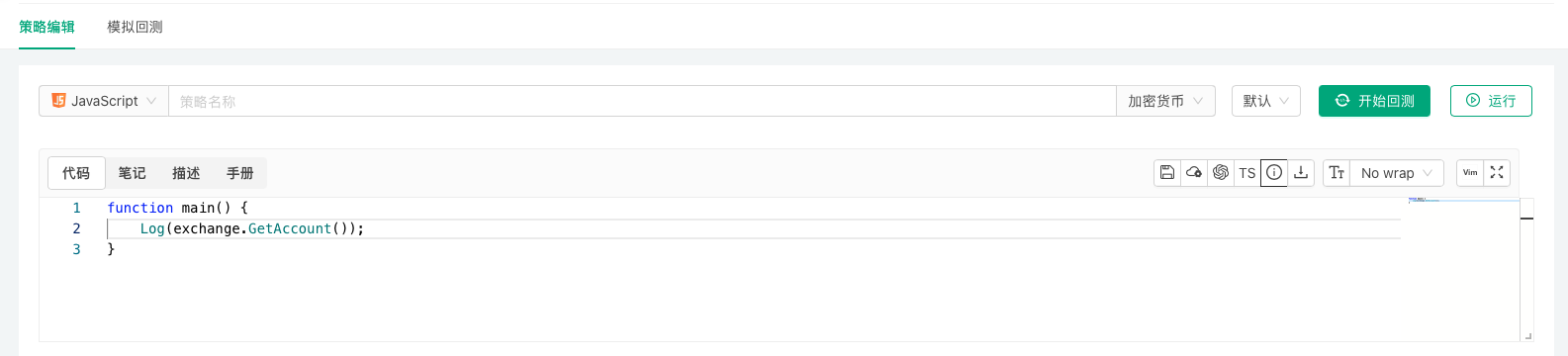
This chapter covers the editor's assistance features. Related features of the editing page:
- Remote editing: write in a local editor and sync to the platform automatically (see
Remote Editing). Backtest configuration and saving: save the backtest configuration and strategy parameters with the strategy (see Backtesting System).Import and export of complete strategies: export and import a strategy with its parameters and everything else (see Platform Basics → Strategy Library).
Editor shortcuts
-
Command Palette: right-click in the code editing area and choose "Command Palette" to see the keyboard shortcuts and editor commands for each feature.

-
Go to definition and references: select the content to look up and right-click:
- Go to Definition: jump to where it is defined.
- Go to References: jump to where it is referenced.
- Peek - Peek Definition: view the definition of the selected code without leaving the current line.
- Peek - Peek References: view references to it from other lines without leaving the current line, with quick navigation.
-
Syntax manual lookup: in the "Code" editing area, hold down
⌘(Mac) orCtrl(Windows) and hover over a variable name or function name; a link appears, and clicking it opens the "Syntax Manual" at that entry.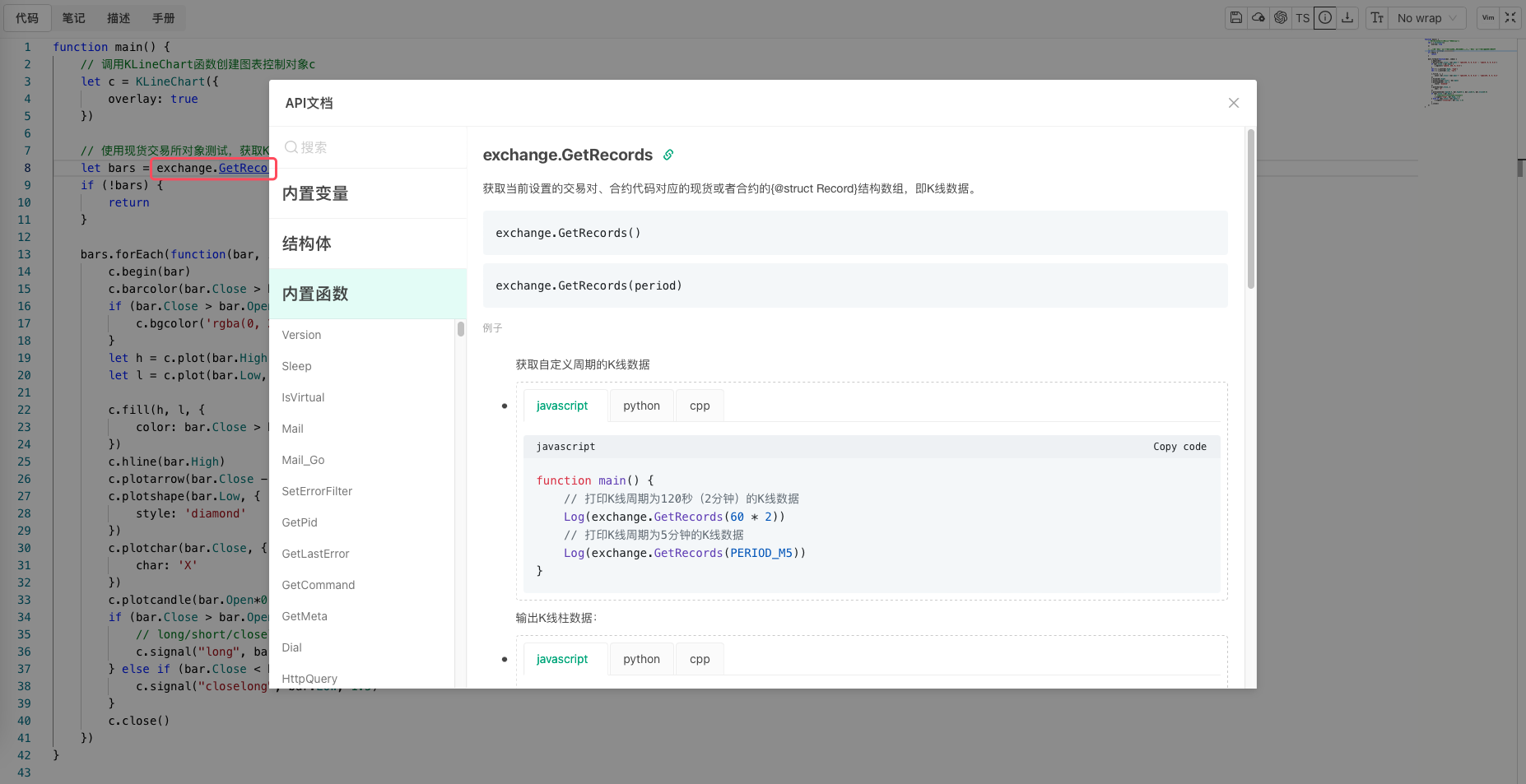
In this sectionRead the whole section
| Name | Description |
| AI Assistant | The strategy editor has a built-in AI assistant that generates strategy code from a description, explains and edits selected code, adjusts strategy parameters a… |
| Strategy Documentation | The online strategy editing page keeps the code, description, usage instructions and development notes of a strategy separately. |
| History Version Management | A history version is a snapshot of the strategy at a point in time; use it to roll back or compare code, or to have a live robot run a specific version. |