2.14 Cómo llamar a la API del exchange
-
Funciones de HttpQuery
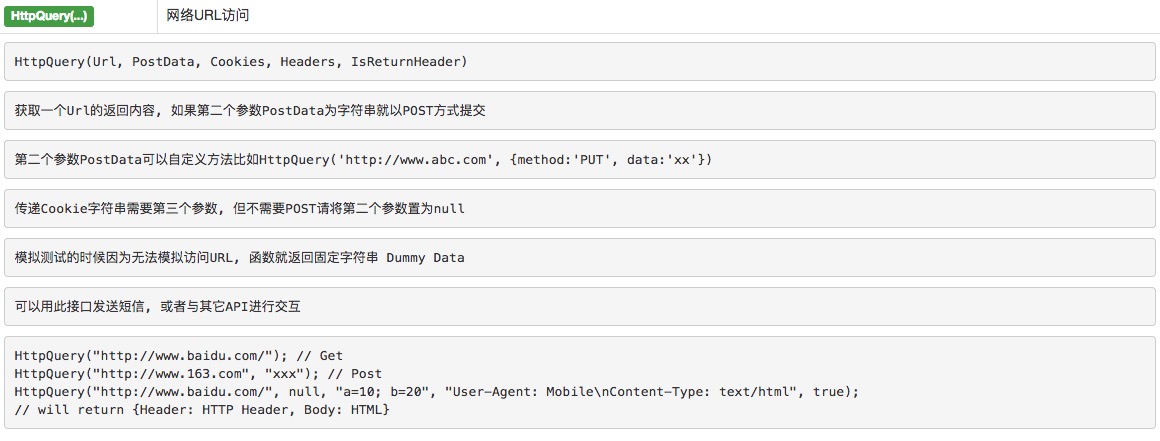
Cuando se invocan algunas API de la bolsa que no requieren verificación (como la API de información comercial no relacionada con la información de la cuenta), por ejemplo:
https://www.okcoin.com/api/v1/future_estimated_price.do?symbol=btc_usd // 获取交割预估价HttpQuery("https://www.okcoin.com/api/v1/future_estimated_price.do?symbol=btc_usd")
https://www.okcoin.com/api/v1/future_hold_amount.do?symbol=btc_usd&contract_type=next_week // 获取合约持仓量HttpQuery("https://www.okcoin.com/api/v1/future_hold_amount.do?symbol=btc_usd&contract_type=next_week")
Se obtiene una cadena en formato JSON que se puede analizar como un objeto con la función JSON.parse para obtener datos.
-
La función exchange.IO

Las API de intercambio para la invocación de la función IO deben ser las que requieran verificación ((No soportadas Aquellas API que se pueden acceder directamente con HttpQuery。)
Para más información, consulte la documentación de la API.

因为python不支持HttpQuery,exchange.IO又必须要验证,所以我尝试用自带的urllip获取行情信息。但是Poloniex的API都有人工验证,你们是怎么解决的呢。

python 这样写,我也是 看gihub 上的还在学习:
             def _call(self, mode, uri, data = None):
        url = '%s://%s%s' % (SCHEME, self._host, uri)
        # Log(mode + ' ' + url)                                                                          # print
        headers = DEFAULT_GET_HEADERS if mode=='GET' else DEFAULT_POST_HEADERS

        req = request.Request(url, data = data, headers=headers, method=mode)
        # Log("req:", req)                                                                               # print
        with request.urlopen(req, timeout=TIMEOUT) as resp:
            if resp.getcode()!=200:
                raise ApiNetworkError('Bad response code: %s %s' % (resp.getcode(), resp.reason))
            return resp.read() # self._parse(resp.read())
发送 请求。
- 1