8
Follow
1391
Followers
FMZ VS Code エディター関数プロンプト プラグイン
VS Codeエディターの発明者 量化取引プラットフォーム コード 提示 プラグイン サポートjavascript、python、c++言語 自動提示,補足,表示関数インターフェース説明
編集が必要なファイルは次のとおりですjavascript/python/cppプラグインの起動を触発する.
プラグイン市場 ダウンロード・インストール
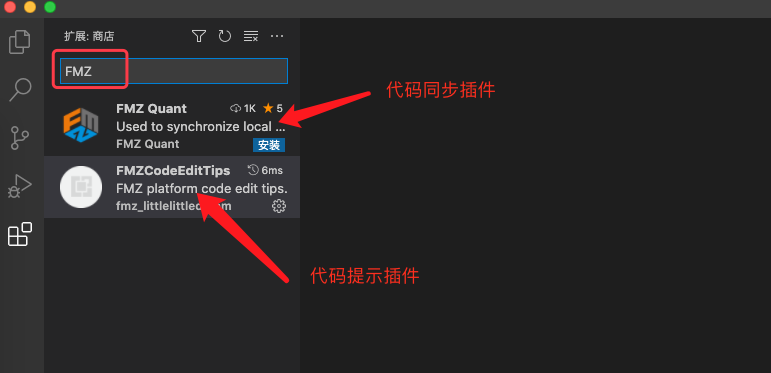
現在のところVS Codeプラグイン市場には,FMZプラットフォームの"リモート同期プラグイン"",コード提示プラグイン"があります.
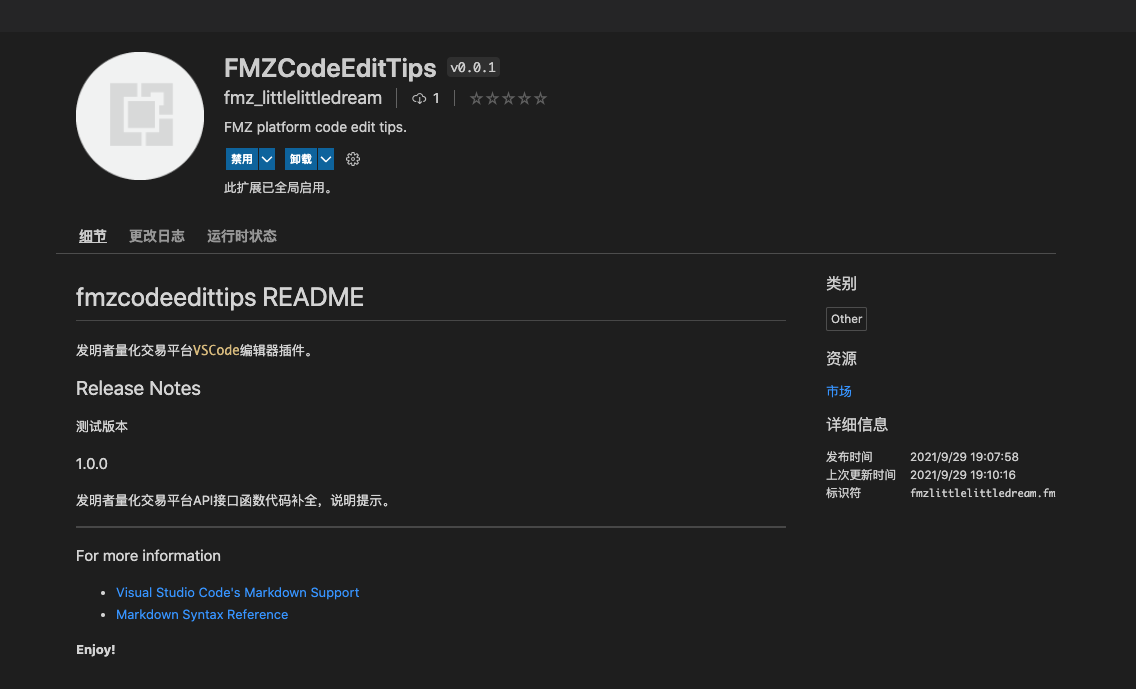
インストール後",Disable"と"Uninstall"のボタンが表示されます.
使用
-
キーワードを検知する
exchange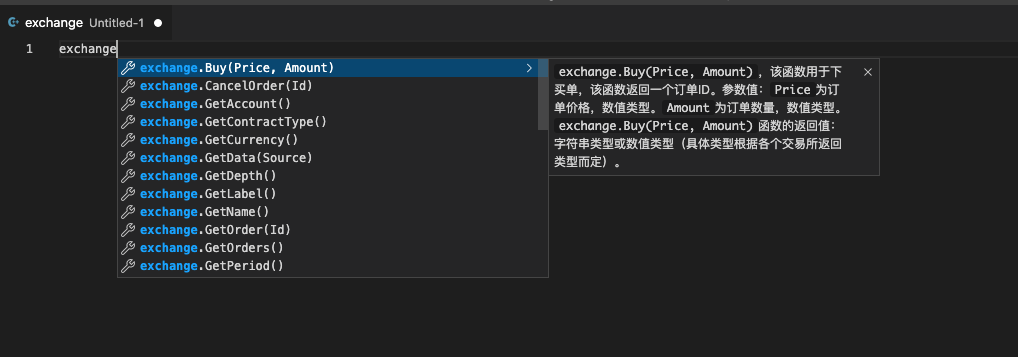
-
キーワードを検知する
exchanges
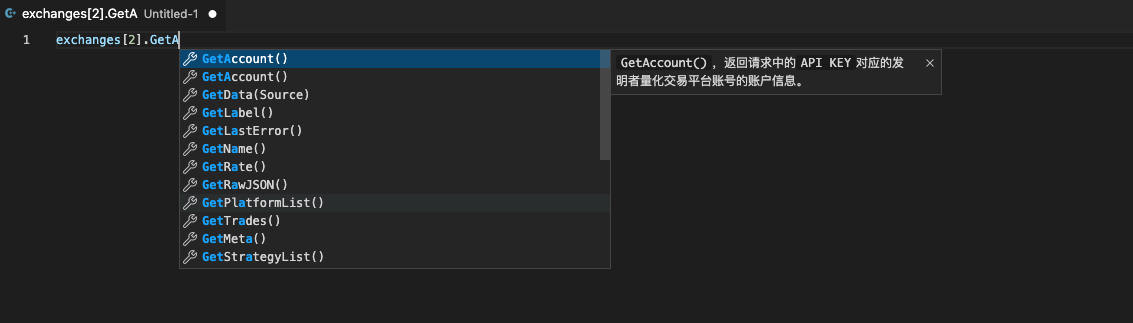
新しいユーザがプラットフォームのAPIインターフェースに慣れていない場合の策略を書き込むのに便利である.
Related Recommendations
How to Specify Different Versions of Data for the Rented Strategy by Its Rental Code MetadataAdvanced Tutorial for FMZ Quant platform Strategy WritingElementary Tutorial for FMZ Quant platform Strategy WritingGet Started with FMZ Quant PlatformSECURITY BUGI keep getting error: Exchange_GetAccount: Invalid ContractTypeWe have an incredibly profitable market making algorithm for sideways markets on Bitmex - but need expert to help eliminate wait times during downward volatility in the marketError with deribitLimitations of the backtesting engineHow to install ta-lib on linux docker?
Comment
All comments (2)


https://www.fmz.com/api#远程编辑
可以看下API文档上的描述。
你安装好VSCODE的同步插件之后,把FMZ平台上策略编辑页面上的同步秘钥,复制粘贴在你本地编辑器VSCODE的代码编辑区域第一行,然后保存策略时就会自动同步了。
5 years ago
- 1