8
Follow
1391
Followers
FMZ VS 코드 편집기 기능 프롬프트 플러그인
VS Code에디터의 발명자 양적 거래 플랫폼 코드 힌트 플러그인 지원javascript、python、c++언어 │ 자동提示,補充,顯示函數接口說明
편집해야 할 파일은 다음과 같습니다.javascript/python/cpp이 플러그인이 시작될 때
플러그인 마켓 다운로드, 설치
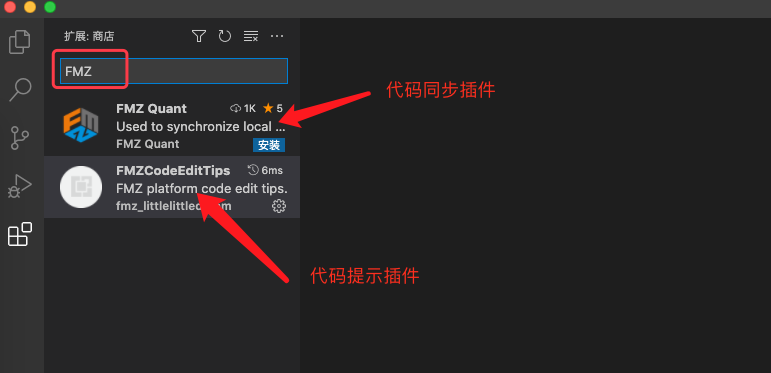
현재VS Code플러그인 시장의 플러그인은 FMZ 플랫폼 "리모트 동기화 플러그인", "코드 제안 플러그인"이다.
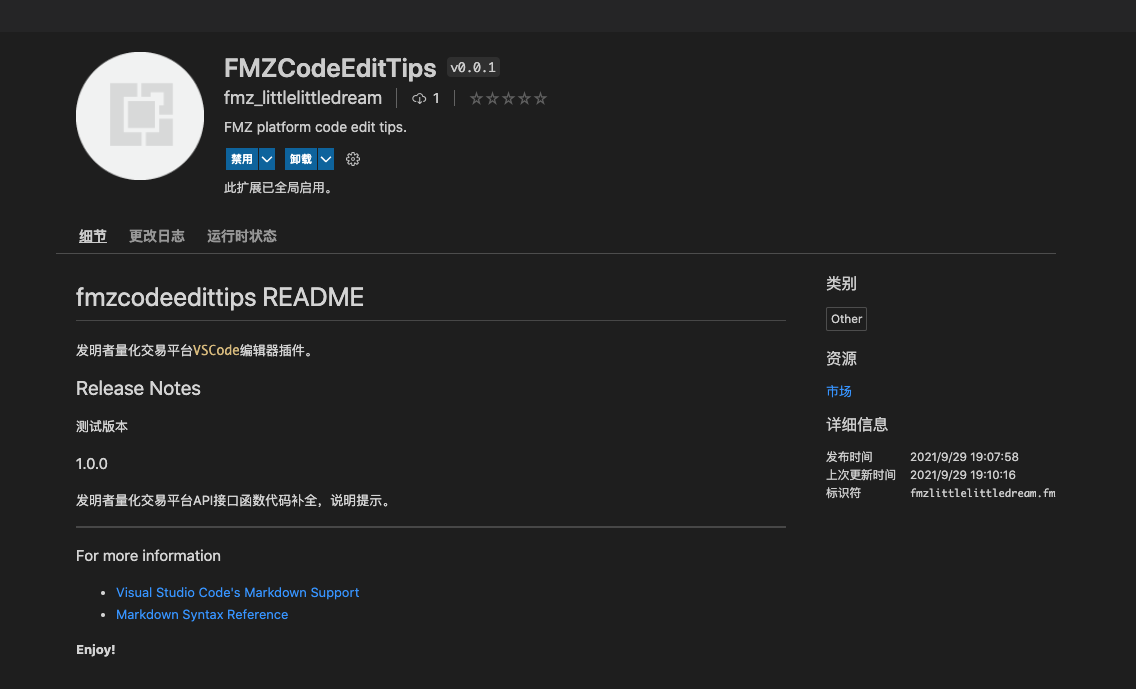
설치 후, "Disable"와 "Uninstall" 버튼이 표시됩니다.
사용
-
키워드 탐지
exchange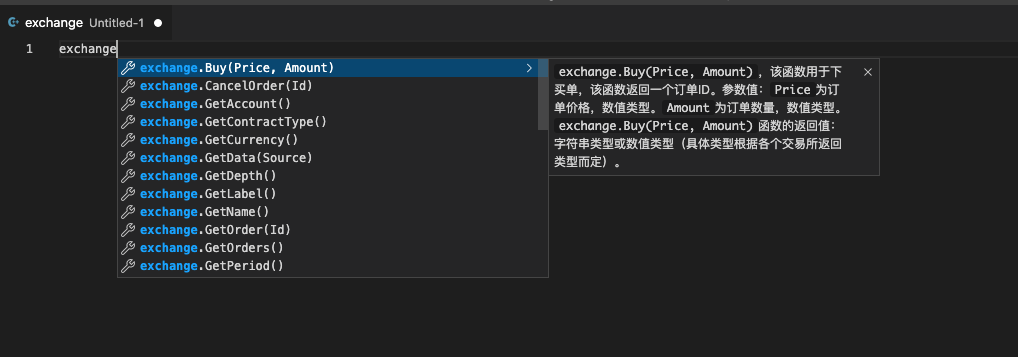
-
키워드 탐지
exchanges
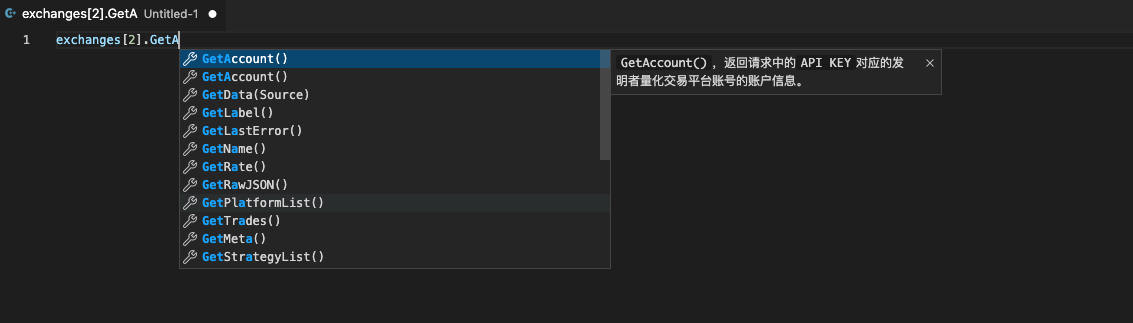
새로운 사용자가 플랫폼 API 인터페이스에 익숙하지 않은 경우 정책을 작성하는 데 도움이 됩니다.
Related Recommendations
How to Specify Different Versions of Data for the Rented Strategy by Its Rental Code MetadataAdvanced Tutorial for FMZ Quant platform Strategy WritingElementary Tutorial for FMZ Quant platform Strategy WritingGet Started with FMZ Quant PlatformSECURITY BUGI keep getting error: Exchange_GetAccount: Invalid ContractTypeWe have an incredibly profitable market making algorithm for sideways markets on Bitmex - but need expert to help eliminate wait times during downward volatility in the marketError with deribitLimitations of the backtesting engineHow to install ta-lib on linux docker?
Comment
All comments (2)


https://www.fmz.com/api#远程编辑
可以看下API文档上的描述。
你安装好VSCODE的同步插件之后,把FMZ平台上策略编辑页面上的同步秘钥,复制粘贴在你本地编辑器VSCODE的代码编辑区域第一行,然后保存策略时就会自动同步了。
5 years ago
- 1