Template Library
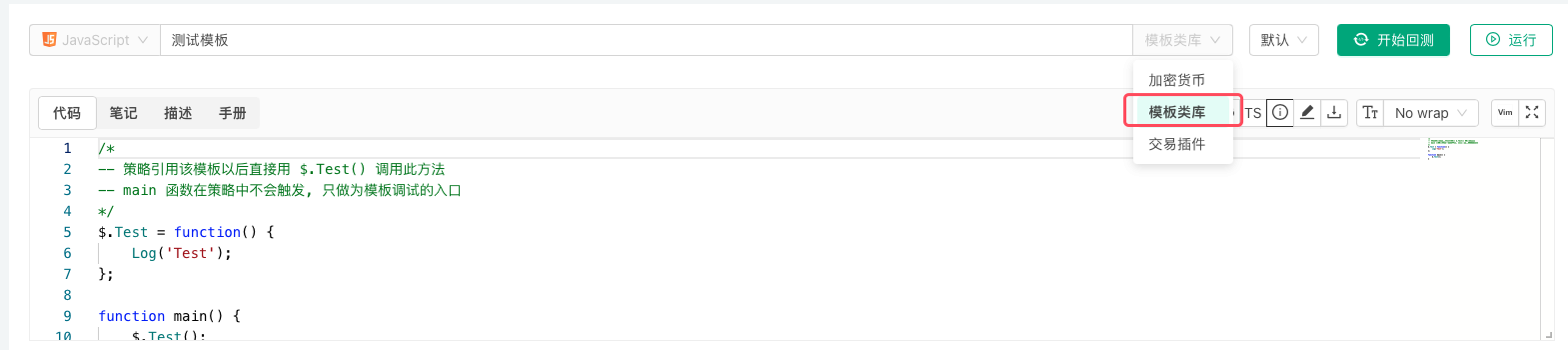
Template Library is a reusable code module in the FMZ Quant Trading Platform, which belongs to a category of strategy code. The programming languages that support template library functionality on the FMZ Quant Trading Platform include: JavaScript, Python, C++, Blockly Visual. When creating a strategy, if the category is set to Template Library, the system will create a template library in the strategy repository of the currently logged-in account on the FMZ Quant Trading Platform. Once created, this category cannot be changed back to a regular strategy.
Export Functions of Template Libraries
Export functions are the interface functions of template libraries, which can be called by strategies that reference the template library.
Examples
-
Different programming languages have different formats for writing template libraries. The following are example codes for declaring and implementing export functions in template libraries:
javascript/* -- 策略引用该模板以后直接用 $.Test() 调用此方法 -- main 函数在策略中不会触发, 只做为模板调试的入口 */ $.Test = function() { Log('Test') } function main() { $.Test() }pythondef Test(): Log("template call") # 导出Test函数, 主策略可以通过ext.Test()调用 ext.Test = Testc++// 策略引用该模板以后直接用 ext::Test() 调用此方法 void Test() { Log("template call"); } -
Strategies written in
Blockly visualmode can implement library functions throughJavaScriptlanguage template libraries. Please use the following format.javascript/*blockly { "type": "ext_testA", "message0": "testA|testA", "template": "function(){return 99;}()", "order": "ORDER_ATOMIC", "output": "Number" },{ "type": "ext_MA", "message0": "MA 周期 %1| MA Period %1", "args0": [{ "type": "input_value", "check": "Number" }], "template": "(function(){var r = exchange.GetRecords(); return (!r || r.length < %1) ? false : TA.MA(r, %1); })()", "order": "ORDER_ATOMIC", "output": null, "colour": 85 } */
Template Library Parameters
Template libraries can also set their own interface parameters. Template library parameters are used as global variables in the template library code.
For example, we set a template library parameter:

| Variable Name in Strategy Code | Parameter Name Displayed on Strategy Interface | Type | Default Value |
|---|---|---|---|
| param1 | Template Parameter 1 | Number | 99 |
Examples
-
Template library code for testing the
param1parameter:javascript$.SetParam1 = function(p1) { param1 = p1 } $.GetParam1 = function() { Log("param1:", param1) return param1 }pythondef SetParam1(p1): global param1 param1 = p1 def GetParam1(): Log("param1:", param1) return param1 ext.SetParam1 = SetParam1 ext.GetParam1 = GetParam1c++void SetParam1(float p1) { param1 = p1; } float GetParam1() { Log("param1:", param1); return param1; } -
Strategy code referencing the above template library example, using the template library's exported functions to get parameter
param1and modify parameterparam1.javascriptfunction main () { Log("Calling $.GetParam1:", $.GetParam1()) Log("Calling $.SetParam1:", "#FF0000") $.SetParam1(20) Log("Calling $.GetParam1:", $.GetParam1()) }pythondef main(): Log("Calling ext.GetParam1:", ext.GetParam1()) Log("Calling ext.SetParam1:", "#FF0000") ext.SetParam1(20) Log("Calling ext.GetParam1:", ext.GetParam1())c++void main() { Log("Calling ext::GetParam1:", ext::GetParam1()); Log("Calling ext::SetParam1:", "#FF0000"); ext::SetParam1(20); Log("Calling ext::GetParam1:", ext::GetParam1()); }
Reference Template Library
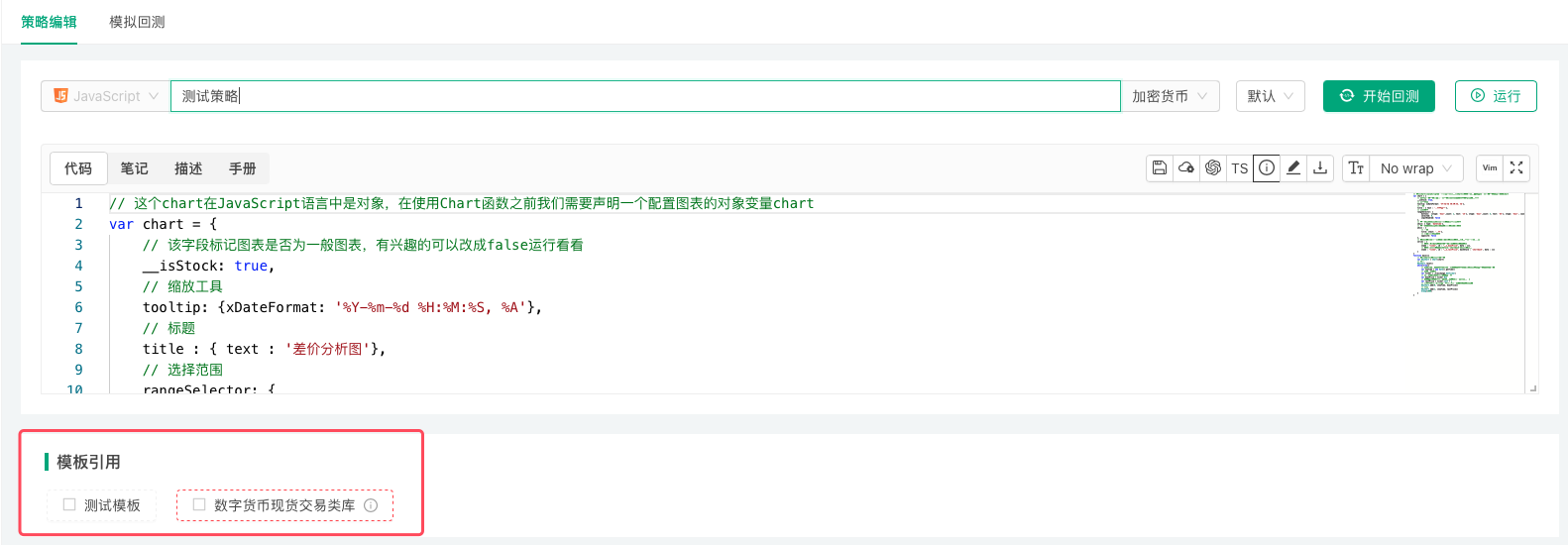
When a strategy references a template library, the currently logged-in FMZ Quant Trading Platform account must have available template libraries in its strategy library. On the Strategy Edit Page, check the templates you need to reference in the Template section, then save the strategy to complete the reference.