Writing Strategies
Writing strategies in the supported languages: notes for each language, strategy structure (lifecycle, main loop, event-driven), strategy parameters, interactive controls, template libraries, built-in libraries, and multi-language text in the strategy UI.
Programming Languages
What programming languages can I use to write my strategies on the FMZ Quant trading platform?
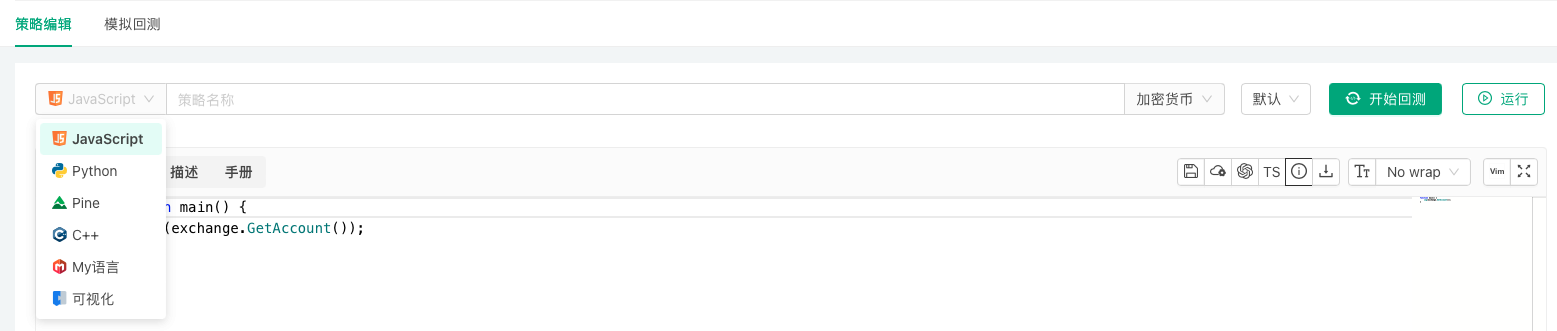
The FMZ Quant trading platform supports writing and designing trading strategies using JavaScript, TypeScript, Python, Rust, PINE, My Language, Blockly visual programming, and the Workflow workflow tool.
JavaScript
Strategies can be written in JavaScript. The runtime is based on the QuickJS engine and supports modern syntax such as async/await, class and BigInt. In live trading the strategy runs on the docker; in backtesting it runs in the browser-side backtesting system. Adding // @ts-check to the code switches to TypeScript (see Programming Languages → TypeScript).
Structure and parameters
The entry point is function main(). The optional init(), onexit() and onerror(msg) are called automatically by the docker (see Writing Strategies → Strategy Structure). Interface parameters are global variables with the same names; they can be read directly and also modified in code (see Writing Strategies → Strategy Parameters).
Errors and return values
When an API call fails (the exchange returns an error, a network problem, etc.) it returns null and writes the error to the log. Check the return value before using it, or retry with _C:
javascript
function main() {
var ticker = exchange.GetTicker()
// null when the call fails
if (ticker) {
Log(ticker)
}
// retry until valid data is returned
var account = _C(exchange.GetAccount)
Log(account)
}
For program exceptions (for example reading a property of undefined) and API business errors, the log shows the line number in the strategy code where the error occurred, which makes debugging easier.
Strings and ArrayBuffer
JavaScript strings are UTF-16. If text returned by a platform API is not a valid UTF-8 byte sequence, an ArrayBuffer (the raw bytes) is returned instead so that no data is lost. Every API parameter that accepts a string also accepts an ArrayBuffer.
            javascript

            function stringToHex(str) {
    let hex = ''
    for (let i = 0; i < str.length; i++) {
        const charCode = str.charCodeAt(i).toString(16)
        hex += charCode.length === 1 ? '0' + charCode : charCode
    }
    return hex
}

function main() {
    // the code point of "𠮷" exceeds 16 bits; it takes two UTF-16 code units in a JavaScript string
    const inputString = "abc𠮷123"

    // Encode outputs the UTF-8 bytes as hex
    const encodedHex = Encode("raw", "string", "hex", inputString)
    Log(encodedHex)                       // 616263f0a0aeb7313233

    // charCodeAt returns UTF-16 code units, so "𠮷" becomes d842, dfb7 - not UTF-8
    const manuallyEncodedHex = stringToHex(inputString)
    Log(manuallyEncodedHex)               // 616263d842dfb7313233

    // valid UTF-8 bytes decode back to a string
    const decodedString = Encode("raw", "hex", "string", encodedHex)
    Log(decodedString)                    // abc𠮷123

    // bytes that are not valid UTF-8 come back as an ArrayBuffer
    // (with inputString = "abcG123" both encodings are identical and this is a string)
    const outputD = Encode("raw", "hex", "string", manuallyEncodedHex)
    Log(outputD instanceof ArrayBuffer)   // true

    // inspect the raw bytes in the ArrayBuffer
    const bufferD = new Uint8Array(outputD)
    let hexBufferD = ''
    for (let i = 0; i < bufferD.length; i++) {
        hexBufferD += bufferD[i].toString(16).padStart(2, '0')
    }
    Log(hexBufferD)                       // 616263d842dfb7313233
}
Asynchrony and threads
setTimeout/clearTimeout: callbacks run while the main thread is waiting inSleep(). Whenmain()returns, timers that have not fired yet run first, thenonexit()is called.fetch(url): returns aPromisethat resolves to a response object (ok,status,headers;text()andjson()return the content directly). On the docker,fetchcompletes the request synchronously when called and returns an already settledPromise, so combining severalfetchcalls withPromise.alldoes not make them concurrent.- Exchange APIs (such as
exchange.GetTicker()) are synchronous blocking calls; wrapping them in aPromiseor anasyncfunction does not make them concurrent either. - For concurrency use
exchange.Go,HttpQuery_Go, or create threads withThread(see Advanced Topics → JavaScript Multithreading).
            javascript

            async function main() {
    let resp = await fetch("https://www.okx.com/api/v5/market/books?instId=BTC-USDT")
    if (resp.ok) {
        Log(resp.json())
    } else {
        Log("status:", resp.status)
    }
}
Libraries and dependencies
JavaScript strategies can use the built-in TA and talib indicator libraries directly; see Writing Strategies → Built-in Libraries for what each language provides. Other third-party JavaScript libraries can be downloaded at run time and loaded with eval; the same page has an example.
TypeScript
TypeScript is not a separate language option. Create the strategy as JavaScript and add a // @ts-check line to the code (or click the "TypeScript" button at the top right of the editor); the platform then treats it as TypeScript and compiles it to JavaScript before backtesting or live trading. When a strategy is saved through the AI/MCP tools, the language can be given as typescript: the platform saves it as a JavaScript strategy and adds //@ts-check at the top automatically (see External Interfaces → AI Access).
Static type checking catches mistakes such as wrong argument counts, property names or types while you write, and makes editor completion more accurate.
A minimal example:
            ts

            // @ts-check
interface Signal {
    side: "buy" | "sell"
    price: number
}

function getSignal(ticker: ITicker, ma: number): Signal | null {
    if (ticker.Last > ma) {
        return {side: "buy", price: ticker.Last}
    }
    if (ticker.Last < ma) {
        return {side: "sell", price: ticker.Last}
    }
    return null
}

function main() {
    while (true) {
        const records = exchange.GetRecords()
        const ticker = exchange.GetTicker()
        if (records && ticker && records.length > 20) {
            const ma = TA.MA(records, 20)
            const signal = getSignal(ticker, ma[ma.length - 1])
            if (signal) {
                Log(signal.side, signal.price)
            }
        }
        Sleep(60 * 1000)
    }
}
Type declarations for the platform API are built into the strategy editor; nothing needs to be referenced in the code. They cover the global functions, the exchange object, data structure interfaces such as ITicker, IRecord, IOrder and IPosition, and TA, talib and so on. Language features, APIs and libraries at run time are the same as for JavaScript strategies (see Programming Languages → JavaScript).
Python
Strategies can be written in Python 3; Python 2 is not supported. Live trading, and backtests that run on a docker, use the Python interpreter installed on the docker's machine.
Interpreter
The docker looks for an interpreter in this order and uses the first program that starts and is Python 3:
- the interpreter given by the environment variable
PYTHON_BIN; python3;python.
To use a specific interpreter (for example the Python of a virtual environment), set the environment variable before starting the docker:
            bash

            export PYTHON_BIN=/opt/venv/bin/python3
A first line such as #!python3 or #!python2 in the strategy is no longer used to choose the interpreter.
Structure and parameters
The entry point is def main(). The optional init() and onexit() are called automatically by the docker (Python does not support onerror()); see Writing Strategies → Strategy Structure. Interface parameters are global variables with the same names; to assign a new value to one inside a function, declare it with global first.
Errors and return values
When an API call fails it returns None and writes the error to the log. Check the return value before using it, or retry with _C(). An uncaught exception ends the strategy, and the error is recorded in the log.
Output
The output of print() goes to the docker process's standard output and does not appear in the live trading log. Use Log for anything that should show up in the log.
Third-party packages
A strategy can import any package installed in the interpreter. Install packages with the same interpreter the docker uses, for example:
            bash

            python3 -m pip install numpy
# when PYTHON_BIN is set
$PYTHON_BIN -m pip install numpy
To use talib, install TA-Lib (the talib package) and numpy on the docker's machine.
Your own modules
While a strategy runs, its current directory and PYTHONPATH are a temporary directory created by the docker for that run and deleted afterwards; .py files placed under the docker's directory (for example logs/storage/<live trading ID>/) are not found automatically. There are two ways to import your own modules:
- install the module into the interpreter's
site-packages(for example package it and install it withpip install, or copy it into thesite-packagesdirectory); - in the strategy, append the absolute path of the module's directory to
sys.path, then import it.
For example, with the module file /home/user/fmz_modules/mymath.py:
            python

            # mymath.py
def add(a, b):
    return a + b
the strategy code is:
            python

            import sys
sys.path.append("/home/user/fmz_modules")   # absolute path of the module's directory

import mymath

def main():
    Log("mymath.add(1, 2):", mymath.add(1, 2))
Keeping the core logic in a module on your own docker, with only the calling code in the strategy, is also a way to avoid uploading that logic to the platform.
Rust
Strategies can be written in Rust. Rust strategies are compiled before they run: for backtesting the platform server compiles them and they run in the browser-side backtesting system; in live trading they run on the docker once compiled. The strategy editor integrates rust-analyzer for Rust, with code completion and live diagnostics.
Structure
A strategy only needs a fn main(). The platform API (exchange, exchanges, TA, Log!, _C! and so on) is imported automatically; no use or mod declarations are needed.
The optional fn init() and fn onexit() are called automatically by the docker; just define them, no registration is needed. init() runs before main(); onexit() runs when main() returns normally, when the live trading is stopped, and when the strategy panics. Rust does not support onerror(). See Writing Strategies → Strategy Structure.
            rust

            fn init() {
    Log!("initializing");
}

fn main() {
    // APIs that can fail return Result<T>; the _C! macro retries until the call succeeds
    let ticker = _C!(exchange.GetTicker(None));
    Log!("Last:", ticker.Last);
}

fn onexit() {
    Log!("strategy exiting, cleaning up");
}
Some functions are macros (note the exclamation mark): Log!(), LogStatus!(), Panic!(), _G!(), _C!(). LogProfit(), Sleep(), _D(), _N(), HttpQuery() and others are ordinary functions.
Parameter types
Interface parameters are injected as global constants with the same names. They can only be read, not modified in code (copy a value into a local variable if it needs to change). The type depends on the kind of parameter:
| Parameter kind | Rust type |
|---|---|
| Number | f64 |
| Boolean | bool |
| String | &str |
| Dropdown (single choice) | f64 (option index); &str when the options are bound to string data |
| Dropdown (multiple choice) | &[i64], &[f64] or &[&str]; JSON text as &str when the option values have mixed types |
| Encrypted string | &str or Decrypted (dereferences to str) |
- Convert explicitly where an integer is needed, for example
let n = Period as usize;. - An optional parameter that is left empty has the zero value of its type:
0.0,"",false, or an empty list for a multiple-choice dropdown. - When the server cannot decrypt an encrypted-string parameter in advance (for example on a private docker), it is injected as a
staticof typeDecryptedand decrypted on first use. It implementsDisplay, so it can be used directly withformat!; when passing it toLog!or anywhere a&stris needed, write&*ParamName(this also works for&strparameters):
            rust

            fn main() {
    let key: &str = &*ApiKey;   // ApiKey is an encrypted-string parameter
    Log!("key length:", key.len());
}
- If a parameter name clashes with another name in the code, refer to the parameter as
args::ParamName.
Errors and return values
API calls that can fail return Result<T>; handle it the usual Rust way (in JavaScript a failed call returns null):
            rust

            fn main() {
    // option 1: pattern matching
    if let Ok(ticker) = exchange.GetTicker(None) {
        Log!(ticker);
    }

    // option 2: the _C! macro retries until the call succeeds
    let ticker = _C!(exchange.GetTicker(None));
    Log!(ticker);
}
Optional arguments (such as the symbol argument of GetTicker) are passed as None when omitted, or given directly, for example exchange.GetTicker("BTC_USDT").
JSON
Raw JSON text returned by the platform API (for example the return value of exchange.IO() or the Info field of each structure) is parsed with the built-in JSONParse(), which returns an Option<JsonValue>. Navigate with v["key"] and v[0] and read values with methods such as as_f64(), as_str() and as_bool(). JsonValue implements Display, so v.to_string() or format!("{}", v) gives compact JSON text. The SDK has no convenient API for building JSON; build JSON text with format!, or use serde_json.
Third-party crates
The strategy source is the only code file (there is no separate Cargo.toml). Declare dependencies in a frontmatter block wrapped in --- at the very top of the source; it is merged into Cargo.toml at build time:
            rust

            ---
[dependencies]
serde_json = "1"
---
/*backtest
start: 2024-01-01 00:00:00
end: 2024-02-01 00:00:00
period: 1h
*/
fn main() {
    let v: serde_json::Value = serde_json::from_str(r#"{"a": 1}"#).unwrap();
    Log!("a:", v["a"].to_string());
}
- The frontmatter must be at the start of the source, with only blank lines before it; the
/*backtest ... */backtest configuration block goes after the closing---. If the strategy has no backtest configuration block yet, "Save Backtest Settings" inserts one at the very top of the source; move it below the frontmatter (later saves update it in place). - Between a strategy and the template libraries it references, the dependency block may appear in only one place; declaring it in both fails the build.
- The build environment has no system OpenSSL. For crates that need TLS (HTTP/WebSocket clients and the like), choose the pure-Rust
rustlsimplementation (for exampletokio-tungstenitewith therustls-tls-webpki-rootsfeature) and avoidnative-tls/openssl-sys. For WebSocket connections prefer the built-inDialfunction, which needs no third-party crate.
Built-in libraries
Rust strategies can use the TA indicator library; talib is not supported. See Writing Strategies → Built-in Libraries.
MyLanguage
The platform supports MyLanguage for writing and designing strategies, compatible with most syntax, instructions and functions of Wenhua MyLanguage. MyLanguage encourages modular programming, breaking down complex algorithms into function modules. Through concise syntax, dedicated data structures and powerful financial function libraries, it supports the implementation of complex financial logic. Building applications in a modular way improves development efficiency and code maintainability.
MyLanguage Strategy Example: System Based on Displaced Bollinger Bands
            mylang

            M := 12;          // Parameter range 1, 20
N := 3;           // Parameter range 1, 10
SDEV := 2;        // Parameter range 1, 10
P := 16;          // Parameter range 1, 20

// This strategy is a trend-following trading strategy, suitable for larger timeframes such as daily charts.
// This model is only used as a model development case. Trading based on this carries your own risk.

////////////////////////////////////////////////////////

// Displaced BOLL channel calculation
MID:=MA(C,N);                 // Calculate middle band
TMP:=STD(C,M)*SDEV;           // Calculate standard deviation
DISPTOP:=REF(MID,P)+TMP;      // Displaced BOLL channel upper band
DISPBOTTOM:=REF(MID,P)-TMP;   // Displaced BOLL channel lower band

// System entry
H>=DISPTOP,BPK;
L<=DISPBOTTOM,SPK;
AUTOFILTER;
PINE Language
The platform supports and is compatible with Trading View's PINE language scripts. PINE is a lightweight yet powerful strategy programming language for creating technical indicators and strategies that can be backtested and traded live. The active community has created over 100,000 PINE scripts.
Users can easily access and apply various technical analysis tools and trading strategies; leverage community scripts to quickly implement trading ideas without writing code from scratch, significantly reducing development cycles; help both beginners and experienced traders learn and understand different technical indicators, strategies, and programming concepts.
PINE Language Strategy Example: Supertrend Strategy
            pine

            strategy("supertrend", overlay=true)

[supertrend, direction] = ta.supertrend(input(5, "factor"), input.int(10, "atrPeriod"))
plot(direction < 0 ? supertrend : na, "Up direction", color = color.green, style=plot.style_linebr)
plot(direction > 0 ? supertrend : na, "Down direction", color = color.red, style=plot.style_linebr)

if direction < 0
    if supertrend > supertrend[2]
        strategy.entry("entry long", strategy.long)
    else if strategy.position_size < 0
        strategy.close_all()
else if direction > 0
    if supertrend < supertrend[3]
        strategy.entry("entry short", strategy.short)
    else if strategy.position_size > 0
        strategy.close_all()
Blockly Visual Programming
The platform supports Blockly visual programming. With the Blockly editor, users can express code concepts such as variables, logical expressions, and loops by connecting graphical blocks (similar to building blocks). This approach allows the programming process to focus less on tedious syntax details and instead operate directly according to programming principles. Through the arrangement and combination of graphical blocks, users can easily understand programming logic and implement creative ideas, making it ideal for cultivating interest in strategy design and quickly getting started with programmatic and quantitative trading.
Workflow
The platform supports writing strategies using the Workflow approach. Workflow is a visual strategy design method that builds trading logic through node connections and configurations, enabling strategy implementation without writing code.
Workflow Features:
- Visual drag-and-drop design, WYSIWYG
- Rich preset functional nodes (data retrieval, indicator calculation, conditional judgment, trade execution, etc.)
- Lower programming barrier, suitable for rapid strategy building and validation
- Supports backtesting functionality with visual node execution status viewing
Learning Resources:
Strategy Structure
Strategies in JavaScript (including TypeScript), Python and Rust consist of a few functions with agreed names, which the docker calls at fixed points. MyLanguage, PINE, Blockly and Workflow strategies do not need to define them.
Lifecycle functions
| Function | Required | When it is called |
|---|---|---|
main() | Yes | The entry function and body of the strategy. When main() returns, the strategy has finished. |
init() | No | Called once before main(), for initialization. |
onexit() | No | Called when the strategy exits, for cleanup (cancel orders, close positions, save state, etc.). |
onerror(msg) | No | JavaScript only: called when main() ends with an uncaught exception; msg is the error message. When onerror() is called, onexit() is not. |
destroy() | No | JavaScript template libraries only: called when the strategy exits, after onexit() or onerror(); see Writing Strategies → Template Library. |
Which function runs on exit:
| Exit reason | JavaScript | Python | Rust |
|---|---|---|---|
main() returns normally | onexit() | onexit() | onexit() |
| Live trading stopped | onexit() | onexit() | onexit() |
Uncaught exception or panic | onerror(msg) | neither | onexit() |
Notes:
onexit()andonerror()may run for at most 5 minutes (the limit is sent by the server with each task; the default is 5 minutes) and are terminated when they exceed it.- In backtesting a strategy is usually an endless polling loop, so
main()does not return normally when the backtest ends; see Strategy Structure → onexit() for how to handle this. - When
main()of aJavaScriptstrategy returns, threads created withthreadingare terminated;setTimeoutcallbacks that have not fired yet run first, thenonexit()is called. JavaScriptandPythontemplate libraries can define their owninit(), which runs when the template is loaded, before the strategy'sinit().
Main loop and event-driven strategies
Most strategies run a loop in main(): each round fetches data, computes, places orders, then calls Sleep() to wait for the next round (see Strategy Structure → Main Loop). A strategy can also wait for market data, order updates and other events and handle them as they arrive (see Strategy Structure → Event-Driven). For a categorized list of all API functions see Strategy Structure → API Quick Reference.
init()
init() is the initialization function implemented by the user. When a strategy starts running, the init() function is automatically executed first to complete the initialization tasks designed within the strategy.
Examples
    javascript

    function main(){
    Log("First line of code executed!", "#FF0000")
    Log("Exiting!")
}

// Initialization function
function init(){
    Log("Initializing!")
}
    python

    def main():
    Log("First line of code executed!", "#FF0000")
    Log("Exiting!")

def init():
    Log("Initializing!")
    rust

    fn main() {
    Log!("First line of code executed!", "#FF0000");
    Log!("Exiting!");
}

// Initialization function
fn init() {
    Log!("Initializing!");
}
onexit()
onexit() is implemented by the user to clean up when the strategy exits; it is optional. It may run for at most 5 minutes and is terminated when it exceeds that. For when each language calls onexit(), see Writing Strategies → Strategy Structure.
Examples
-
Testing the
onexit()function:javascriptfunction main(){ Log("Starting, will stop after 5 seconds and execute cleanup function!") Sleep(1000 * 5) } // cleanup function function onexit(){ var beginTime = new Date().getTime() while(true){ var nowTime = new Date().getTime() Log("Program stop countdown..cleanup started, elapsed time:", (nowTime - beginTime) / 1000, "seconds!") Sleep(1000) } }pythonimport time def main(): Log("Starting, will stop after 5 seconds and execute cleanup function!") Sleep(1000 * 5) def onexit(): beginTime = time.time() * 1000 while True: ts = time.time() * 1000 Log("Program stop countdown..cleanup started, elapsed time:", (ts - beginTime) / 1000, "seconds!") Sleep(1000)rustfn main() { Log!("Starting, will stop after 5 seconds and execute cleanup function!"); Sleep(1000 * 5); } // cleanup function fn onexit() { let beginTime = Unix() * 1000; loop { let nowTime = Unix() * 1000; Log!("Program stop countdown..cleanup started, elapsed time:", (nowTime - beginTime) / 1000, "seconds!"); Sleep(1000); } } -
In the backtesting system a strategy is usually an endless polling loop, so
main()has not returned normally when the backtest data ends, andJavaScriptandPythonstrategies therefore do not runonexit(). In a backtest (IsVirtual()is true) you can catch the exception (EOF) thrown when the backtest ends so thatmain()returns andonexit()runs. InRustthe API calls returnErrwhen the backtest ends, so just leave the loop.javascriptfunction main() { if (exchange.GetName().startsWith("Futures_")) { Log("Exchange is futures") exchange.SetContractType("swap") } else { Log("Exchange is spot") } if (IsVirtual()) { try { onTick() } catch (e) { Log("error:", e) } } else { onTick() } } function onTick() { while (true) { var ticker = exchange.GetTicker() LogStatus(_D(), ticker ? ticker.Last : "--") Sleep(500) } } function onexit() { Log("Executing cleanup function") }pythondef main(): if exchange.GetName().startswith("Futures_"): Log("Exchange is futures") else: Log("Exchange is spot") if IsVirtual(): try: onTick() except Exception as e: Log(e) else: onTick() def onTick(): while True: ticker = exchange.GetTicker() LogStatus(_D(), ticker["Last"] if ticker else "--") Sleep(500) def onexit(): Log("Executing cleanup function")rustfn onTick() { loop { match exchange.GetTicker(None) { Ok(ticker) => LogStatus!(_D(None), ticker.Last), Err(e) => { // API calls return Err when the backtest ends; leaving the loop lets main return, which triggers onexit() Log!("error:", e); break; } } Sleep(500); } } fn main() { if exchange.GetName().starts_with("Futures_") { Log!("Exchange is futures"); let _ = exchange.SetContractType("swap"); } else { Log!("Exchange is spot"); } onTick(); } fn onexit() { Log!("Executing cleanup function"); }
onerror()
onerror(msg) is supported only by JavaScript (including TypeScript) strategies. It is called when main() ends with an uncaught exception; the argument msg is the error message. When onerror() is called, onexit() is not. It may run for at most 5 minutes and is terminated when it exceeds that. The backtesting system does not support this function.
Python and Rust strategies do not support onerror().
Examples
    javascript

    function main() {
    var arr = []
    Log(arr[6].Close)  // deliberately raise an exception here
}

function onerror(msg) {
    Log("Error:", msg)
}
    python

    # Not supported in Python
    rust

    // Not supported in Rust
Main Loop
A strategy usually runs a loop in main(): each round fetches market data, computes signals, places orders, then calls Sleep to wait for the next round. In backtesting Sleep() advances backtest time and controls the replay speed; in live trading it controls the polling interval and therefore how often the exchange API is called. A loop without Sleep() calls the exchange API as fast as it can and easily hits the exchange's rate limits. To limit the API call rate on the docker, see Advanced Topics → API Rate Limit Control.
Examples
-
Basic framework:
javascriptfunction onTick(){ // strategy logic goes here and is called repeatedly, e.g. print market data Log(exchange.GetTicker()) } function main(){ while(true){ onTick() // Sleep controls the polling frequency so the exchange API is not called too often Sleep(60000) } }pythondef onTick(): Log(exchange.GetTicker()) def main(): while True: onTick() Sleep(60000)rustfn onTick() { // strategy logic goes here and is called repeatedly, e.g. print market data Log!(exchange.GetTicker(None)); } fn main() { loop { onTick(); // Sleep controls the polling frequency so the exchange API is not called too often Sleep(60000); } } -
The simplest example: place a buy order at price 100 for amount 1 every second:
javascriptfunction onTick(){ // only an example: it quickly spends all funds on orders, do not run it live exchange.Buy(100, 1) } function main(){ while(true){ onTick() // the pause is in milliseconds; 1 second = 1000 milliseconds Sleep(1000) } }pythondef onTick(): exchange.Buy(100, 1) def main(): while True: onTick() Sleep(1000)rustfn onTick() { // only an example: it quickly spends all funds on orders, do not run it live let _ = exchange.Buy(100, 1); } fn main() { loop { onTick(); // the pause is in milliseconds; 1 second = 1000 milliseconds Sleep(1000); } } -
A strategy that acts on K-line updates (On Bar):
onTick()runs only when the time of the latest K-line changes:javascriptfunction onTick() { Log("K-line updated, new BAR generated") } function main() { var exName = exchange.GetName() if (exName.includes("Futures_")) { exchange.SetContractType("swap") } var lastTs = 0 while (true) { var r = _C(exchange.GetRecords) if (r.length > 0 && r[r.length - 1].Time != lastTs) { onTick() lastTs = r[r.length - 1].Time } Sleep(1000) } }pythondef onTick(): Log("K-line updated, new BAR generated") def main(): exName = exchange.GetName() if "Futures_" in exName: exchange.SetContractType("swap") lastTs = 0 while True: r = _C(exchange.GetRecords) if len(r) > 0 and r[-1]["Time"] != lastTs: onTick() lastTs = r[-1]["Time"] Sleep(1000)rustfn onTick() { Log!("K-line updated, new BAR generated"); } fn main() { let exName = exchange.GetName(); if exName.contains("Futures_") { let _ = exchange.SetContractType("swap"); } let mut lastTs = 0; loop { let r = _C!(exchange.GetRecords(None, None, None)); if r.len() > 0 && r[r.len() - 1].Time != lastTs { onTick(); lastTs = r[r.len() - 1].Time; } Sleep(1000); } }
Event-Driven
Besides polling at a fixed interval, a strategy can wait for events and handle them as they arrive, which avoids useless requests and reacts faster to market changes.
EventLoop
EventLoop waits for events such as the completion of concurrent tasks started with exchange.Go() or HttpQuery_Go(), readable data on a WebSocket connection, or thread messages; when one occurs it returns the event information and the strategy then reads the corresponding data. Events are recorded only from the first call of EventLoop(), so call EventLoop(-1) once before starting concurrent tasks:
            javascript

            function main() {
    EventLoop(-1)                       // start recording events so none are missed
    var r1 = exchange.Go("GetTicker")
    var r2 = exchange.Go("GetDepth")
    var ev = EventLoop(1000)            // wait up to 1 second for either task to finish
    Log("event:", ev)
    Log("ticker:", r1.wait(), "depth:", r2.wait())
}
ctx.subscribe / ctx.poll
JavaScript and Rust strategies can also use the docker's event subscription interface: ctx.subscribe() subscribes to market data or order updates for an account and symbol and returns a stream ID; ctx.poll() takes the next event (optionally with a timeout), and the strategy handles it according to its kind. Python strategies do not support it.
            javascript

            function main() {
    ctx.subscribe(0, "BTC_USDT", {channel: "ticker"})   // the first argument is the account's index in exchanges
    ctx.subscribe(0, "", {channel: "orders"})           // order updates
    while (true) {
        const ev = ctx.poll([], 1000)                    // [] means all subscriptions; wait up to 1 second
        if (!ev) {
            continue
        }
        if (ev.kind === 1) {
            Log("ticker:", ev.symbol, ev.bid, ev.ask, ev.last)
        } else if (ev.kind === 16) {
            Log("order:", ev.id, ev.state, ev.filledQty)
        }
    }
}
channelcan be"ticker","bbo","depth","trade","kline"(intervalis the period in seconds) or"orders".- Event
kind: 1 ticker, 3 depth (the event only signals that the order book changed; read the levels withctx.book(ev.ex, ev.symbol, n)), 4 trade, 5 K-line, 16 order update. - If market data subscriptions are not consumed in time, only the latest data is kept or the oldest is dropped; order updates are never dropped, so the strategy must keep calling
ctx.poll().
In Rust the calls are ctx::subscribe() and ctx::poll(); events are raw structures whose prices and quantities are fixed-point integers:
            rust

            fn main() {
    let s = ctx::subscribe(0, "BTC_USDT", ctx::SubOpts::ticker()).unwrap();
    loop {
        match ctx::poll(&[s], Some(1000)) {
            ctx::Polled::Event(ev) => Log!("event kind:", ev.kind),
            ctx::Polled::Stopped => break,
            _ => {}
        }
    }
}
API Quick Reference
Every function, structure and constant of the API reference, grouped by its category, with a one-line description; click a name for the full page. This page is generated from the reference by doc_tools/gen_api_index.py.
Built-in Functions
Global
| Name | Description |
|---|---|
Version | Returns the current system version number. |
IsVirtual | Used to determine whether the strategy's runtime environment is the backtesting system. |
GetOS | Retrieves the operating system information of the device hosting the bot. |
GetPid | Get the ID of the live trading process. |
GetMeta | Get the Meta value written when generating the strategy registration code. |
Sleep | The sleep function pauses program execution for a specified period of time. |
Unix | Get the second-level timestamp of the current moment. |
UnixNano | Get the nanosecond-level timestamp of the current moment. |
_D | Convert a millisecond-level timestamp or a Date object into a time string. |
GetCommand | Get the strategy's interactive command. |
GetLastError | Retrieves the most recent error message. |
SetErrorFilter | Filters error logs. |
_N | Format a floating-point number. |
_C | A retry function used for fault-tolerant handling of interface calls. |
_Cross | Returns the number of crossover periods between array arr1 and array arr2. |
JSON.parse | The JSON.parse function is a method of the ECMAScript standard built-in object JSON, used to decode (parse) a JSON string. |
JSON.stringify | The JSON.stringify function is a method of the ECMAScript standard built-in object JSON, used to convert JavaScript values to JSON strings. |
Encode | This function encodes data according to the parameters passed in. |
MD5 | Calculate the MD5 hash of the parameter data. |
UUID | Create a UUID. |
Log
| Name | Description |
|---|---|
Log | The Log() function is used to output logs. |
LogStatus | Outputs information to the status bar on the backtesting system or the live trading page. |
LogProfit | Records and prints the profit/loss value, and plots the equity curve based on the profit/loss value. |
LogProfitReset | Clear all profit logs and the profit chart. |
LogReset | Clear the logs. |
LogVacuum | Used to reclaim the storage space occupied by deleted data in SQLite after clearing logs with the LogReset() function. |
EnableLog | Enable or disable logging of order information. |
Chart | Custom chart plotting function. |
KLineChart | This function is used to perform custom drawing while a strategy is running, using a drawing approach similar to the Pine language. |
console.log | Used to output debug information in the "Debug Info" section of the live trading page. |
console.error | Used to output error messages in the "Debug Information" section of the live trading page. |
exchange.Log | The exchange.Log() function is used to output order placement and cancellation logs in the log column area. |
Market
| Name | Description |
|---|---|
exchange.GetTicker | Retrieves the Ticker structure (i.e., the market data) corresponding to the spot or contract of the currently configured trading pair and contract code. |
exchange.GetTickers | The exchange.GetTickers() function is used to retrieve aggregated market data from the exchange (an array of Ticker structures). |
exchange.GetDepth | Gets the Depth structure, i.e. |
exchange.GetTrades | Gets the Trade structure array of the spot or futures corresponding to the currently set trading pair and contract code, i.e. |
exchange.GetRecords | Get the Record structure array (i.e. |
exchange.GetMarkets | The exchange.GetMarkets() function is used to retrieve market information from the exchange. |
exchange.GetRawJSON | Get the raw content returned by the most recent rest request from the current exchange object (exchange, exchanges). |
exchange.SetData | The exchange.SetData() function is used to set the data loaded when the strategy is running. |
exchange.GetData | The exchange.GetData() function is used to retrieve data loaded by the exchange.SetData() function, or data provided by an external link. |
Trade
| Name | Description |
|---|---|
exchange.Buy | The exchange.Buy() function is used to place a buy order. |
exchange.Sell | The exchange.Sell() function is used to place a sell order. |
exchange.CreateOrder | exchange.CreateOrder() function is used to place orders. |
exchange.ModifyOrder | The exchange.ModifyOrder() function is used to modify an existing regular order, allowing you to modify the order's price and quantity. |
exchange.CancelOrder | The exchange.CancelOrder() function is used to cancel an order. |
exchange.GetOrder | The exchange.GetOrder() function is used to obtain order information. |
exchange.GetOrders | The exchange.GetOrders() function is used to obtain the current unfilled orders. |
exchange.GetHistoryOrders | exchange.GetHistoryOrders() function is used to retrieve the historical orders of the current trading pair or contract, and supports specifying a parti... |
exchange.CreateConditionOrder | The exchange.CreateConditionOrder() function is used to create a conditional order. |
exchange.ModifyConditionOrder | The exchange.ModifyConditionOrder() function is used to modify an existing conditional order, allowing modification of the order amount, trigger condit... |
exchange.CancelConditionOrder | exchange.CancelConditionOrder() function is used to cancel a conditional order. |
exchange.GetConditionOrder | The exchange.GetConditionOrder() function is used to retrieve information about a specified conditional order. |
exchange.GetConditionOrders | exchange.GetConditionOrders() function is used to obtain unfinished conditional orders (conditional orders that have not yet been triggered or canceled). |
exchange.GetHistoryConditionOrders | The exchange.GetHistoryConditionOrders() function is used to retrieve the historical conditional orders (including triggered, canceled, and expired con... |
Account
| Name | Description |
|---|---|
exchange.GetAccount | The exchange.GetAccount() function is used to request the exchange account information. |
exchange.GetAssets | The exchange.GetAssets function is used to request the asset information of the exchange account. |
Futures
| Name | Description |
|---|---|
exchange.SetContractType | The exchange.SetContractType() function is used to set the current contract code of the exchange exchange object. |
exchange.GetContractType | The exchange.GetContractType() function is used to get the contract code currently set for the exchange exchange object. |
exchange.SetDirection | The exchange.SetDirection() function is used to set the order direction when calling the exchange.Buy function or exchange.Sell function to place futur... |
exchange.SetMarginLevel | The exchange.SetMarginLevel() function is used to set the leverage value for the trading pair or contract specified by the symbol parameter. |
exchange.GetPositions | exchange.GetPositions() function is used to get position information; the GetPositions() function is a member function of the exchange object exc... |
exchange.GetFundings | The exchange.GetFundings() function is used to obtain the funding rate data for the current period. |
Exchange
| Name | Description |
|---|---|
exchange.GetName | The exchange.GetName() function is used to get the name of the exchange bound to the current exchange object. |
exchange.GetLabel | The exchange.GetLabel() function is used to obtain the custom label set when configuring the exchange object. |
exchange.GetCurrency | The exchange.GetCurrency() function is used to get the currently set trading pair. |
exchange.SetCurrency | The exchange.SetCurrency() function is used to switch the current trading pair of the exchange object exchange. |
exchange.GetQuoteCurrency | The exchange.GetQuoteCurrency() function is used to get the name of the quote currency of the current trading pair, i.e. |
exchange.GetPeriod | Retrieves the K-line period configured on the FMZ Quant Trading platform website page when running a strategy in backtesting or live trading, i.e., the defau... |
exchange.SetMaxBarLen | Set the maximum length of the K-line (candlestick chart). |
exchange.SetPrecision | The exchange.SetPrecision() function is used to set the precision of the price and order amount for the exchange exchange object. |
exchange.GetRate | Get the exchange rate currently set for the exchange object. |
exchange.SetRate | Sets the current exchange rate for the exchange object. |
exchange.SetBase | The exchange.SetBase() function is used to set the base URL of the exchange API interface used by the exchange exchange object. |
exchange.GetBase | The exchange.GetBase() function is used to get the base address of the current exchange API interface. |
exchange.SetProxy | The exchange.SetProxy() function is used to configure the proxy settings of the exchange exchange object. |
exchange.SetTimeout | The exchange.SetTimeout() function is used to set the timeout for rest requests of the exchange exchange object. |
exchange.Encode | The exchange.Encode() function is used to perform signature and encryption computations. |
IO
| Name | Description |
|---|---|
exchange.IO | exchange.IO() function is used to call other interfaces related to the exchange object. |
exchange.IO("api", ...) | exchange.IO("api", ...) calls a raw REST endpoint of the exchange that has no wrapper function; the platform signs the request. |
exchange.IO("currency", ...) | exchange.IO("currency", ...) switches the current trading pair of the exchange object at runtime. |
exchange.IO("base", ...) | exchange.IO("base", ...) switches the base address of the trading API, and exchange.IO("mbase", ...) that of the market data API. |
exchange.IO(mode, value) | exchange.IO(mode, value) switches trading modes of the exchange: simulated or live, cross or isolated margin, hedge or one-way positions, unified accou... |
exchange.IO("rate", ...) | exchange.IO("rate", ...) and exchange.IO("quota", ...) limit how often API functions are called. |
Network
| Name | Description |
|---|---|
HttpQuery | Sends an HTTP request. |
HttpQuery_Go | Sends an Http request. |
Dial | Used for raw Socket access, supporting the tcp, udp, tls, and unix protocols. |
Mail | Send an email. |
Mail_Go | Asynchronous version of the Mail function. |
Storage
| Name | Description |
|---|---|
_G | Persistently store data. |
DBExec | Database interface function. |
SetChannelData | Publishes the latest status data to a channel. |
GetChannelData | Subscribes to the channel data of a specified live trading bot. |
Threads
| Name | Description |
|---|---|
exchange.Go | Multi-threaded asynchronous support function that can convert the operations of all supported functions into asynchronous concurrent execution. |
EventLoop | Listens for events and returns when any WebSocket has readable data, or when concurrent tasks such as exchange.Go() or HttpQuery_Go() compl... |
Threads/threading
| Name | Description |
|---|---|
Thread | The Thread() function is used to create concurrent threads. |
getThread | The getThread() function is used to get a thread object based on the specified thread ID. |
mainThread | The mainThread() function is used to get the thread object of the main thread, which is the thread where the main() function in the strategy is l... |
currentThread | The currentThread() function is used to get the thread object of the current thread. |
Lock | The Lock() function is used to create a thread lock object. |
Condition | The Condition() function is used to create a condition variable object, which is used to implement synchronization and communication between threads in... |
Event | The Event() function is used to create a thread event object, which is used for synchronization between threads, allowing one thread to wait for noti... |
Dict | The Dict() function is used to create a dictionary object for passing and sharing data between concurrent threads. |
Serve | The Serve() function starts an HTTP, TCP or WebSocket (over HTTP) service inside the strategy process and returns a Server object. |
pending | The pending function is used to get the number of concurrent threads currently running in the strategy program. |
Threads/Thread
| Name | Description |
|---|---|
peekMessage | The peekMessage() function is used to receive messages from a thread. |
postMessage | The postMessage() function is used to send messages to a thread. |
join | The join() function is used to wait for a thread to exit and reclaim system resources. |
terminate | The terminate() function is used to forcibly terminate a thread and release the hardware resources occupied when the thread was created. |
getData | The getData() function is used to access variables recorded in the thread environment. |
setData | The setData() function is used to store variables in the thread environment. |
id | The id() function is used to return the threadId of the current multi-threaded object instance. |
name | The name() function is used to return the name of the current multi-threaded object instance. |
eventLoop | The eventLoop() function is used to listen for events received by the current thread. |
Threads/ThreadLock
| Name | Description |
|---|---|
acquire | The acquire() function is used to request a thread lock (acquire lock). |
release | The release() function is used to release a thread lock (unlock). |
Threads/ThreadEvent
| Name | Description |
|---|---|
set | The set() function is used to set an event signal. |
clear | The clear() function is used to clear the signal. |
wait | The wait() function is used to set event (signal) waiting, which will block until the event (signal) is set; supports setting timeout parameters. |
isSet | The isSet() function is used to determine whether an event (signal) has been set. |
Threads/ThreadCondition
| Name | Description |
|---|---|
notify | The notify() function is used to wake up one waiting thread (if any exists). |
notifyAll | The notifyAll() function is used to wake up all waiting threads. |
wait | The wait() function is used to put a thread into a waiting state under specific conditions. |
acquire | The acquire() function is used to request a thread lock (acquire lock). |
release | The release() function is used to release the thread lock (unlock). |
Threads/ThreadDict
| Name | Description |
|---|---|
get | The get() function is used to retrieve the value of a key recorded in a dictionary object. |
set | The set() function is used to set key-value pairs. |
Threads/Server
| Name | Description |
|---|---|
addr | The addr() function returns the address and port the service actually listens on. |
close | The close() function stops accepting new connections; handlers already running finish normally (graceful shutdown). |
stop | The stop() function closes the service (as close()) and then terminates every handler thread that is still running. |
join | The join() function waits until the service is closed and no handler is running. |
pending | The pending() function returns the number of handlers currently running, i.e. |
Web3
| Name | Description |
|---|---|
exchange.IO("abi", ...) | On the FMZ Quant Trading Platform, various blockchain-related functions and calls are mainly implemented through the exchange.IO() function. |
exchange.IO("api", blockChain, ...) | The exchange.IO("api", "eth", ...) calling method is used to call Ethereum RPC methods (select eth when configuring the Web3 exchange object). |
exchange.IO("encode", ...) | The exchange.IO("encode", ...) function is called in this way for data encoding. |
exchange.IO("encodePacked", ...) | The exchange.IO("encodePacked", ...) function is used to perform encodePacked encoding operations. |
exchange.IO("decode", ...) | The exchange.IO("decode", ...) calling method is used to decode data. |
exchange.IO("hash", ...) | The exchange.IO("hash", ...) call computes hash digests and HMACs, signs with the private key configured on the exchange object, and so on. |
exchange.IO("key", ...) | The exchange.IO("key", ...) function is used to switch the private key calling method. |
exchange.IO("sign", ...) | The exchange.IO("sign", ...) calling method is used to sign a 32-byte hash with a secp256k1 private key and returns signature data such as r, s, and v. |
exchange.IO("signTypedData", ...) | The exchange.IO("signTypedData", ...) calling method is used to sign structured data according to the EIP-712 standard. |
exchange.IO("signMessage", ...) | The exchange.IO("signMessage", ...) calling method is used to sign messages according to the EIP-191 standard (personal_sign). |
exchange.IO("api", ...) | The exchange.IO("api", ...) calling method is used to call methods of smart contracts. |
exchange.IO("call", ...) | The exchange.IO("call", ...) calling method simulates the execution of any smart contract method (including write methods that modify on-chain state) v... |
exchange.IO("multicall", ...) | The exchange.IO("multicall", ...) calling method is used to batch-read the results of multiple contract calls in a single request through the Multicall... |
exchange.IO("logs", ...) | The exchange.IO("logs", ...) calling method is used to query the event logs of a contract (eth_getLogs) and decode them according to the ABI. |
exchange.IO("waitReceipt", ...) | The exchange.IO("waitReceipt", ...) calling method is used to wait for a transaction to be included on-chain and reach the specified number of confirma... |
exchange.IO("nonce", ...) | The exchange.IO("nonce", ...) function call is used to query, synchronize, or set the nonce counter used when sending transactions. |
exchange.IO("speedUp", ...) | The exchange.IO("speedUp", ...) call is used to resend a stuck transaction (one that has not been mined for a long time) with a higher fee: the recipie... |
exchange.IO("cancelTx", ...) | The exchange.IO("cancelTx", ...) calling method is used to cancel a transaction that has not yet been included on-chain: it sends a zero-amount transac... |
exchange.IO("toUnits", ...) | The exchange.IO("toUnits", ...) function call is used to convert a human-readable amount into an on-chain integer. |
exchange.IO("fromUnits", ...) | The exchange.IO("fromUnits", ...) calling method is used to convert an on-chain integer value into a human-readable amount. |
exchange.IO("uniswapV3", ...) | The exchange.IO("uniswapV3", ...) calling method is used for concentrated liquidity (Uniswap V3) related calculations, including conversions between ti... |
exchange.IO("contracts", ...) | The exchange.IO("contracts", ...) call is used to obtain commonly used contract addresses on the current chain (or a specified chain), including mainst... |
exchange.IO("address") | The exchange.IO("address") call returns the address of the wallet configured on the exchange object. |
exchange.IO("base", ...) | The exchange.IO("base", ...) calling method is used to set the RPC node address, and supports setting multiple nodes as backups for each other. |
exchange.IO("sendBase", ...) | The exchange.IO("sendBase", ...) call is used to set a node dedicated solely to broadcasting transactions. |
Uniswap
| Name | Description |
|---|---|
exchange.IO("transfer", ...) | The exchange.IO("transfer", ...) call transfers the chain's native coin (such as ETH or BNB) or an ERC20 token out of the wallet configured on the Unis... |
exchange.IO("receipt", ...) | When called as exchange.IO("receipt", ...), this function queries the receipt of a transaction sent by the Uniswap exchange object (such as an order or... |
exchange.IO("route", ...) | The exchange.IO("route", ...) call requests quotes on a Uniswap exchange object. |
exchange.IO("simulate", ...) | The exchange.IO("simulate", ...) call builds a swap transaction using the same order logic as the Uniswap exchange object (route selection, quoting and... |
exchange.IO("token", ...) | The exchange.IO("token", ...) call is used to register a token on a Uniswap exchange object, or to list the token table. |
exchange.IO("wrap", ...) | The exchange.IO("wrap", ...) call wraps the native coin (ETH, BNB) into the wrapped coin (WETH, WBNB) on a Uniswap exchange object: 1:1, no slippage, o... |
exchange.IO("unwrap", ...) | The exchange.IO("unwrap", ...) call unwraps the wrapped coin (WETH, WBNB) into the native coin (ETH, BNB) on a Uniswap exchange object: 1:1, no slippag... |
exchange.IO("approve", ...) | When called as exchange.IO("approve", ...), this function sets the token approval mode on a Uniswap exchange object. |
exchange.IO("slippage", ...) | When called this way, exchange.IO("slippage", ...) sets slippage protection for market orders on a Uniswap exchange object. |
exchange.IO("deadline", ...) | The exchange.IO("deadline", ...) call sets the transaction deadline on a Uniswap exchange object. |
exchange.IO("gasMultiplier", ...) | exchange.IO("gasMultiplier", ...) is used to set the gas limit multiplier on a Uniswap exchange object. |
TA
| Name | Description |
|---|---|
TA.MACD | The TA.MACD() function is used to calculate the Moving Average Convergence Divergence (MACD) indicator. |
TA.KDJ | The TA.KDJ() function is used to calculate the Stochastic Oscillator (KDJ). |
TA.RSI | The TA.RSI() function is used to calculate the Relative Strength Index (RSI). |
TA.ATR | The TA.ATR() function is used to calculate the Average True Range indicator (ATR). |
TA.OBV | TA.OBV() function is used to calculate the On-Balance Volume (OBV). |
TA.MA | The TA.MA() function is used to calculate the Moving Average indicator (Moving Average). |
TA.EMA | The TA.EMA() function is used to calculate the Exponential Moving Average (EMA) indicator. |
TA.BOLL | The TA.BOLL() function is used to calculate the Bollinger Bands indicator. |
TA.Alligator | TA.Alligator() function is used to calculate the Alligator indicator. |
TA.CMF | The TA.CMF() function is used to calculate the Chaikin Money Flow (CMF) indicator. |
TA.Highest | The TA.Highest() function is used to calculate the highest price within a period. |
TA.Lowest | The TA.Lowest() function is used to calculate the lowest price over a period. |
TA.SMA | The TA.SMA() function is used to calculate the Simple Moving Average (SMA) indicator. |
Talib/OverlapStudies
| Name | Description |
|---|---|
talib.BBANDS | The talib.BBANDS() function is used to calculate Bollinger Bands. |
talib.DEMA | The talib.DEMA() function is used to calculate Double Exponential Moving Average. |
talib.EMA | The talib.EMA() function is used to calculate Exponential Moving Average. |
talib.HT_TRENDLINE | The talib.HT_TRENDLINE() function is used to calculate Hilbert Transform - Instantaneous Trendline. |
talib.KAMA | The talib.KAMA() function is used to calculate Kaufman Adaptive Moving Average. |
talib.MA | The talib.MA() function is used to calculate Moving average. |
talib.MAMA | The talib.MAMA() function is used to calculate the MESA Adaptive Moving Average. |
talib.MIDPOINT | The talib.MIDPOINT() function is used to calculate MidPoint over period. |
talib.MIDPRICE | The talib.MIDPRICE() function is used to calculate Midpoint Price over period. |
talib.SAR | The talib.SAR() function is used to calculate the Parabolic SAR (Stop and Reverse) indicator. |
talib.SAREXT | The talib.SAREXT() function is used to calculate Parabolic SAR - Extended. |
talib.SMA | The talib.SMA() function is used to calculate Simple Moving Average. |
talib.T3 | The talib.T3() function is used to calculate Triple Exponential Moving Average (T3). |
talib.TEMA | The talib.TEMA() function is used to calculate Triple Exponential Moving Average. |
talib.TRIMA | The talib.TRIMA() function is used to calculate Triangular Moving Average. |
talib.WMA | The talib.WMA() function is used to calculate Weighted Moving Average. |
Talib/MomentumIndicators
| Name | Description |
|---|---|
talib.ADX | The talib.ADX() function is used to calculate the Average Directional Movement Index. |
talib.ADXR | The talib.ADXR() function is used to calculate the Average Directional Movement Index Rating. |
talib.APO | The talib.APO() function is used to calculate Absolute Price Oscillator. |
talib.AROON | The talib.AROON() function is used to calculate Aroon (Aroon Indicator). |
talib.AROONOSC | The talib.AROONOSC() function is used to calculate the Aroon Oscillator. |
talib.BOP | The talib.BOP() function is used to calculate Balance Of Power. |
talib.CCI | The talib.CCI() function is used to calculate the Commodity Channel Index. |
talib.CMO | The talib.CMO() function is used to calculate the Chande Momentum Oscillator. |
talib.DX | The talib.DX() function is used to calculate the Directional Movement Index. |
talib.MACD | The talib.MACD() function is used to calculate Moving Average Convergence/Divergence. |
talib.MACDEXT | The talib.MACDEXT() function is used to calculate MACD with controllable MA type. |
talib.MACDFIX | The talib.MACDFIX() function is used to calculate Moving Average Convergence/Divergence Fix 12/26. |
talib.MFI | The talib.MFI() function is used to calculate Money Flow Index. |
talib.MINUS_DI | The talib.MINUS_DI() function is used to calculate the Minus Directional Indicator. |
talib.MINUS_DM | The talib.MINUS_DM() function is used to calculate Minus Directional Movement. |
talib.MOM | The talib.MOM() function is used to calculate Momentum (Momentum Indicator). |
talib.PLUS_DI | The talib.PLUS_DI() function is used to calculate the Plus Directional Indicator. |
talib.PLUS_DM | The talib.PLUS_DM() function is used to calculate Plus Directional Movement. |
talib.PPO | The talib.PPO() function is used to calculate Percentage Price Oscillator. |
talib.ROC | The talib.ROC() function is used to calculate the *Rate of Change indicator: ((price/prevPrice)-1)100. |
talib.ROCP | The talib.ROCP() function is used to calculate Rate of change Percentage: (price-prevPrice)/prevPrice. |
talib.ROCR | The talib.ROCR() function is used to calculate Rate of change ratio: (price/prevPrice). |
talib.ROCR100 | The talib.ROCR100() function is used to calculate *Rate of change ratio 100 scale: (price/prevPrice)100. |
talib.RSI | The talib.RSI() function is used to calculate the Relative Strength Index. |
talib.STOCH | The talib.STOCH() function is used to calculate the Stochastic Oscillator (STOCH indicator). |
talib.STOCHF | The talib.STOCHF() function is used to calculate Stochastic Fast. |
talib.STOCHRSI | The talib.STOCHRSI() function is used to calculate the Stochastic Relative Strength Index. |
talib.TRIX | The talib.TRIX() function is used to calculate 1-day Rate-Of-Change (ROC) of a Triple Smooth EMA. |
talib.ULTOSC | The talib.ULTOSC() function is used to calculate the Ultimate Oscillator. |
talib.WILLR | The talib.WILLR() function is used to calculate Williams' %R (Williams Percent Range). |
Talib/VolumeIndicators
| Name | Description |
|---|---|
talib.AD | The talib.AD() function is used to calculate the Chaikin A/D Line (Accumulation/Distribution Line indicator). |
talib.ADOSC | The talib.ADOSC() function is used to calculate Chaikin A/D Oscillator. |
talib.OBV | The talib.OBV() function is used to calculate On Balance Volume. |
Talib/VolatilityIndicators
| Name | Description |
|---|---|
talib.ATR | The talib.ATR() function is used to calculate the Average True Range indicator. |
talib.NATR | The talib.NATR() function is used to calculate Normalized Average True Range. |
talib.TRANGE | The talib.TRANGE() function is used to calculate the True Range indicator. |
Talib/CycleIndicators
| Name | Description |
|---|---|
talib.HT_DCPERIOD | The talib.HT_DCPERIOD() function is used to calculate Hilbert Transform - Dominant Cycle Period. |
talib.HT_DCPHASE | The talib.HT_DCPHASE() function is used to calculate the Hilbert Transform - Dominant Cycle Phase. |
talib.HT_PHASOR | The talib.HT_PHASOR() function is used to calculate Hilbert Transform - Phasor Components. |
talib.HT_SINE | The talib.HT_SINE() function is used to calculate Hilbert Transform - SineWave. |
talib.HT_TRENDMODE | The talib.HT_TRENDMODE() function is used to calculate Hilbert Transform - Trend vs Cycle Mode. |
Talib/PriceTransform
| Name | Description |
|---|---|
talib.AVGPRICE | The talib.AVGPRICE() function is used to calculate Average Price. |
talib.MEDPRICE | The talib.MEDPRICE() function is used to calculate Median Price. |
talib.TYPPRICE | The talib.TYPPRICE() function is used to calculate Typical Price. |
talib.WCLPRICE | The talib.WCLPRICE() function is used to calculate Weighted Close Price. |
Talib/StatisticFunctions
| Name | Description |
|---|---|
talib.LINEARREG | The talib.LINEARREG() function is used to calculate the Linear Regression indicator. |
talib.LINEARREG_ANGLE | The talib.LINEARREG_ANGLE() function is used to calculate Linear Regression Angle. |
talib.LINEARREG_INTERCEPT | The talib.LINEARREG_INTERCEPT() function is used to calculate the Linear Regression Intercept. |
talib.LINEARREG_SLOPE | The talib.LINEARREG_SLOPE() function is used to calculate Linear Regression Slope. |
talib.STDDEV | The talib.STDDEV() function is used to calculate Standard Deviation. |
talib.TSF | The talib.TSF() function is used to calculate Time Series Forecast. |
talib.VAR | The talib.VAR() function is used to calculate Variance. |
Talib/MathTransform
| Name | Description |
|---|---|
talib.ACOS | The talib.ACOS() function is used to calculate Vector Trigonometric ACos. |
talib.ASIN | The talib.ASIN() function is used to calculate Vector Trigonometric ASin. |
talib.ATAN | The talib.ATAN() function is used to calculate Vector Trigonometric ATan. |
talib.CEIL | The talib.CEIL() function is used to calculate Vector Ceil. |
talib.COS | The talib.COS() function is used to calculate Vector Trigonometric Cos. |
talib.COSH | The talib.COSH() function is used to calculate Vector Trigonometric Cosh. |
talib.EXP | The talib.EXP() function is used to calculate Vector Arithmetic Exp. |
talib.FLOOR | The talib.FLOOR() function is used to calculate Vector Floor. |
talib.LN | The talib.LN() function is used to calculate Vector Log Natural. |
talib.LOG10 | The talib.LOG10() function is used to calculate Vector Log10 (logarithm function). |
talib.SIN | The talib.SIN() function is used to calculate Vector Trigonometric Sin. |
talib.SINH | The talib.SINH() function is used to calculate Vector Trigonometric Sinh. |
talib.SQRT | The talib.SQRT() function is used to calculate Vector Square Root. |
talib.TAN | The talib.TAN() function is used to calculate Vector Trigonometric Tan. |
talib.TANH | The talib.TANH() function is used to calculate Vector Trigonometric Tanh. |
Talib/MathOperators
| Name | Description |
|---|---|
talib.MAX | The talib.MAX() function is used to calculate the Highest value over a specified period. |
talib.MAXINDEX | The talib.MAXINDEX() function is used to calculate the Index of highest value over a specified period. |
talib.MIN | The talib.MIN() function is used to calculate the Lowest value over a specified period. |
talib.MININDEX | The talib.MININDEX() function is used to calculate the Index of lowest value over a specified period. |
talib.MINMAX | The talib.MINMAX() function is used to calculate the Lowest and highest values over a specified period. |
talib.MINMAXINDEX | The talib.MINMAXINDEX() function is used to calculate Indexes of lowest and highest values over a specified period. |
talib.SUM | The talib.SUM() function is used to calculate Summation. |
Talib/PatternRecognition
| Name | Description |
|---|---|
talib.CDL2CROWS | The talib.CDL2CROWS() function is used to calculate Two Crows (K-line pattern - Two Crows). |
talib.CDL3BLACKCROWS | The talib.CDL3BLACKCROWS() function is used to calculate Three Black Crows (K-line pattern - Three Black Crows). |
talib.CDL3INSIDE | The talib.CDL3INSIDE() function is used to calculate Three Inside Up/Down (Candlestick Pattern: Three Inside Up/Down). |
talib.CDL3LINESTRIKE | The talib.CDL3LINESTRIKE() function is used to calculate Three-Line Strike (Candlestick Pattern: Three-Line Strike). |
talib.CDL3OUTSIDE | The talib.CDL3OUTSIDE() function is used to calculate Three Outside Up/Down (Candlestick Pattern: Three Outside). |
talib.CDL3STARSINSOUTH | The talib.CDL3STARSINSOUTH() function is used to calculate Three Stars In The South (Candlestick Pattern: Three Stars In The South). |
talib.CDL3WHITESOLDIERS | The talib.CDL3WHITESOLDIERS() function is used to calculate Three Advancing White Soldiers (K-line pattern: Three White Soldiers). |
talib.CDLABANDONEDBABY | The talib.CDLABANDONEDBABY() function is used to calculate Abandoned Baby (Candlestick Pattern: Abandoned Baby). |
talib.CDLADVANCEBLOCK | The talib.CDLADVANCEBLOCK() function is used to calculate Advance Block (Candlestick Pattern: Advance Block). |
talib.CDLBELTHOLD | The talib.CDLBELTHOLD() function is used to calculate Belt-hold (Candlestick Pattern: Belt-hold). |
talib.CDLBREAKAWAY | The talib.CDLBREAKAWAY() function is used to calculate Breakaway (Candlestick Pattern: Breakaway Pattern). |
talib.CDLCLOSINGMARUBOZU | The talib.CDLCLOSINGMARUBOZU() function is used to calculate the Closing Marubozu candlestick pattern. |
talib.CDLCONCEALBABYSWALL | The talib.CDLCONCEALBABYSWALL() function is used to calculate Concealing Baby Swallow (Candlestick Pattern: Concealing Baby Swallow). |
talib.CDLCOUNTERATTACK | The talib.CDLCOUNTERATTACK() function is used to calculate Counterattack Lines (K-Line Pattern: Counterattack). |
talib.CDLDARKCLOUDCOVER | The talib.CDLDARKCLOUDCOVER() function is used to calculate Dark Cloud Cover candlestick pattern. |
talib.CDLDOJI | The talib.CDLDOJI() function is used to calculate Doji (K-line pattern: Doji Star). |
talib.CDLDOJISTAR | The talib.CDLDOJISTAR() function is used to calculate Doji Star (Candlestick Pattern: Doji Star). |
talib.CDLDRAGONFLYDOJI | The talib.CDLDRAGONFLYDOJI() function is used to calculate Dragonfly Doji (Candlestick Pattern: Dragonfly Doji). |
talib.CDLENGULFING | The talib.CDLENGULFING() function is used to calculate Engulfing Pattern. |
talib.CDLEVENINGDOJISTAR | The talib.CDLEVENINGDOJISTAR() function is used to calculate Evening Doji Star (K-line pattern: Evening Doji Star). |
talib.CDLEVENINGSTAR | The talib.CDLEVENINGSTAR() function is used to calculate the Evening Star candlestick pattern. |
talib.CDLGAPSIDESIDEWHITE | The talib.CDLGAPSIDESIDEWHITE() function is used to calculate **Up/Down-gap side-by-side white lines (K-line pattern: Up/Down-gap side-by-side white li... |
talib.CDLGRAVESTONEDOJI | The talib.CDLGRAVESTONEDOJI() function is used to calculate the Gravestone Doji candlestick pattern. |
talib.CDLHAMMER | The talib.CDLHAMMER() function is used to calculate Hammer (Candlestick Pattern: Hammer). |
talib.CDLHANGINGMAN | The talib.CDLHANGINGMAN() function is used to calculate Hanging Man (Candlestick Pattern: Hanging Man). |
talib.CDLHARAMI | The talib.CDLHARAMI() function is used to calculate Harami Pattern (K-line chart: bullish/bearish pattern). |
talib.CDLHARAMICROSS | The talib.CDLHARAMICROSS() function is used to calculate Harami Cross Pattern (Candlestick Pattern: Harami Cross). |
talib.CDLHIGHWAVE | The talib.CDLHIGHWAVE() function is used to calculate High-Wave Candle (Candlestick Pattern: High Wave Candle). |
talib.CDLHIKKAKE | The talib.CDLHIKKAKE() function is used to calculate Hikkake Pattern (Candlestick: Trap Pattern). |
talib.CDLHIKKAKEMOD | The talib.CDLHIKKAKEMOD() function is used to calculate Modified Hikkake Pattern (Candlestick: Modified Hikkake Pattern). |
talib.CDLHOMINGPIGEON | The talib.CDLHOMINGPIGEON() function is used to calculate Homing Pigeon (Candlestick Pattern: Homing Pigeon). |
talib.CDLIDENTICAL3CROWS | The talib.CDLIDENTICAL3CROWS() function is used to calculate Identical Three Crows (Candlestick Pattern: Identical Three Crows). |
talib.CDLINNECK | The talib.CDLINNECK() function is used to calculate In-Neck Pattern (Candlestick Chart: In-Neck Pattern). |
talib.CDLINVERTEDHAMMER | The talib.CDLINVERTEDHAMMER() function is used to calculate Inverted Hammer (K-Line Pattern: Inverted Hammer). |
talib.CDLKICKING | The talib.CDLKICKING() function is used to calculate Kicking (Candlestick Pattern: Kicking Pattern). |
talib.CDLKICKINGBYLENGTH | The talib.CDLKICKINGBYLENGTH() function is used to calculate **Kicking - bull/bear determined by the longer marubozu (K-line pattern: Kicking Bull/Bear... |
talib.CDLLADDERBOTTOM | The talib.CDLLADDERBOTTOM() function is used to calculate Ladder Bottom (Candlestick Pattern: Ladder Bottom). |
talib.CDLLONGLEGGEDDOJI | The talib.CDLLONGLEGGEDDOJI() function is used to calculate Long Legged Doji (Candlestick Pattern: Long Legged Doji). |
talib.CDLLONGLINE | The talib.CDLLONGLINE() function is used to calculate Long Line Candle Pattern (Candlestick Chart: Long Line). |
talib.CDLMARUBOZU | The talib.CDLMARUBOZU() function is used to calculate the Marubozu (Candlestick Pattern: Shaven Head and Bottom) pattern. |
talib.CDLMATCHINGLOW | The talib.CDLMATCHINGLOW() function is used to calculate Matching Low (Candlestick Pattern: Matching Low). |
talib.CDLMATHOLD | The talib.CDLMATHOLD() function is used to calculate Mat Hold (Candlestick Pattern: Mat Hold). |
talib.CDLMORNINGDOJISTAR | The talib.CDLMORNINGDOJISTAR() function is used to calculate Morning Doji Star (Candlestick Pattern: Morning Doji Star). |
talib.CDLMORNINGSTAR | The talib.CDLMORNINGSTAR() function is used to calculate Morning Star (Candlestick Pattern: Morning Star). |
talib.CDLONNECK | The talib.CDLONNECK() function is used to calculate On-Neck Pattern (Candlestick Chart: On-Neck Pattern). |
talib.CDLPIERCING | The talib.CDLPIERCING() function is used to calculate Piercing Pattern (Candlestick Pattern: Piercing Pattern). |
talib.CDLRICKSHAWMAN | The talib.CDLRICKSHAWMAN() function is used to calculate Rickshaw Man (Candlestick Pattern: Rickshaw Man). |
talib.CDLRISEFALL3METHODS | The talib.CDLRISEFALL3METHODS() function is used to calculate Rising/Falling Three Methods (Candlestick Pattern: Rising/Falling Three Methods). |
talib.CDLSEPARATINGLINES | The talib.CDLSEPARATINGLINES() function is used to calculate Separating Lines Pattern (Candlestick Chart: Separating Lines). |
talib.CDLSHOOTINGSTAR | The talib.CDLSHOOTINGSTAR() function is used to calculate Shooting Star (Candlestick Pattern: Shooting Star). |
talib.CDLSHORTLINE | The talib.CDLSHORTLINE() function is used to calculate Short Line Candle Pattern (K-Line: Short Line). |
talib.CDLSPINNINGTOP | The talib.CDLSPINNINGTOP() function is used to calculate Spinning Top (Candlestick Pattern: Spinning Top). |
talib.CDLSTALLEDPATTERN | The talib.CDLSTALLEDPATTERN() function is used to calculate Stalled Pattern (Candlestick Pattern: Stalled Pattern). |
talib.CDLSTICKSANDWICH | The talib.CDLSTICKSANDWICH() function is used to calculate Stick Sandwich (Candlestick Pattern: Stick Sandwich). |
talib.CDLTAKURI | The talib.CDLTAKURI() function is used to calculate Takuri (Dragonfly Doji with very long lower shadow) candlestick pattern. |
talib.CDLTASUKIGAP | The talib.CDLTASUKIGAP() function is used to calculate Tasuki Gap (Candlestick Pattern: Tasuki Gap). |
talib.CDLTHRUSTING | The talib.CDLTHRUSTING() function is used to calculate Thrusting Pattern (Candlestick Pattern: Thrusting Pattern). |
talib.CDLTRISTAR | The talib.CDLTRISTAR() function is used to calculate Tristar Pattern (Candlestick Chart: Tristar Pattern). |
talib.CDLUNIQUE3RIVER | The talib.CDLUNIQUE3RIVER() function is used to calculate Unique 3 River (Candlestick Pattern: Unique Three River). |
talib.CDLUPSIDEGAP2CROWS | The talib.CDLUPSIDEGAP2CROWS() function is used to calculate Upside Gap Two Crows (Candlestick Pattern: Two Crows). |
talib.CDLXSIDEGAP3METHODS | The talib.CDLXSIDEGAP3METHODS() function is used to calculate Upside/Downside Gap Three Methods (Candlestick Pattern Recognition). |
OS
| Name | Description |
|---|---|
ListFilesResult | File list object used to record directory listing information. |
FileStat | File statistics information object. |
OS/os
| Name | Description |
|---|---|
open | Open a file in the specified mode. |
fgets | Read the entire file content at once. |
fputs | Write content to a file. |
mmap | Memory-mapped file, returns the binary data of the file. |
getRootDir | Get the root directory path for file operations. |
listFiles | List files and subdirectories in the specified directory. |
exists | Check if the specified file or directory exists. |
remove | Delete the specified file. |
mkdir | Create a directory. |
rmdir | Remove a directory and all its contents. |
rename | Rename a file or move a file. |
stat | Get detailed statistics information of a file. |
exit | Exit the program. |
OS/File
| Name | Description |
|---|---|
close | Close the file and release associated resources. |
puts | Write one or more strings to a file. |
printf | Write formatted data to file. |
flush | Flush the file buffer to ensure data is written to disk. |
tell | Get the current file pointer position. |
seek | Move the file pointer to a specified position. |
eof | Check if the file pointer has reached the end of file. |
read | Read data from a file. |
write | Write string data to a file. |
getline | Read the next line from the file. |
toString | Get the string representation of the file object. |
Structures
| Name | Description |
|---|---|
Ticker | Market data structure. |
Depth | Market depth data structure. |
OrderBook | Order structure in market depth. |
Trade | Data structure for market trade records. |
Record | Data structure for candlestick bars in standard OHLC format, used for charting candlesticks and calculating technical indicators. |
Market | Data structure for trading symbol market information. |
Order | Order structure. |
Condition | Conditional order configuration structure, used to set trigger conditions and execution prices for conditional orders. |
Account | Data structure for account information. |
Asset | Data structure for specific currency asset information. |
Position | Data structure for contract position information. |
Funding | Data structure for trading instrument funding rate information, only cryptocurrency perpetual contracts support funding rate functionality. |
OtherStruct
| Name | Description |
|---|---|
HttpQuery-options | This JSON structure is used to configure various parameters for HTTP requests sent by HttpQuery and HttpQuery_Go functions. |
HttpQuery-return | This JSON structure is the data structure returned by the HttpQuery function in debug mode, when the debug field is set to true in the options paramete... |
LogStatus-table | This JSON structure is used to configure the table content displayed in the strategy status bar. |
LogStatus-btnTypeOne | This JSON structure is used to configure button controls in the status bar. |
LogStatus-btnTypeTwo | This JSON structure is used to configure button controls in the status bar. |
Chart-options | This JSON is used to configure chart settings for the custom plotting function Chart(). |
KLineChart-options | This JSON is used to configure the chart settings for the custom drawing function KLineChart. |
SetData-data | This JSON is used to set the data to be loaded by the exchange.SetData() function. |
EventLoop-return | This JSON is the data structure returned by the EventLoop() function. |
DBExec-return | This JSON is the data structure returned by the DBExec() function; this JSON data structure is also returned when executing SQL statements using the ``... |
Thread.join-return | This JSON is the data structure returned by the join() member function of the Thread object, used to store information related to concurrent thre... |
Built-in Variables and Constants
EXCHANGE
| Name | Description |
|---|---|
exchange | exchange is an exchange object, and it is also the first exchange object added in the strategy live trading settings and backtesting settings. |
exchanges | exchanges is an array of exchange objects that contains all the exchange objects added in the strategy's live trading settings or backtesting settings, where... |
ORDER_STATE
| Name | Description |
|---|---|
ORDER_STATE_PENDING | ORDER_STATE_PENDING is the value of the Status property in the Order structure, indicating that the order status is pending. |
ORDER_STATE_CLOSED | ORDER_STATE_CLOSED is the value of the Status property in the Order structure, indicating that the order status is completed. |
ORDER_STATE_CANCELED | ORDER_STATE_CANCELED is the value of the Status property in the Order structure, indicating that the order status is canceled. |
ORDER_STATE_UNKNOWN | ORDER_STATE_UNKNOWN is the value of the Status property in the Order structure, indicating that the order status is unknown (other status). |
ORDER_TYPE
| Name | Description |
|---|---|
ORDER_TYPE_BUY | ORDER_TYPE_BUY is the value of the Type property in the Order structure, representing a buy order type. |
ORDER_TYPE_SELL | ORDER_TYPE_SELL is the Type property value in the Order structure, used to indicate a sell order type. |
ORDER_CONDITION_TYPE
| Name | Description |
|---|---|
ORDER_CONDITION_TYPE_OCO | ORDER_CONDITION_TYPE_OCO is the value of the ConditionType property in the Condition structure, representing OCO orders (One-Cancels-the-Other). |
ORDER_CONDITION_TYPE_TP | ORDER_CONDITION_TYPE_TP is the ConditionType attribute value in the Condition structure, representing a Take Profit order. |
ORDER_CONDITION_TYPE_SL | ORDER_CONDITION_TYPE_SL is the ConditionType attribute value in the Condition structure, representing a Stop Loss order. |
ORDER_CONDITION_TYPE_GENERIC | ORDER_CONDITION_TYPE_GENERIC is the ConditionType property value in the Condition structure, representing a generic conditional order. |
POSITION_DIRECTION
| Name | Description |
|---|---|
PD_LONG | PD_LONG is the value of the Type property in the Position structure, representing a long position type. |
PD_SHORT | PD_SHORT is the value of the Type property in the Position structure, representing a short position type. |
ORDER_OFFSET
| Name | Description |
|---|---|
ORDER_OFFSET_OPEN | ORDER_OFFSET_OPEN is a value for the Offset property in the Order structure, indicating that the order is an opening position operation. |
ORDER_OFFSET_CLOSE | ORDER_OFFSET_CLOSE is a value for the Offset property in the Order structure, indicating that the order is in the close position direction. |
PERIOD
| Name | Description |
|---|---|
PERIOD_M1 | Constant representing 1-minute candlestick period, with a value of 60. |
PERIOD_M3 | Constant representing the 3-minute candlestick period, with a value of 180. |
PERIOD_M5 | Constant representing the 5-minute candlestick period, with a value of 300. |
PERIOD_M15 | Constant representing the 15-minute candlestick period, with a value of 900. |
PERIOD_M30 | Constant representing the 30-minute candlestick period, with a value of 1800 seconds. |
PERIOD_H1 | Constant representing 1-hour candlestick period, with a value of 3600. |
PERIOD_H2 | Constant representing the 2-hour candlestick period, with a value of 7200. |
PERIOD_H4 | Constant representing the 4-hour candlestick period, with a value of 14400. |
PERIOD_H6 | Constant representing the 6-hour candlestick period, with a value of 21600. |
PERIOD_H12 | Constant representing the 12-hour candlestick period, with a value of 43200. |
PERIOD_D1 | Constant representing 1-day candlestick period, with a value of 86400. |
PERIOD_D3 | Constant representing the 3-day candlestick period, with a value of 259200. |
PERIOD_W1 | Constant representing 1-week candlestick period, with a value of 604800 seconds. |
LOG_TYPE
| Name | Description |
|---|---|
LOG_TYPE_BUY | LOG_TYPE_BUY is an optional value for the LogType parameter of the exchange.Log function, used to set the log type printed by the exchange.Log fu... |
LOG_TYPE_SELL | LOG_TYPE_SELL is an optional value for the LogType parameter of the exchange.Log function, used to set the exchange.Log function to print sell or... |
LOG_TYPE_CANCEL | LOG_TYPE_CANCEL is an optional value for the LogType parameter of the exchange.Log function, used to set the exchange.Log function to print order... |
Strategy Parameters
Parameters set in the strategy interface appear in the strategy code as global variables with the same names (global constants in Rust) and are accessed by name:
JavaScript,MyLanguage: parameters can be read directly and the parameter variables can also be modified in code.Python: parameters can be read directly; to assign a new value to one inside a function, declare it withglobalfirst.Rust: parameters are constants that can only be read, not modified; see Programming Languages → Rust for the type of each kind of parameter.PINE: interface parameters are created with theinput()function.Blockly Visual: there are no interface parameters.
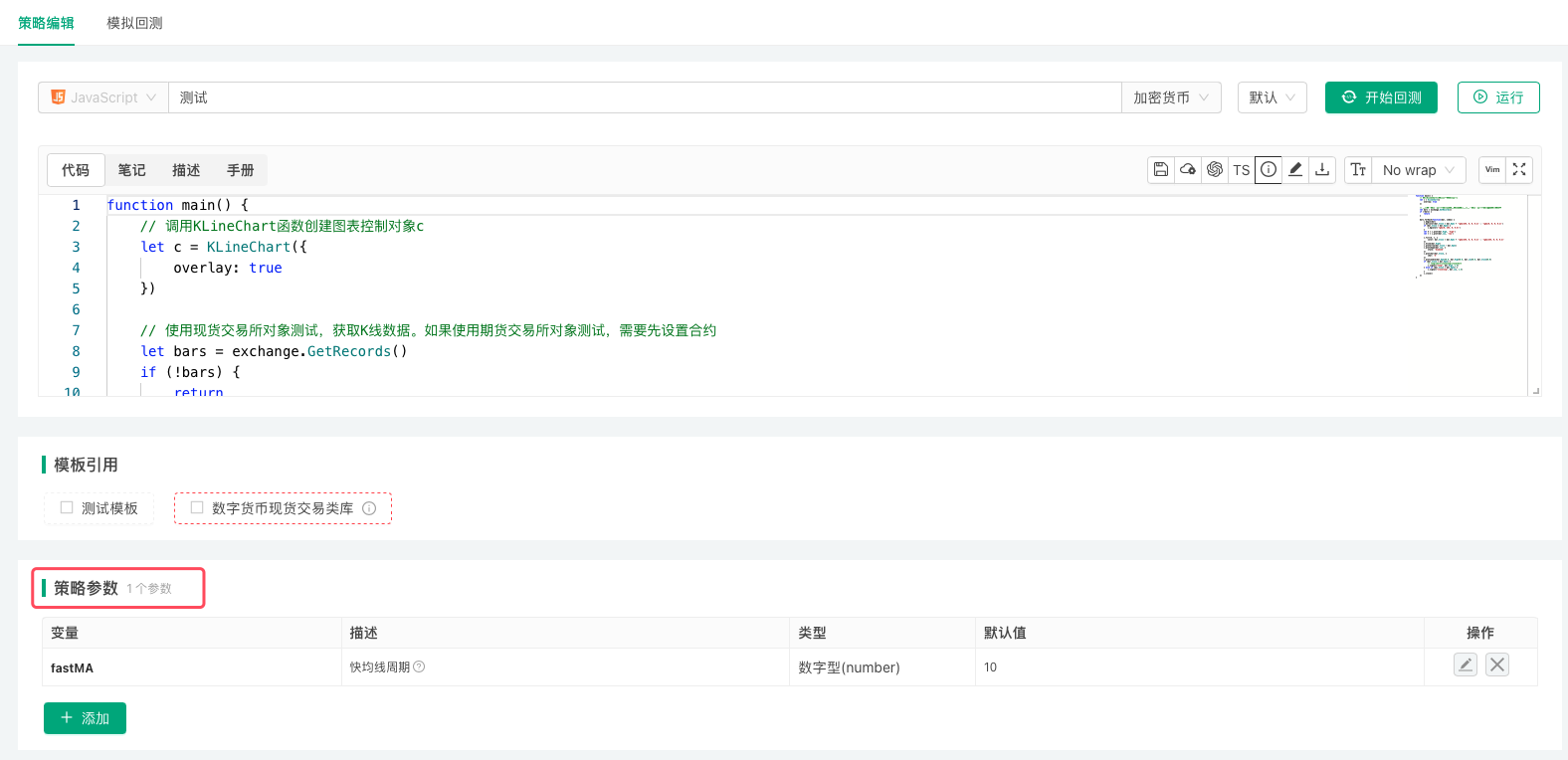
Interface Parameter Types
| Variable (naming example) | Description | Type | Default Value (description) | Component Configuration (description) | Remarks |
|---|---|---|---|---|---|
| pNum | Description of parameter pNum | Numeric (number) | Example: Set default value to 100; f64 in Rust strategies | Used to set the interface control bound to the current parameter: component type, minimum value, maximum value, grouping, filters, etc. | Remarks for parameter pNum, the value of pNum is numeric type |
| pBool | Description of parameter pBool | Boolean (true/false) | Use switch control to set default value, optional control not supported | Same as above | Remarks for parameter pBool, the value of pBool is boolean type |
| pStr | Description of parameter pStr | String (string) | Example: Set default value to abc | Same as above | Remarks for parameter pStr, the value of pStr is string type |
| pCombox | Description of parameter pCombox | Dropdown (selected) | Set one or more options from the options | Same as above | Remarks for parameter pCombox, the value of pCombox may have various forms |
| pSecretStr | Description of parameter pSecretStr | Encrypted string (string) | Example: Set default value to xyz | Same as above | Remarks for parameter pSecretStr, the value of pSecretStr is string type |
Interface parameters are configured in the strategy parameters area below the code editor on the strategy editing page. Please note the following:
- In the default value option of parameter settings, the "Optional" control is optional by default. You can change the state of this control to set the current parameter as required. After setting a parameter as required, if the parameter is not set during backtesting or live trading, backtesting cannot be performed or live trading cannot be started.
- Variable names for interface parameters in strategy code should not use reserved words (keywords) of the current programming language.
- In the backtesting or live trading interface, hovering the mouse over the control bound to a parameter will display the parameter's remarks.
- The "Description" of a parameter is the display name of the control bound to the parameter.
- The "Variable" of a parameter refers to those in the table above:
pNum,pBool,pStr,pCombox,pSecretStr. They exist as global variables in the strategy code, so the values of strategy parameters can be modified in the code (except in Rust, where parameters are global constants and cannot be modified). - For "Encrypted string" and "String" type parameters, no quotes are needed when entering default values; all input is treated as strings. "Encrypted string" parameters are used the same way as "String" parameters, but encrypted strings are transmitted encrypted and not sent in plain text.
- If a "String" type parameter is set to "Optional", when no parameter is filled in the control bound to the parameter, the value of the parameter variable is empty string;
Similarly, the value of a "Numeric" parameter is null;
Similarly, the value of a "Dropdown" parameter is null;
Similarly, the value of an "Encrypted string" parameter is null.
InRuststrategies, an optional parameter that is left empty has the zero value of its type:0for numbers, an empty string for strings and encrypted strings,falsefor booleans. - For dropdown type interface parameters (e.g., variable name
pCombox), when "Support multiple selection" is not enabled in "Component Configuration", the value of pCombox is the index or specific data of the currently selected option (when data is bound to options).
If "Support multiple selection" is enabled, the value of pCombox is an array containing the indices or specific data of all currently selected options (when data is bound to options).
Component Configuration
Both strategy interface parameters and strategy interactive controls have a "Component Configuration" option. It sets the UI control used for the parameter (or interactive control), as well as the minimum, maximum, group, filter and so on.
Components supported by each type:
- Number (number)
Input box (default), time picker, slider. - Boolean (true/false)
Switch only (default). - String (string)
Input box (default), text box, time picker, color picker, currency, trading symbol. - Dropdown (selected)
Dropdown (default), segmented control, currency, trading symbol. - Encrypted string (string), strategy parameters only
Encrypted input box only (default). - Button (button), interactive controls only
A single button (default), with no input.
Group
Enter a label in the "Group" box of the component configuration to put several strategy parameters in the same group (replacing the platform's old "Strategy Grouping" feature). Interactive controls can be grouped the same way (replacing the old "Interactive Control Grouping" feature).
Filter
In the component configuration of a strategy parameter, the "Filter" box takes a condition expression that controls whether the parameter is available (replacing the platform's old "Parameter Dependency" feature).
The filter is empty by default, meaning no filtering. Expressions such as a > b, a == 1, a, !a and a >= 1 && a <= 10 can be used. The parameter is available when the condition is true.
- With the filter
a == 1, the parameter's availability depends on the value of parametera: it is available whenaequals 1, otherwise not. - With the filter
a >= 1 && a <= 10, the parameter is available whenais greater than or equal to 1 and less than or equal to 10, otherwise not. - With the filter
!a, the condition is "not a";acan be a boolean or a number (!0is true).
Save Parameter Settings
-
Parameter saving in the backtesting system
When backtesting, if you want to save the strategy parameters, you can click the "Save Backtest Settings" button after modifying the strategy parameters. For details, see Backtesting System → Backtest Configuration and Saving.Variable Description Type Default Value number Numeric type Number (number) 1 string String String (string) Hello FMZ combox Dropdown box Dropdown (selected) 1|2|3 bool Boolean value Boolean (true/false) true numberA@isShowA Numeric A Number (number) 2 isShowA Whether to display the numberA parameter Boolean (true/false) false The configured strategy parameters will be saved in the strategy in the form of code, for example:
javascript/*backtest start: 2020-02-29 00:00:00 end: 2020-03-29 00:00:00 period: 1d args: [["number",2],["string","Hello FMZ.COM"],["combox",2],["bool",false],["numberA@isShowA",666],["isShowA",true]] */python'''backtest start: 2020-02-29 00:00:00 end: 2020-03-29 00:00:00 period: 1d args: [["number",2],["string","Hello FMZ.COM"],["combox",2],["bool",false],["numberA@isShowA",666],["isShowA",true]] '''rust/*backtest start: 2020-02-29 00:00:00 end: 2020-03-29 00:00:00 period: 1d args: [["number",2],["string","Hello FMZ.COM"],["combox",2],["bool",false],["numberA@isShowA",666],["isShowA",true]] */If a
Ruststrategy declares dependencies in a frontmatter block at the top, the backtest configuration block must come after the frontmatter (see Programming Languages → Rust). -
Importing and exporting live trading parameters
When running live trading, if you need to save the parameter data of the live trading configuration, you can click the "Parameter Settings" option on the strategy live trading page, then click the "Export Parameters" button. The exported strategy parameters will be saved as ajsonfile.
The exported strategy parameter configuration can also be imported into live trading again. Click the "Import Parameters" button to import the saved strategy live trading parameters into the current live trading, and after importing, click the "Update Parameters" button to save and apply them.
Interactive Controls
Strategies in JavaScript, Python, Rust and MyLanguage can have interactive controls, which send interaction commands to the strategy while it is running live. In JavaScript, Python and Rust strategies, the messages produced by interactive controls are read with the GetCommand function. The "Component Configuration" of interactive controls is the same as for strategy parameters (see Strategy Parameters → Component Configuration).
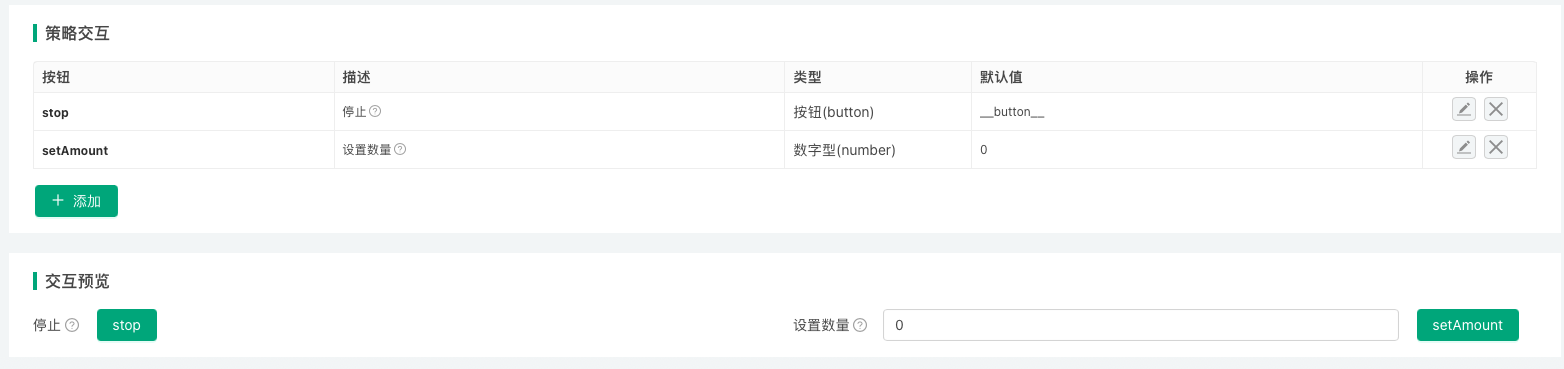
With code in the strategy that handles interactive control messages, interactive controls in live trading can be used for (among other things):
- Manually closing the strategy's positions.
- Changing strategy parameters dynamically without restarting the live trading.
- Switching strategy logic.
- Printing debugging information or data to test a feature.
Types of Interactive Controls
| Variable (naming example) | Description | Type | Default Value (description) | Component Configuration (description) | Notes |
|---|---|---|---|---|---|
| cmdNum | Description of interactive control cmdNum | Number type (number) | Default value is optional, can be left empty | Used to set the component type, minimum value, maximum value, grouping, etc. of the interface control bound to the current interactive item | Notes for interactive control cmdNum |
| cmdBool | Description of interactive control cmdBool | Boolean type (true/false) | Default value is required, on or off | Same as above | Notes for interactive control cmdBool |
| cmdStr | Description of interactive control cmdStr | String type (string) | Default value is optional, can be left empty | Same as above | Notes for interactive control cmdStr |
| cmdCombox | Description of interactive control cmdCombox | Dropdown (selected) | Default value is optional, can be left empty | Same as above | Notes for interactive control cmdCombox |
| cmdBtn | Description of interactive control cmdBtn | Button (button) | Button control does not bind input items | Same as above | Notes for interactive control cmdBtn |
Messages (strings) sent to the strategy after interactive control is triggered:
- Number type
After entering interactive data123in the input box of interactive controlcmdNum, click the button of interactive control cmdNum. TheGetCommand()function in the strategy program will receive the message:cmdNum:123. - Boolean type
After setting the switch control of interactive controlcmdBoolto on, click the button of interactive control cmdBool. TheGetCommand()function in the strategy program will receive the message:cmdBool:true. - String type
After entering interactive dataabcin the input box of interactive controlcmdStr, click the button of interactive control cmdStr. TheGetCommand()function in the strategy program will receive the message:cmdStr:abc. - Dropdown
After selecting the second option in the dropdown of interactive controlcmdCombox, click the button of interactive control cmdCombox. TheGetCommand()function in the strategy program will receive the message:cmdCombox:1, where 1 represents the index of the selected option, the first option has index 0, the second option has index 1. - Button
Click the button of interactive controlcmdBtn. TheGetCommand()function in the strategy program will receive the message:cmdBtn.
The "Component Configuration" of interactive controls is the same as for strategy parameters (see Strategy Parameters → Component Configuration).
Example: changing a strategy parameter with an interactive control
On the strategy editing page, add a string interactive control named changeSymbol under "Strategy Interaction". The settings of the interactive control:
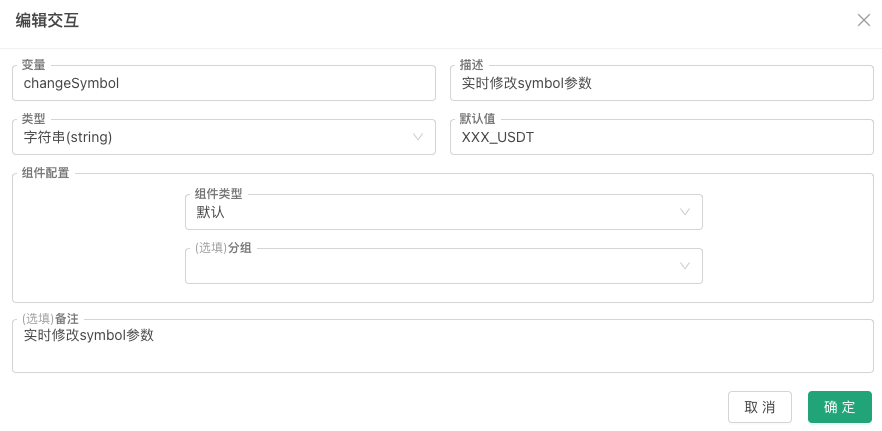
While the strategy runs live, enter ETH_USDT in the control's input box and click its button; GetCommand() receives the message changeSymbol:ETH_USDT. The strategy detects the message and updates the corresponding variable (parameters set in the strategy interface are global variables too; a global variable in the code is used here for demonstration):
            javascript

            // strategy parameter
var symbol = "BTC_USDT"

function main() {
    while (true) {
        var cmd = GetCommand()
        if (cmd) {
            var arr = cmd.split(":")
            if (arr.length == 2 && arr[0] == "changeSymbol") {
                // the changeSymbol control was triggered: update the parameter
                Log("Changed symbol parameter to:", arr[1])
                symbol = arr[1]
            }
        }

        LogStatus(_D(), ", Current symbol parameter value:", symbol)
        Sleep(3000)
    }
}
Interactive Controls in Status Bar
In addition to designing interactive controls in the "Strategy Interaction" section, you can also design interactive controls in the strategy status bar. Currently, the only supported interactive control type is the button type. See LogStatus.
Button controls in the status bar can be divided into:
-
Regular button controls
Data structure example:json{"type": "button", "name": "Button 1", "cmd": "button1", "description": "This is the first button"} -
Button controls with a single input data
Use theinputattribute to set input control options. Data structure example:json{"type": "button", "name": "Button 2", "cmd": "button2", "description": "This is the second button", "input": {"name": "Open Quantity", "type": "number", "defValue": 1}}json{ "type": "button", "cmd": "test1", "name": "test1", "input": { "type": "selected", "name": "selected", "label": "Dropdown", "description": "description", "default": 100, "settings": { "multiple": true, "customizable": true, "options":[{"name": "A", "value": 100}, {"name": "B", "value": 200}] } } } -
Button controls with a group of input data
Use thegroupattribute to set options for a group of input controls. Data structure example:json{ "type": "button", "cmd": "open", "name": "Open", "group": [ {"name": "orderType", "description": "Order Method|order type", "type": "selected", "defValue": "Market Order|Limit Order"}, {"name": "tradePrice@orderType==1", "description": "Trade Price|trade price", "type": "number", "defValue": 100}, {"name": "orderAmount", "description": "Order Quantity|order amount", "type": "string", "defValue": 100}, {"name": "boolean", "description": "Yes/No|boolean", "type": "boolean", "defValue": true} ] }json{ "type": "button", "cmd": "test2", "name": "test2", "group": [{ "type": "selected", "name": "selected", "label": "Dropdown", "description": "description", "default": 200, "group": "group1", "settings": { "multiple": true, "options":[{"name": "A", "value": 100}, {"name": "B", "value": 200}] } }, { "type": "string", "name": "string", "label": "Input Box", "description": "description", "default": "ABC", "group": "group1" }] }
Encode the JSON data of these button controls as a JSON string, then wrap it with ` characters and output it in the status bar. Using JavaScript as an example:
            javascript

            function main() {
    var btn = {"type": "button", "name": "Button 1", "cmd": "button1", "description": "This is the first button"}
    LogStatus("`" + JSON.stringify(btn) + "`")
}
These button controls can also be written into status bar tables. For detailed examples see LogStatus.
The input field structure is consistent with the single control structure in the group field. The following is a detailed explanation (an annotated JavaScript object):
            javascript

            {
    "type": "selected",     // Control type (required field), supports: number, string, selected, boolean
    "name": "test",         // Name (required field when used in group)
    "label": "topic",       // Title (required field)
    "description": "desc",  // Tooltip information for the component
    "default": 1,           // Default value; if the settings field is not set in the current JSON structure, it is compatible with defValue, and defValue can be used instead of default
    "filter": "a>1",        // Selector, not setting this field means no filtering (display control); when this field is set, the control is not filtered (displayed) when the expression is true, and filtered (not displayed) when the expression is false
                            // For the selector, using the expression a>1 in this example, 'a' refers to the control value with name 'a' under the group field in the type=button structure, and this value is used to determine whether to filter
    "group": "group1",      // Grouping
    "settings": {}          // Component configuration, fields described below
}
Detailed explanation of each field in the component configuration settings:
settings.required: Whether it is required.settings.disabled: Whether it is disabled.settings.min: Valid whentype=number, represents the minimum value.settings.max: Valid whentype=number, represents the maximum value.settings.step: Valid whentype=numberandrender=slider, represents the step size.settings.multiple: Valid whentype=selected, indicates support for multiple selection.settings.customizable: Valid whentype=selected, indicates support for customization; users can directly edit and add new options in the dropdown control. If a newly edited option is selected, the option's name will be used instead of the option's value when triggering the interaction.settings.options: Valid whentype=selected, represents the selector's option data format:["Option 1", "Option 2"],[{'name':'xxx','value':0}, {'name':'xxx','value':1}].settings.render: Render component type.
Whentype=number,settings.renderis not set (defaults to number input box), options:slider(slider),date(date picker, returns timestamp).
Whentype=string,settings.renderis not set (defaults to single-line input box), options:textarea(multi-line input),date(date picker, returns yyyy-MM-dd hh:mm:ss),color(color picker, returns #FF00FF).
Whentype=selected,settings.renderis not set (defaults to dropdown), options:segment(segmented selector).
Whentype=boolean, currently only the default checkbox is available.
Bilingual settings are supported. For example, the text '选项|options' adapts to the current language. Using a single control in the group field as an example, a complete example (a JavaScript object):
            javascript

            {
    type:'selected',
    name:'test',
    label:'选项|options',
    description:'描述|description',
    default:0,                            // Here the default value is set to 0, representing the value in {name:'xxx|yyy',value:0} option
    filter:'a>1&&a<10',
    group:'Group|group',
    settings:{
        multiple:true,
        customizable:true,
        options:[{name:'xxx|yyy',value:0}]
    }
}
Template Library
A template library is a reusable code module on the FMZ Quant Trading Platform and a category of strategy code. Languages that support template libraries: JavaScript (including TypeScript), Python and Rust; Blockly Visual strategies can use blocks provided by JavaScript template libraries. If the category is set to template library when a strategy is created, a template library is created in the strategy library of the logged-in account; its category cannot be changed to an ordinary strategy afterwards.
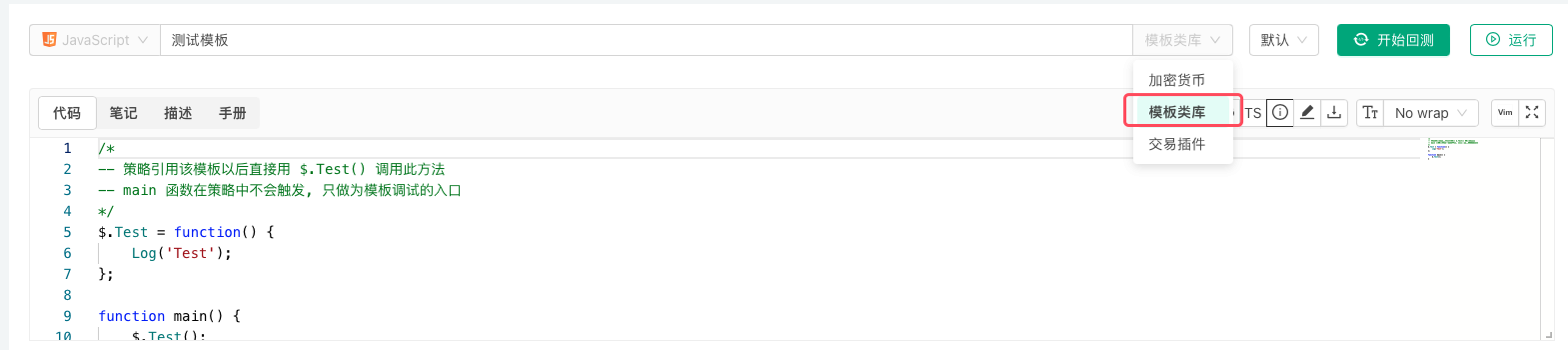
How template functions are exported and called in each language:
| Language | Export in the template | Call in the strategy |
|---|---|---|
| JavaScript | attach to $: $.Test = function() {...} | $.Test() |
| Python | attach to ext: ext.Test = Test | ext.Test() |
| Rust | the template code goes into the ext module; functions the strategy calls are declared pub fn | ext::Test() |
- A template's
main()function is not run by the strategy; it is only the entry point for backtesting or debugging the template on its own. JavaScripttemplates can defineinit()anddestroy():init()runs when the template is loaded (before the strategy'sinit()), anddestroy()runs when the strategy exits, afteronexit()oronerror().Pythontemplates can defineinit(), which runs when the template is loaded.- Both
Rusttemplates and strategies can declare third-party crates in a frontmatter block, but the dependency block may appear in only one of them; declaring it in both fails the build.
Export Functions of Template Libraries
Export functions are the interface functions of template libraries, which can be called by strategies that reference the template library.
Examples
-
Different programming languages have different formats for writing template libraries. The following are example codes for declaring and implementing export functions in template libraries:
javascript/* -- 策略引用该模板以后直接用 $.Test() 调用此方法 -- main 函数在策略中不会触发, 只做为模板调试的入口 */ $.Test = function() { Log('Test') } function main() { $.Test() }pythondef Test(): Log("template call") # 导出Test函数, 主策略可以通过ext.Test()调用 ext.Test = Testrust// after referencing this template, a strategy calls it as ext::Test() // functions called by the strategy must be declared pub pub fn Test() { Log!("template call"); } -
Strategies written in
Blockly visualmode can implement library functions throughJavaScriptlanguage template libraries. Please use the following format.javascript/*blockly { "type": "ext_testA", "message0": "testA|testA", "template": "function(){return 99;}()", "order": "ORDER_ATOMIC", "output": "Number" },{ "type": "ext_MA", "message0": "MA 周期 %1| MA Period %1", "args0": [{ "type": "input_value", "check": "Number" }], "template": "(function(){var r = exchange.GetRecords(); return (!r || r.length < %1) ? false : TA.MA(r, %1); })()", "order": "ORDER_ATOMIC", "output": null, "colour": 85 } */
Template Library Parameters
Template libraries can also set their own interface parameters. Template library parameters are used as global variables in the template library code.
For example, we set a template library parameter:

| Variable Name in Strategy Code | Parameter Name Displayed on Strategy Interface | Type | Default Value |
|---|---|---|---|
| param1 | Template Parameter 1 | Number | 99 |
Parameters of a Rust template are constants that can only be read, not modified, so in Rust the example below can only read the parameter:
            rust

            // template code
pub fn GetParam1() -> f64 {
    Log!("param1:", param1);
    param1
}
            rust

            // strategy code
fn main() {
    Log!("Calling ext::GetParam1:", ext::GetParam1());
}
Examples
-
Template library code for testing the
param1parameter:javascript$.SetParam1 = function(p1) { param1 = p1 } $.GetParam1 = function() { Log("param1:", param1) return param1 }pythondef SetParam1(p1): global param1 param1 = p1 def GetParam1(): Log("param1:", param1) return param1 ext.SetParam1 = SetParam1 ext.GetParam1 = GetParam1rust// Rust template parameters are read-only constants; see above for how to read them -
Strategy code referencing the above template library example, using the template library's exported functions to get parameter
param1and modify parameterparam1.javascriptfunction main () { Log("Calling $.GetParam1:", $.GetParam1()) Log("Calling $.SetParam1:", "#FF0000") $.SetParam1(20) Log("Calling $.GetParam1:", $.GetParam1()) }pythondef main(): Log("Calling ext.GetParam1:", ext.GetParam1()) Log("Calling ext.SetParam1:", "#FF0000") ext.SetParam1(20) Log("Calling ext.GetParam1:", ext.GetParam1())rust// Rust template parameters are read-only constants; see above for how to read them
Reference Template Library
When a strategy references a template library, the currently logged-in FMZ Quant Trading Platform account must have available template libraries in its strategy library. On the Strategy Edit Page, check the templates you need to reference in the Template section, then save the strategy to complete the reference.
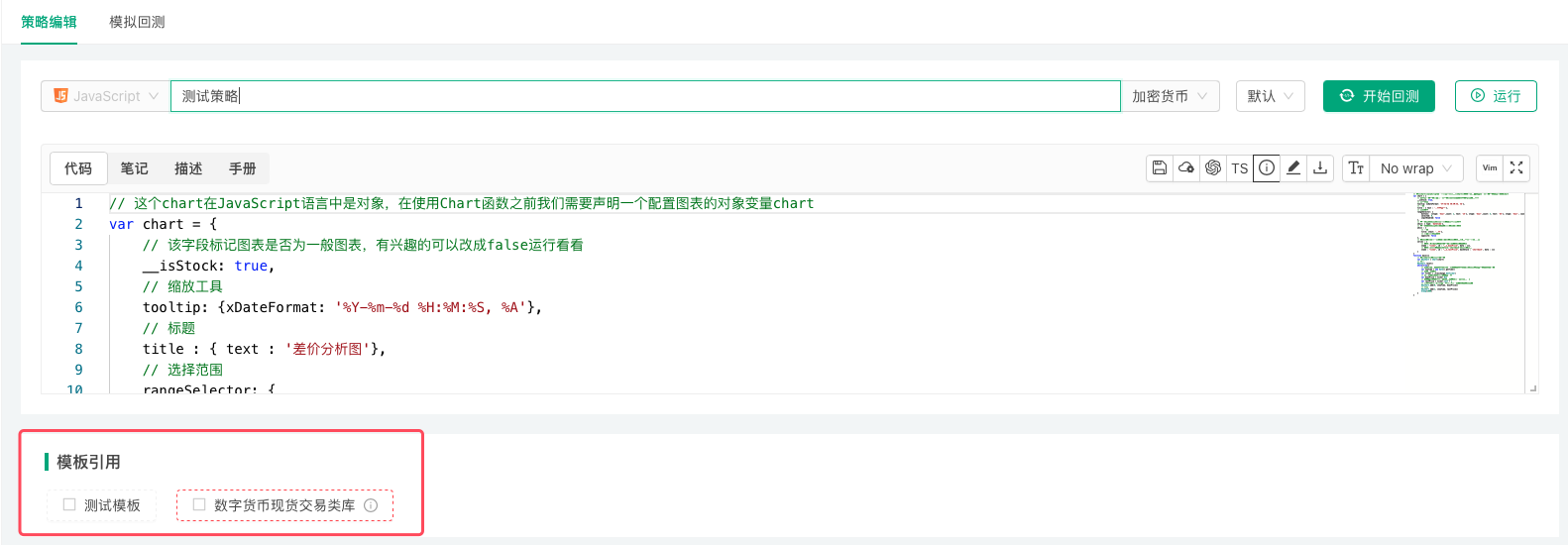
Built-in Libraries
The FMZ Quant Trading Platform has some commonly used libraries built in. Availability by language:
| Library | JavaScript / TypeScript | Python | Rust |
|---|---|---|---|
TA indicators | yes | yes | yes |
talib indicators | yes | requires TA-Lib and numpy installed on the docker's machine | no |
| JSON | the language's built-in JSON | the standard json module | JSONParse()/JsonValue |
For the full list of functions and their arguments see TA and Talib in the reference.
TA indicator library
The platform's TA library optimizes the common indicator algorithms (open-source TA library code). Where there are not enough K-lines to compute an indicator, invalid values are returned at those positions.
            javascript

            function main(){
    var records = exchange.GetRecords()
    var macd = TA.MACD(records)
    var atr = TA.ATR(records, 14)

    // print the last set of indicator values
    Log(macd[0][records.length-1], macd[1][records.length-1], macd[2][records.length-1])
    Log(atr[atr.length-1])
}
            rust

            fn main() {
    let r = exchange.GetRecords(None, None, None).unwrap();
    let macd = TA.MACD(&r, None, None, None);
    let atr = TA.ATR(&r, 14);
    Log!(macd[0][r.len() - 1], macd[1][r.len() - 1], macd[2][r.len() - 1]);
    Log!(atr[atr.len() - 1]);
}
talib indicator library
            javascript

            function main() {
    var records = exchange.GetRecords()
    var cci = talib.CCI(records, 14)
    Log(cci)
}
            python

            # Python needs TA-Lib and numpy installed on the docker's machine; without them calling talib raises an error asking to install it
def main():
    records = exchange.GetRecords()
    cci = talib.CCI(records.High, records.Low, records.Close, 14)
    Log(cci)
JavaScript: loading third-party libraries dynamically
Other third-party JavaScript libraries can be downloaded at run time and loaded with eval:
            javascript

            function main() {
    // via. https://cdnjs.com/libraries
    eval(HttpQuery("https://cdnjs.cloudflare.com/ajax/libs/mathjs/13.2.0/math.min.js"))

    Log(math.round(math.e, 3))                // 2.718
    Log(math.atan2(3, -3) / math.pi)          // 0.75
    Log(math.log(10000, 10))                  // 4
    Log(math.sqrt(-4))                        // {"mathjs":"Complex","re":0,"im":2}
}
Multi-language Support
Both the strategy name and the descriptions of strategy parameters can be written in the Chinese|English format, allowing the web page to automatically recognize and display the corresponding language. In other use cases—such as strategy description, usage instructions, and other Markdown-formatted text—using [trans]Chinese|English[/trans] or [trans]Chinese||English[/trans] can likewise achieve automatic language recognition. After switching the language, refresh the web page for it to take effect. In addition, in strategy code, any function that can accept a string also supports language switching, such as the Log() function, the LogStatus() function, and so on.
            javascript

            function main() {
    Log("[trans]日志|log[/trans]")
    var table = {
        type: "table",
        title: "[trans]操作|option[/trans]",
        cols: ["[trans]列1|col1[/trans]", "[trans]列2|col2[/trans]", "[trans]操作|option[/trans]"],
        rows: [
            ["[trans]比特币|BTC[/trans]", "[trans]以太坊|ETH[/trans]", {"type": "button", "cmd": "coverAll", "name": "平仓|cover", "description": "描述|description"}]  // Note: there is no need to add the [trans] tag inside buttons
        ]
    }
    LogStatus("[trans]信息|message[/trans]", "\n`" + JSON.stringify(table) + "`")
    throw "[trans]错误|error[/trans]"
}
            python

            import json

def main():
    Log("[trans]日志|log[/trans]")
    table = {
        "type": "table",
        "title": "[trans]操作|option[/trans]",
        "cols": ["[trans]列1|col1[/trans]", "[trans]列2|col2[/trans]", "[trans]操作|option[/trans]"],
        "rows": [
            ["[trans]比特币|BTC[/trans]", "[trans]以太坊|ETH[/trans]", {"type": "button", "cmd": "coverAll", "name": "平仓|cover", "description": "描述|description"}]
        ]
    }
    LogStatus("[trans]信息|message[/trans]", "\n`" + json.dumps(table) + "`")
    raise Exception("[trans]错误|error[/trans]")
            rust

            fn main() {
    Log!("[trans]日志|log[/trans]");
    let table = r#"{
        "type": "table",
        "title": "[trans]操作|option[/trans]",
        "cols": ["[trans]列1|col1[/trans]", "[trans]列2|col2[/trans]", "[trans]操作|option[/trans]"],
        "rows": [
            ["[trans]比特币|BTC[/trans]", "[trans]以太坊|ETH[/trans]", {"type": "button", "cmd": "coverAll", "name": "平仓|cover", "description": "描述|description"}]
        ]
    }"#;
    LogStatus!("[trans]信息|message[/trans]", format!("\n`{}`", table));
    Panic!("[trans]错误|error[/trans]");
}