AI Assistant
The strategy editor has a built-in AI assistant that generates strategy code from a description, explains and edits selected code, adjusts strategy parameters and interactive controls, and runs backtests and analyzes their results automatically.
-
AI assistant panel
The AI assistant panel sits to the right of the code editor and can be collapsed or expanded. Describe what you want in the input box to start a conversation; code selected in the editor beforehand becomes context for the conversation.
Changes the AI proposes to code, parameters and interactive controls are shown as diffs that you can "Accept" or "Reject" one by one, or accept all at once; it asks for permission before modifying the strategy or running a backtest automatically. -
Quick actions on selected code
Select code and right-click: the menu has AI actions (such as explaining or optimizing the code), which can also be triggered with⌘1,⌘2, ... (Ctrl+1,Ctrl+2, ... on Windows).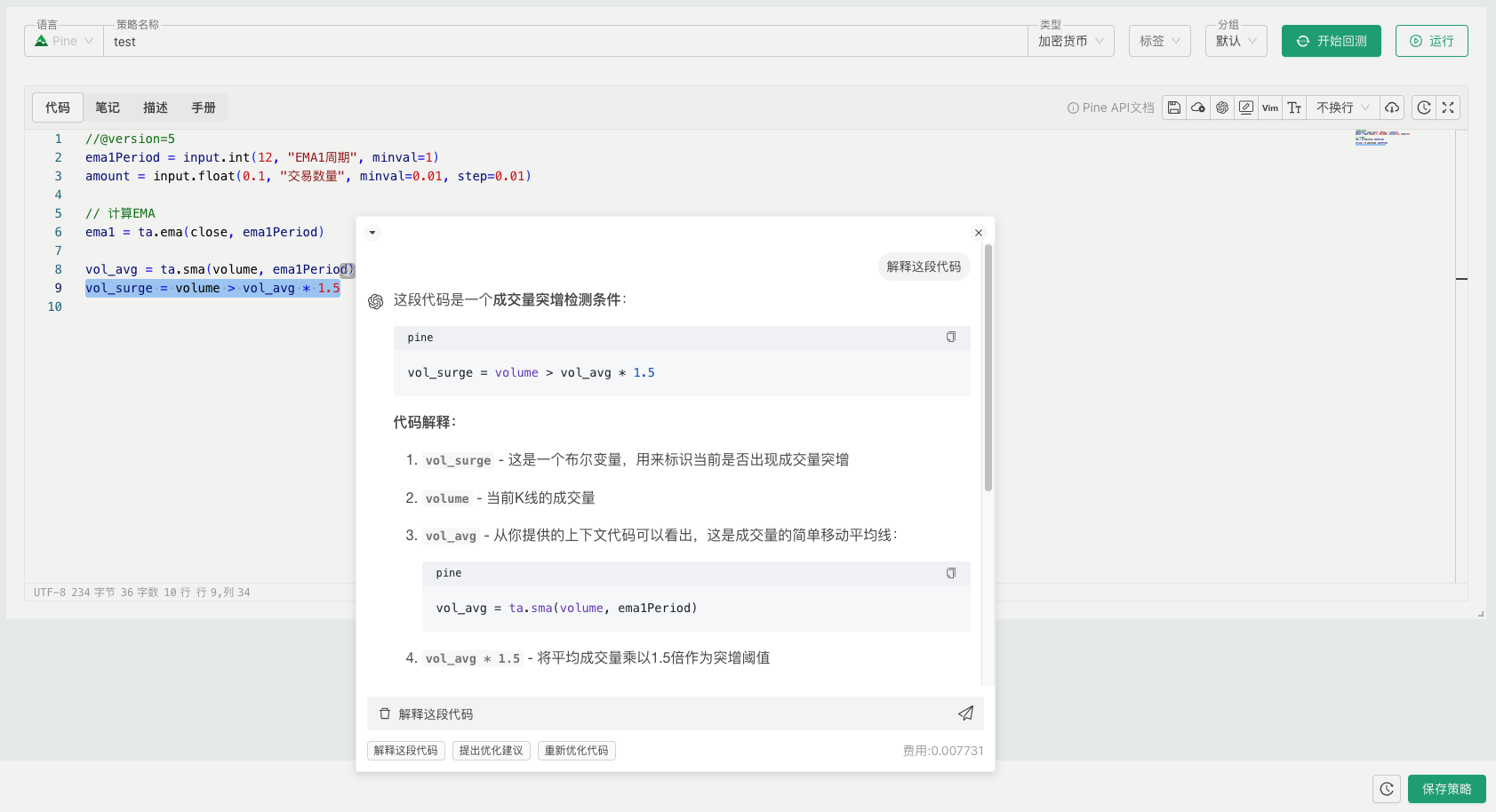
-
Smart completion
Turn smart completion on or off from the right-click menu, or with⌘J(Ctrl+Jon Windows).
The AI assistant is charged to your account balance by usage, and each conversation shows its cost.
Besides the assistant in the editor, you can connect the external AI assistant you already use to the platform and manage strategies, backtests and live robots through conversation (see Integrations → AI Integration).