Template Library
A template library is a reusable code module on the FMZ Quant Trading Platform and a category of strategy code. Languages that support template libraries: JavaScript (including TypeScript), Python and Rust; Blockly Visual strategies can use blocks provided by JavaScript template libraries. If the category is set to template library when a strategy is created, a template library is created in the strategy library of the logged-in account; its category cannot be changed to an ordinary strategy afterwards.
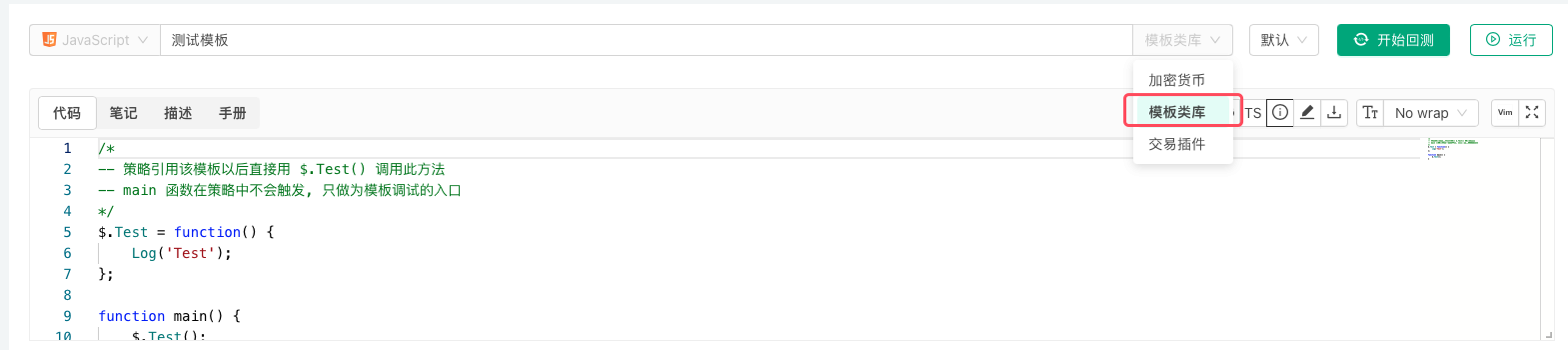
How template functions are exported and called in each language:
| Language | Export in the template | Call in the strategy |
|---|---|---|
| JavaScript | attach to $: $.Test = function() {...} | $.Test() |
| Python | attach to ext: ext.Test = Test | ext.Test() |
| Rust | the template code goes into the ext module; functions the strategy calls are declared pub fn | ext::Test() |
- A template's
main()function is not run by the strategy; it is only the entry point for backtesting or debugging the template on its own. JavaScripttemplates can defineinit()anddestroy():init()runs when the template is loaded (before the strategy'sinit()), anddestroy()runs when the strategy exits, afteronexit()oronerror().Pythontemplates can defineinit(), which runs when the template is loaded.- Both
Rusttemplates and strategies can declare third-party crates in a frontmatter block, but the dependency block may appear in only one of them; declaring it in both fails the build.
Export Functions of Template Libraries
Export functions are the interface functions of template libraries, which can be called by strategies that reference the template library.
Examples
-
Different programming languages have different formats for writing template libraries. The following are example codes for declaring and implementing export functions in template libraries:
javascript/* -- 策略引用该模板以后直接用 $.Test() 调用此方法 -- main 函数在策略中不会触发, 只做为模板调试的入口 */ $.Test = function() { Log('Test') } function main() { $.Test() }pythondef Test(): Log("template call") # 导出Test函数, 主策略可以通过ext.Test()调用 ext.Test = Testrust// after referencing this template, a strategy calls it as ext::Test() // functions called by the strategy must be declared pub pub fn Test() { Log!("template call"); } -
Strategies written in
Blockly visualmode can implement library functions throughJavaScriptlanguage template libraries. Please use the following format.javascript/*blockly { "type": "ext_testA", "message0": "testA|testA", "template": "function(){return 99;}()", "order": "ORDER_ATOMIC", "output": "Number" },{ "type": "ext_MA", "message0": "MA 周期 %1| MA Period %1", "args0": [{ "type": "input_value", "check": "Number" }], "template": "(function(){var r = exchange.GetRecords(); return (!r || r.length < %1) ? false : TA.MA(r, %1); })()", "order": "ORDER_ATOMIC", "output": null, "colour": 85 } */
Template Library Parameters
Template libraries can also set their own interface parameters. Template library parameters are used as global variables in the template library code.
For example, we set a template library parameter:

| Variable Name in Strategy Code | Parameter Name Displayed on Strategy Interface | Type | Default Value |
|---|---|---|---|
| param1 | Template Parameter 1 | Number | 99 |
Parameters of a Rust template are constants that can only be read, not modified, so in Rust the example below can only read the parameter:
            rust

            // template code
pub fn GetParam1() -> f64 {
    Log!("param1:", param1);
    param1
}
            rust

            // strategy code
fn main() {
    Log!("Calling ext::GetParam1:", ext::GetParam1());
}
Examples
-
Template library code for testing the
param1parameter:javascript$.SetParam1 = function(p1) { param1 = p1 } $.GetParam1 = function() { Log("param1:", param1) return param1 }pythondef SetParam1(p1): global param1 param1 = p1 def GetParam1(): Log("param1:", param1) return param1 ext.SetParam1 = SetParam1 ext.GetParam1 = GetParam1rust// Rust template parameters are read-only constants; see above for how to read them -
Strategy code referencing the above template library example, using the template library's exported functions to get parameter
param1and modify parameterparam1.javascriptfunction main () { Log("Calling $.GetParam1:", $.GetParam1()) Log("Calling $.SetParam1:", "#FF0000") $.SetParam1(20) Log("Calling $.GetParam1:", $.GetParam1()) }pythondef main(): Log("Calling ext.GetParam1:", ext.GetParam1()) Log("Calling ext.SetParam1:", "#FF0000") ext.SetParam1(20) Log("Calling ext.GetParam1:", ext.GetParam1())rust// Rust template parameters are read-only constants; see above for how to read them
Reference Template Library
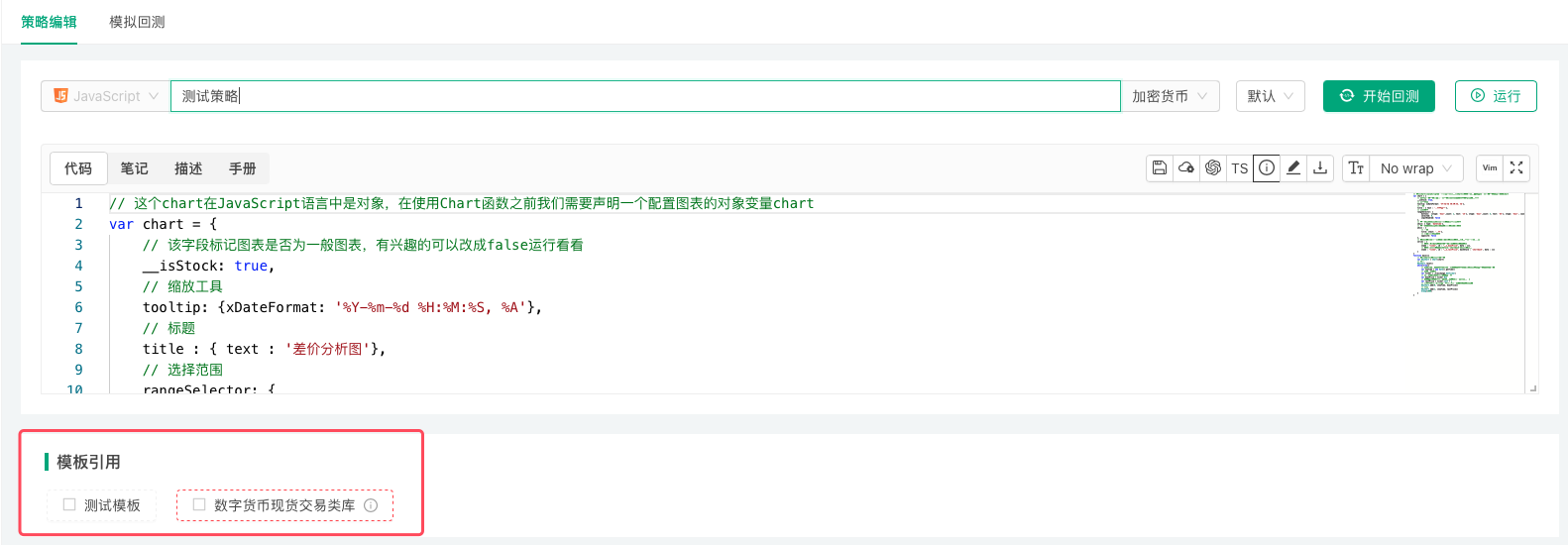
When a strategy references a template library, the currently logged-in FMZ Quant Trading Platform account must have available template libraries in its strategy library. On the Strategy Edit Page, check the templates you need to reference in the Template section, then save the strategy to complete the reference.