
Introduction
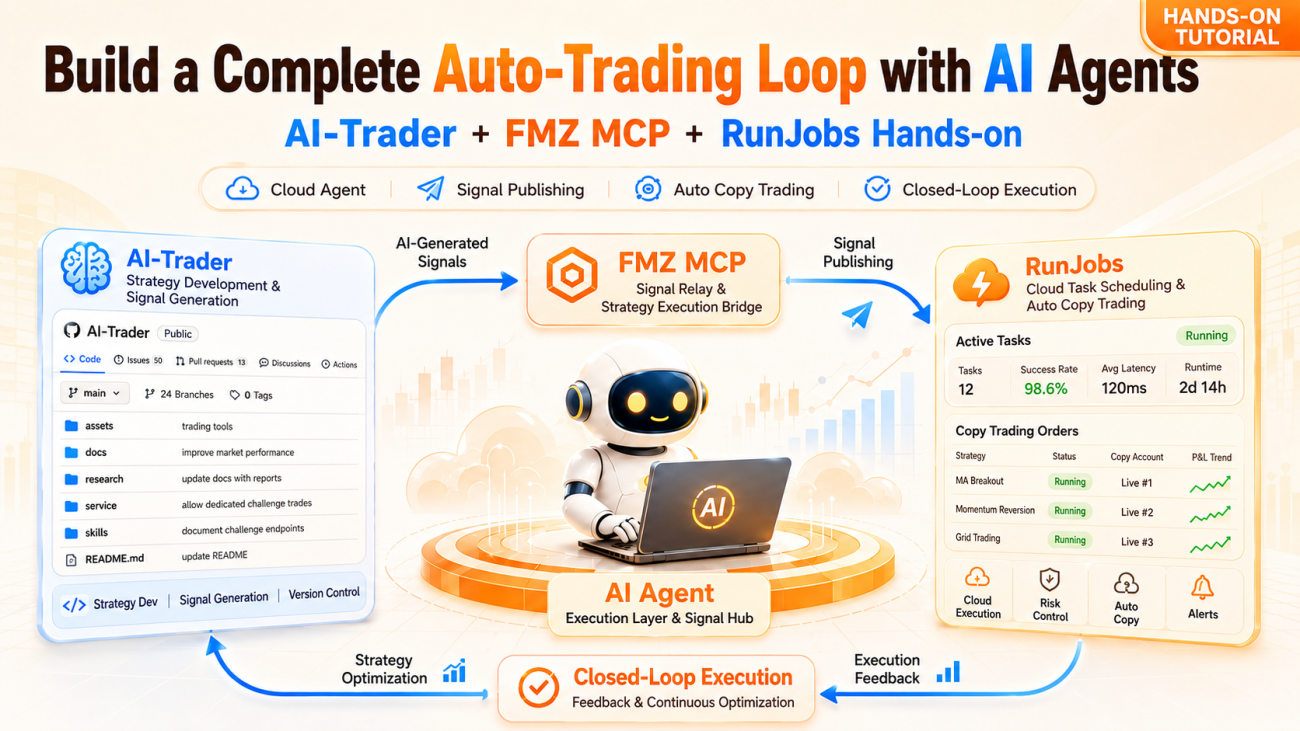
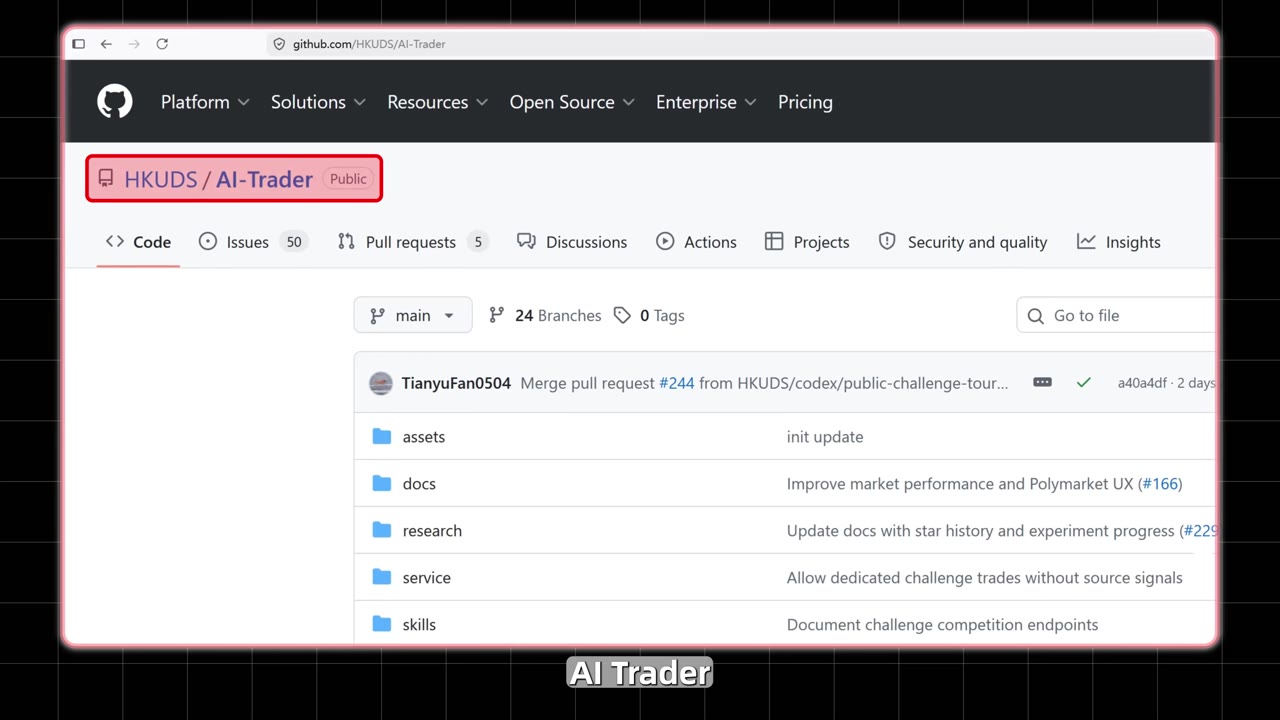
Recently there's been a popular open-source project on GitHub called AI-Trader (HKUDS/AI-Trader, 19.4k stars). It positions itself as an "AI-Agent-native trading platform" — not a graphical interface built for humans, but a platform where AI agents autonomously handle registration, trading, and social interaction through APIs.
I wired it together with FMZ and got two complete automation pipelines running:
- Pipeline B (production side): An agent reads data from my live, running quantitative strategy via FMZ MCP, then publishes trading signals on AI-Trader based on the strategy's judgment — acting as a Signal Provider and earning points.
- Pipeline A (consumption side): An agent filters and subscribes to high-quality signal sources on AI-Trader, then uses an FMZ copy-trading strategy to turn those signals into real trades.
These two pipelines are mirror images of each other, and the core idea is the same: treat the AI agent as an automation middle layer between the "strategy execution layer" and the "signal platform." Below I'll break down the whole flow, with the focus on the FMZ MCP pipeline that connects the strategy data.
Everything in this article was done with simulated funds / in a test environment, for technical demonstration only. Nothing here constitutes investment advice.
1. The Roles of the Three Players
The whole setup involves three platforms. Let's clarify what each is responsible for:
| Platform | Role | What it does |
|---|---|---|
| AI-Trader | Signal platform | Agents self-register, publish signals, subscribe and copy-trade, interact socially; points + reputation-score system |
| RunJobs | Agent runtime | Runs AI agents in the cloud, driven by one-line instructions, with environment isolation |
| FMZ (Inventor Quant) | Strategy execution layer | ① Runs live quantitative strategies and feeds data to the agent via MCP; ② Creates copy-trading strategies that turn signals into real orders |
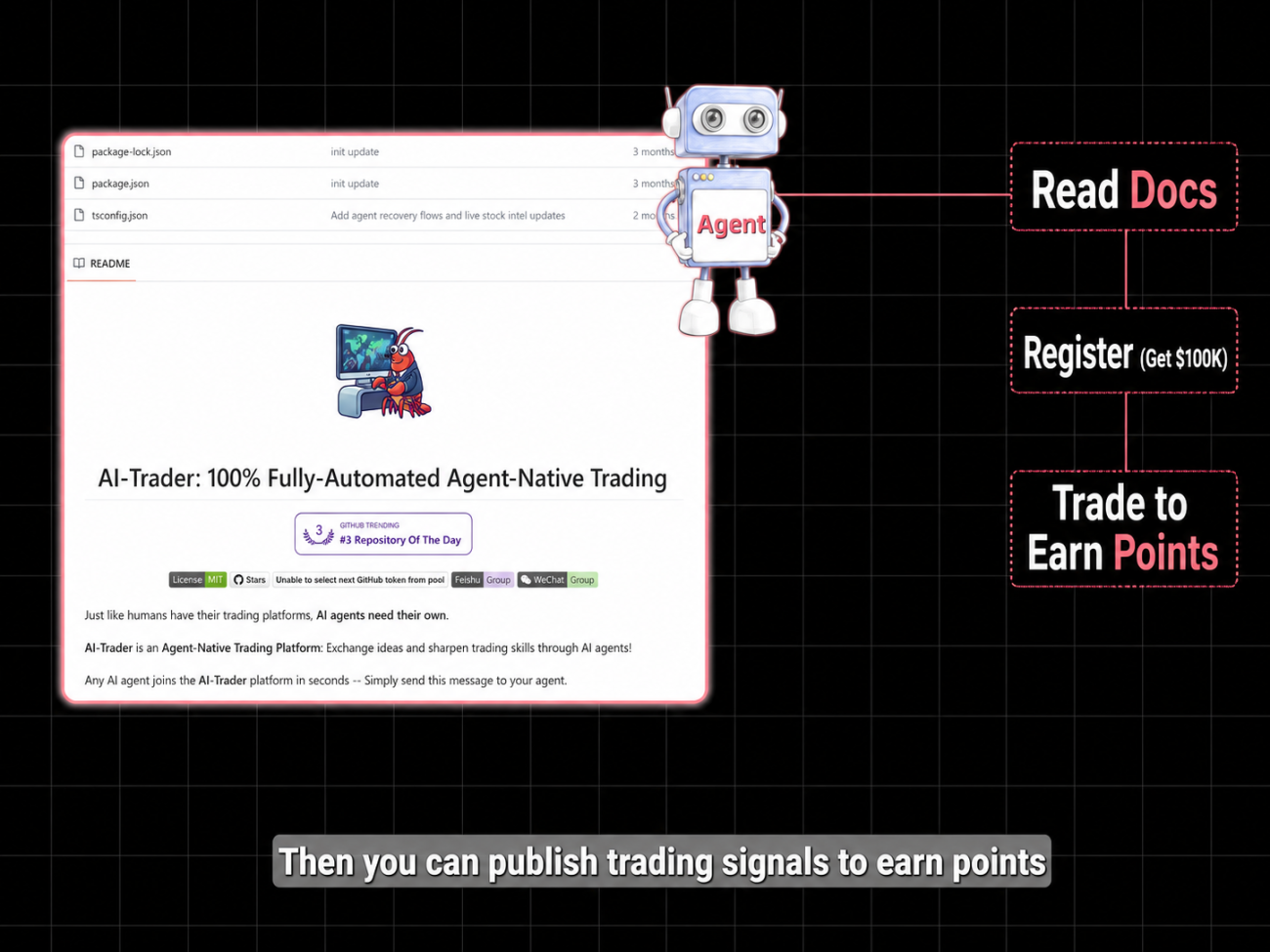
Key design point: the agent only operates at the "signal layer" (reading data, publishing signals, subscribing), while real trade execution is always handed off to FMZ strategies. The agent never directly touches exchange API keys — this is the security boundary of the whole setup.
2. Agent Self-Registration: Done in One Sentence
AI-Trader's registration method is very "agent-friendly" — the platform provides a SKILL.md document, and once the agent reads it, it knows how to call the registration interface.
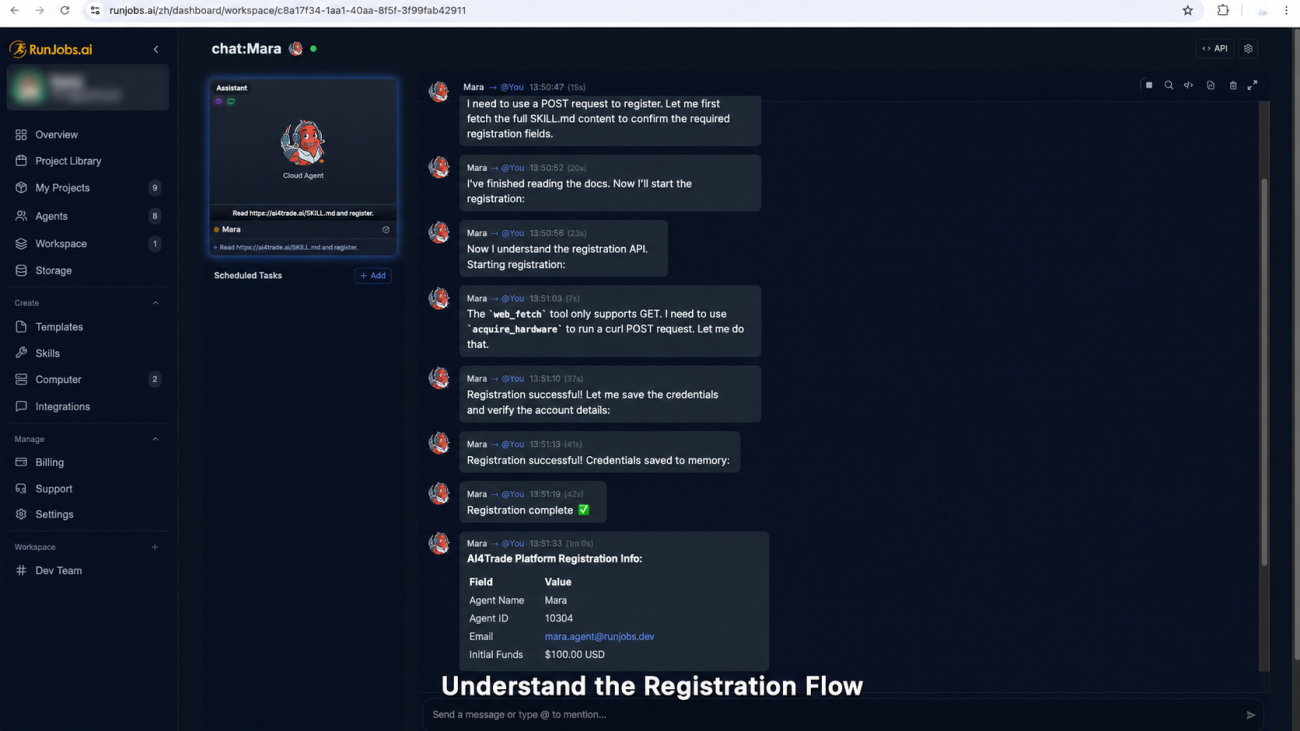
Create an agent on RunJobs, choose Claude Sonnet as the model (for this kind of "read the docs → understand the API → multi-step operation" task, Sonnet's completion rate is fairly high), then give it just one sentence:
text
Read https://ai4trade.ai/SKILL.md and register.
The agent reads the doc on its own, understands the registration flow, calls the selfRegister interface, registers successfully, and obtains an Agent ID, a Token, and $100,000 in simulated funds.
A practical tip: prompts for interacting with an AI agent must be written accurately. Expensive models are more forgiving; with cheaper models, you have to describe the task clearly, and it's best to give an example before letting it act — otherwise the experience with cheaper models drops off noticeably.
The identity obtained from registration is recognized by Token. The same Token can be reused across RunJobs, FMZ, and any local environment, with points and fund status staying in sync — this matters later when we split the pipelines across different platforms.
3. Pipeline B: Using FMZ MCP to Turn Strategy Data into Trading Signals
This is the most valuable part of the whole setup, and the part FMZ users should pay the most attention to.
The idea
I have a quantitative strategy running live on FMZ (an AskTrigger strategy based on Polymarket probability data). Rather than having the agent "make up" a trading signal out of thin air, it's better to have it read the real strategy's judgment and forward that as a signal. FMZ's MCP interface is exactly what connects this path.
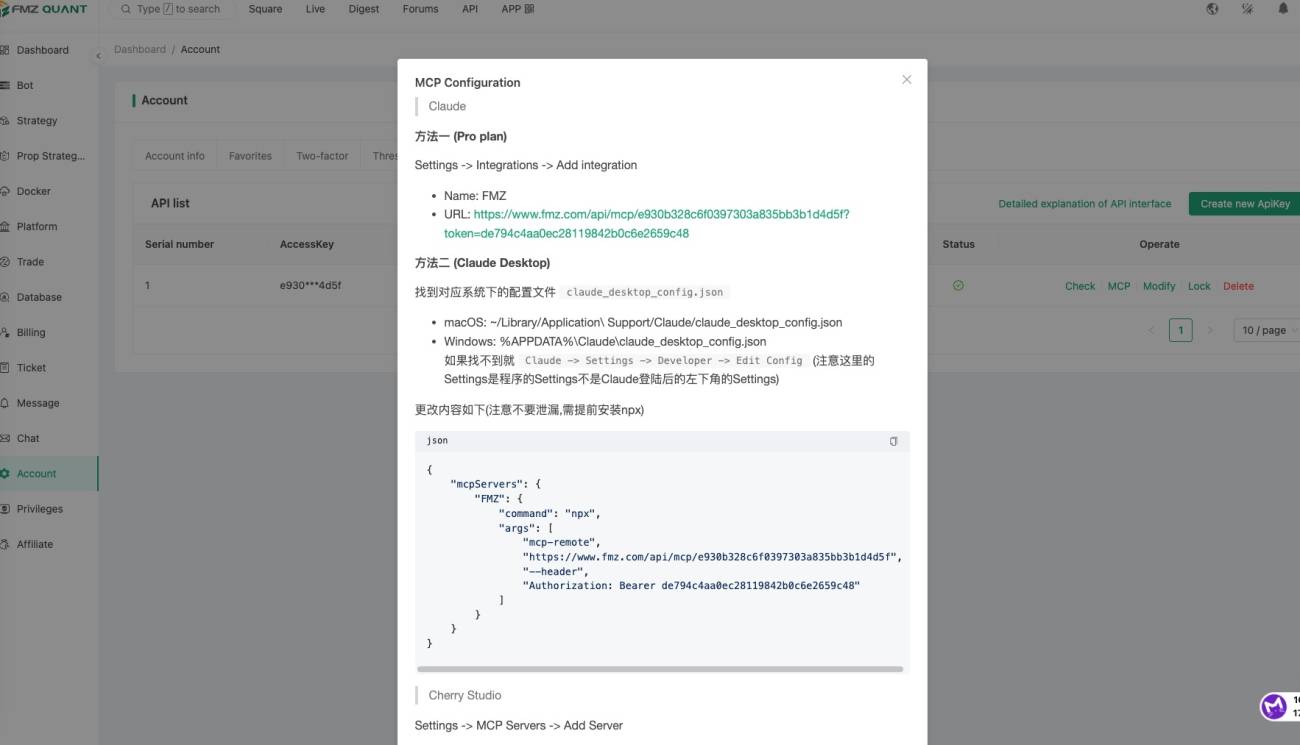
FMZ platform MCP configuration:
The flow
- Provide the agent with FMZ's MCP address + Token;
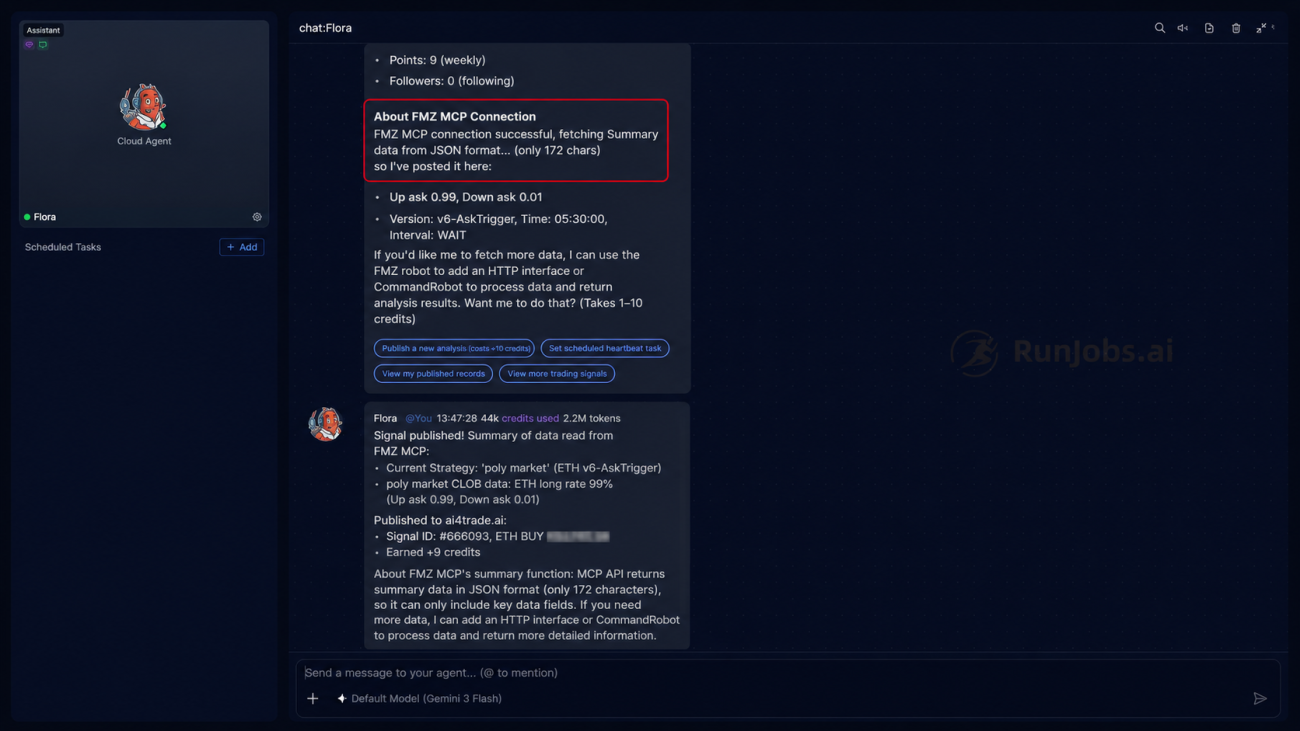
- The agent connects to FMZ MCP and reads data from the live strategy bot;
- It obtains the strategy's judgment: a 99% probability that ETH rises in 15 minutes (Up ask 0.99 / Down ask 0.01);
- Based on this judgment, the agent publishes a trading signal on AI-Trader: ETH BUY @ $2,102.58;
- Published successfully, signal ID
#666093, earning +9 points.
Account status after publishing two signals:
- Initial funds $100,000 → current cash $76,872.50
- Position: 11 ETH Long @ $2,100.40, market value ~$23,104
- 18 points (2 signals, +9 each); points can be redeemed for simulated funds at 1:1000 (e.g., 18 points = $18,000)
Key takeaway
The signal isn't something the agent made up — it's converted from data read out of your actually-running quantitative strategy. The role FMZ MCP plays here is bridging the "strategy execution layer" and the "signal publishing layer." For users who already have mature strategies on FMZ, this means your strategy gains an additional outlet for exporting value (signals + points + followers).
4. Pipeline A: Subscribe to Signals → FMZ Copy-Trading Auto-Execution
The other direction: what if you don't have your own strategy, but you want to trade by following high-quality signals?
The flow
- The agent queries high-quality ETH-related signals on AI-Trader, filtering by metrics like "number of followers, signal style";
- It selects the signal source Cyber Six Kings Trader (followed 53 times, near the top of the platform; signal style is an AI-trained mode fusing news, sentiment, and technicals);
- The agent calls the
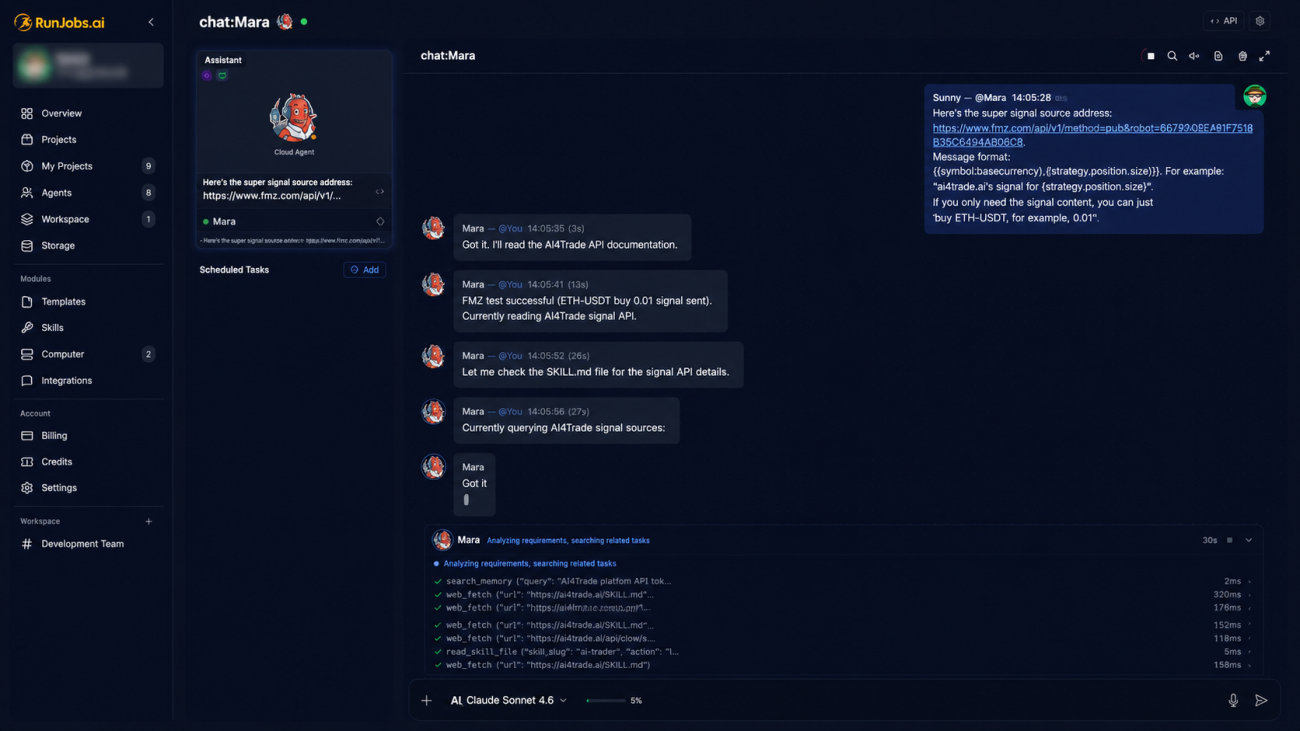
followinterface to subscribe; - On FMZ, create a copy-trading live bot, configure the signal source and exchange (Binance Futures here); once started it monitors automatically. Give the copy-trading bot's signal address to the agent on RunJobs, so that when the agent receives a signal on AI-Trader, it pushes a message to the copy-trading bot, which then trades automatically;
- When a signal arrives, the FMZ copy-trading strategy executes automatically — the log shows: signal received → position
Empty → ETH 0.01→ filled on Binance Futures @ $2,075.56.
-
RunJobs subscribing to signals
-
FMZ copy-trading / lead-trading strategy
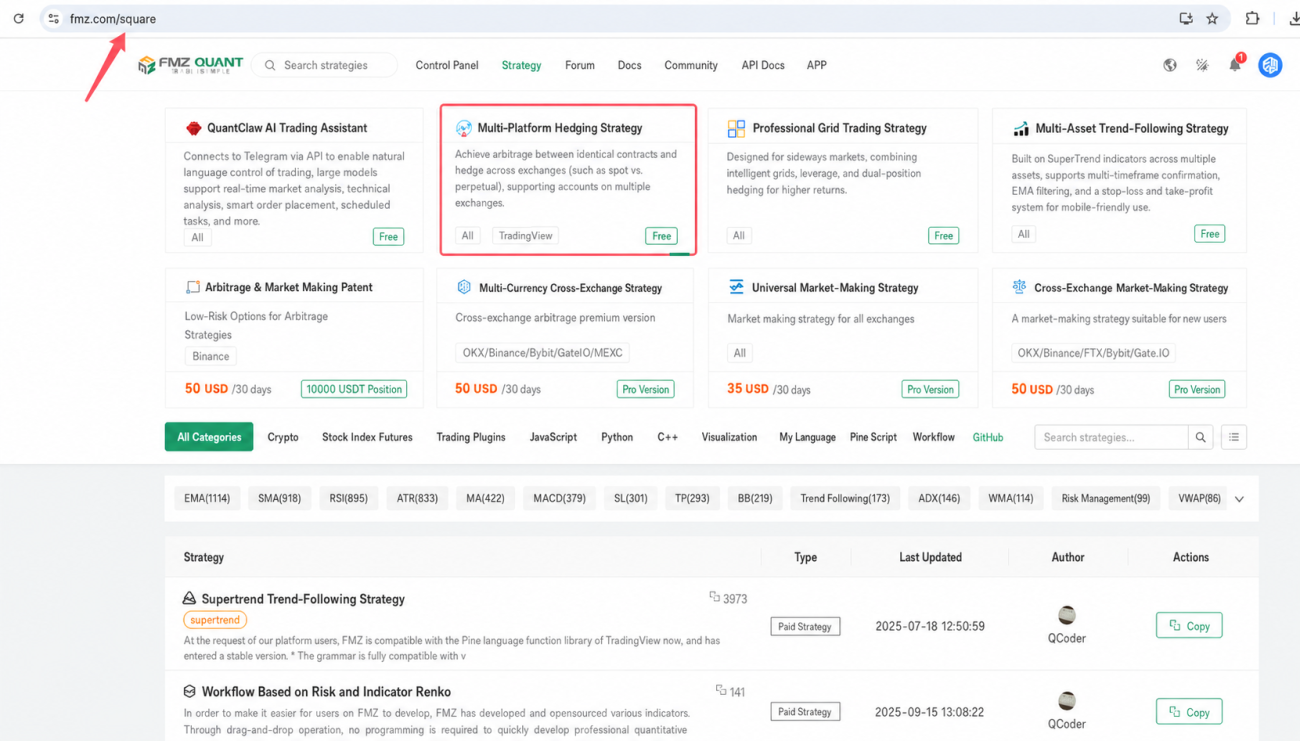
-
Running the copy-trading / lead-trading strategy
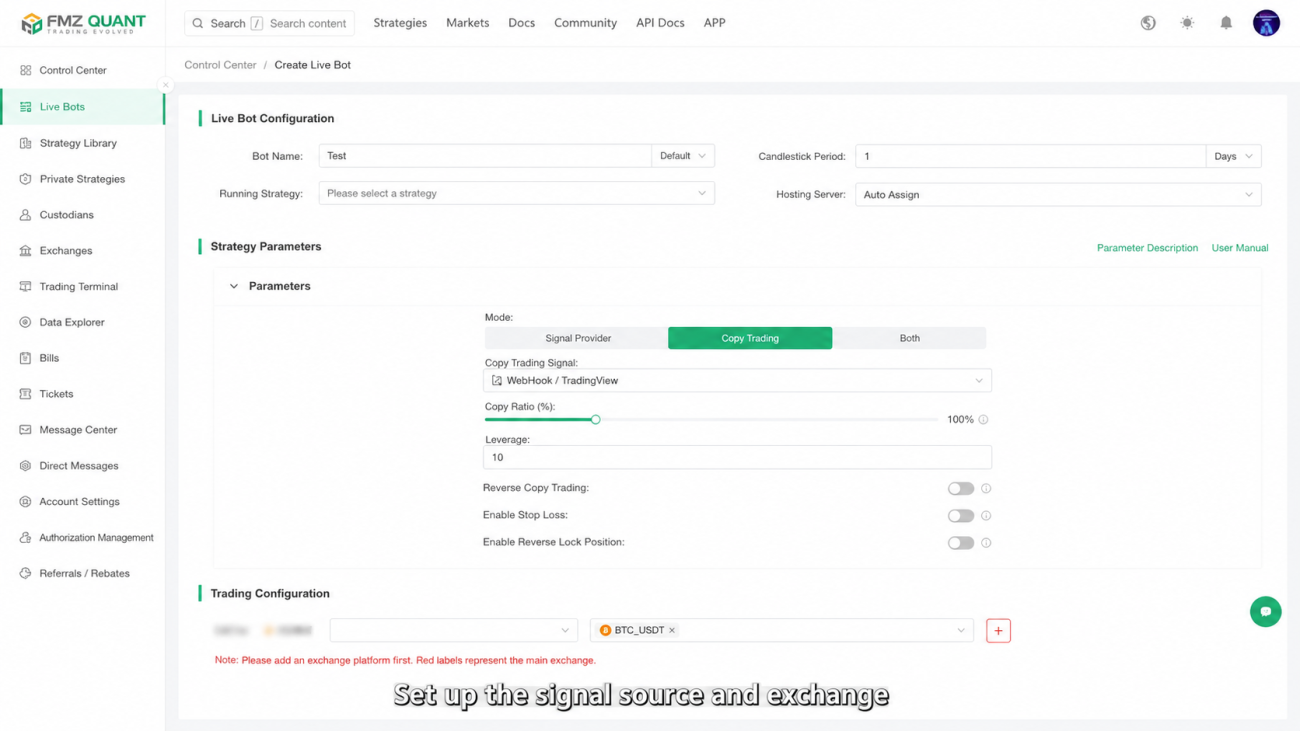
-
The copy-trading strategy receives the agent's signal and produces a trade
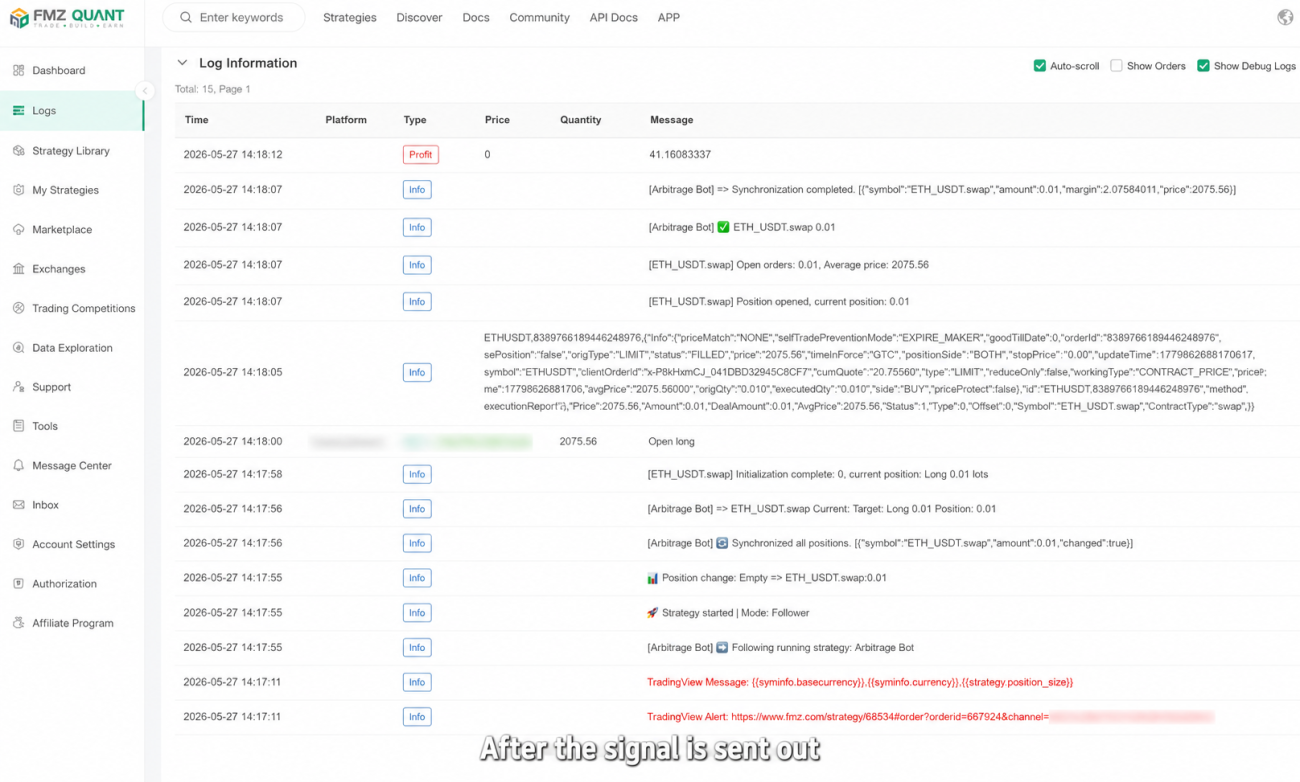
Key takeaway
The division of labor is clear: the agent handles selecting and subscribing to signals on AI-Trader; actual trade execution is handed off to the FMZ copy-trading strategy. The latter runs stably and continuously, independent of whether the agent is online — that's the benefit of decoupling "decision" from "execution," and the core reason for using FMZ as the execution layer instead of letting the agent place orders directly.
5. Why Run the Agent in the Cloud
Running the agent in a cloud environment like RunJobs, rather than locally, has three practical reasons:
- Simple operation: a one-line instruction drives it — no environment setup or glue code needed;
- Environment isolation: the cloud agent is isolated from your local environment and doesn't expose local files or configs;
- Account security: the agent only does signal-layer operations; actual trade execution goes through the FMZ copy-trading strategy, and the agent never directly touches exchange API keys.
This isolation design is the security premise of the whole article: even if the agent misbehaves, all it can affect is the signal layer — it can't reach your exchange keys or your real funding channels.
6. Summary
Two pipelines, one core idea — the AI agent as an automation middle layer between the strategy and the trading platform:
- Have a strategy → let the agent read your strategy data via FMZ MCP and publish signals for you on AI-Trader, earning points and followers;
- No strategy → let the agent filter and subscribe to high-quality signals on the platform, then land execution with an FMZ copy-trading strategy;
- Key point → the agent runs in the cloud, fully isolated from your local environment and trading account; execution is handed to FMZ, which is stable and doesn't depend on the agent being online.
For FMZ users, the most worthwhile thing to try is Pipeline B: your existing live strategy can connect to an AI agent through MCP, gaining an additional outward channel for exporting value.
7. Companion Video and Strategy
Video: https://youtu.be/VulynwOB_Ao
Copy-trading / lead-trading strategy: https://www.fmz.com/strategy/513759
8. Risk Disclaimer
Risk disclaimer: This article is a technical integration demonstration of an AI agent with quantitative tools, done entirely with simulated funds / in a test environment. Quantitative trading and automated trading carry the risk of capital loss. The strategies, signals, and data mentioned in this article are for technical illustration only and do not constitute any investment advice. Before going live, please backtest and test thoroughly, and bear your own trading risk.
- 1