Strategy Rental
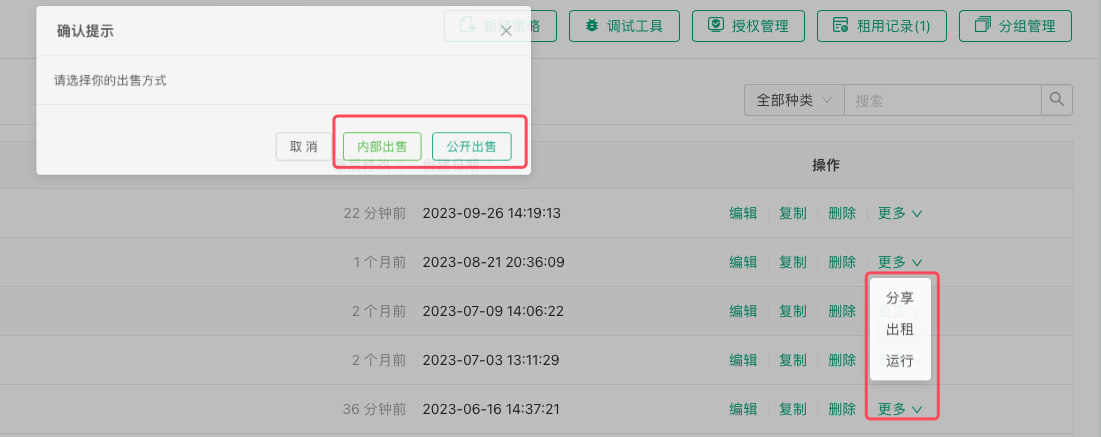
Renting a strategy gives the other user only the right to backtest it and run it live; they cannot see the source code or other details. Click the strategy's "Rent" button and choose how to rent it in the dialog:
- Public Sale: apply to list the strategy for sale in the strategy square; listing requires review.
- Internal Sale: choose the number of days, the maximum number of concurrent robots and the number of registration codes to generate the strategy's registration page URL and registration codes, and hand them to the users you choose. A user opens the registration page URL, logs in and enters a registration code to get the right of use; the strategy then appears in their strategy library. A maximum of 0 concurrent robots means no limit: any number of robots can be created.
When a rented strategy expires, the robots using it are stopped and cannot be started again; once the maximum number of concurrent robots is reached, no new robot can be started.