Getting Started
Platform Basics
Writing Strategies
Development Tools
Backtesting System
Advanced Topics
Data and Research
Integrations
Syntax Manual Quick Reference
In the "Code" editing area of the Strategy Editor Page, you can quickly access the "Syntax Manual". Use the corresponding keyboard shortcuts based on your operating system:
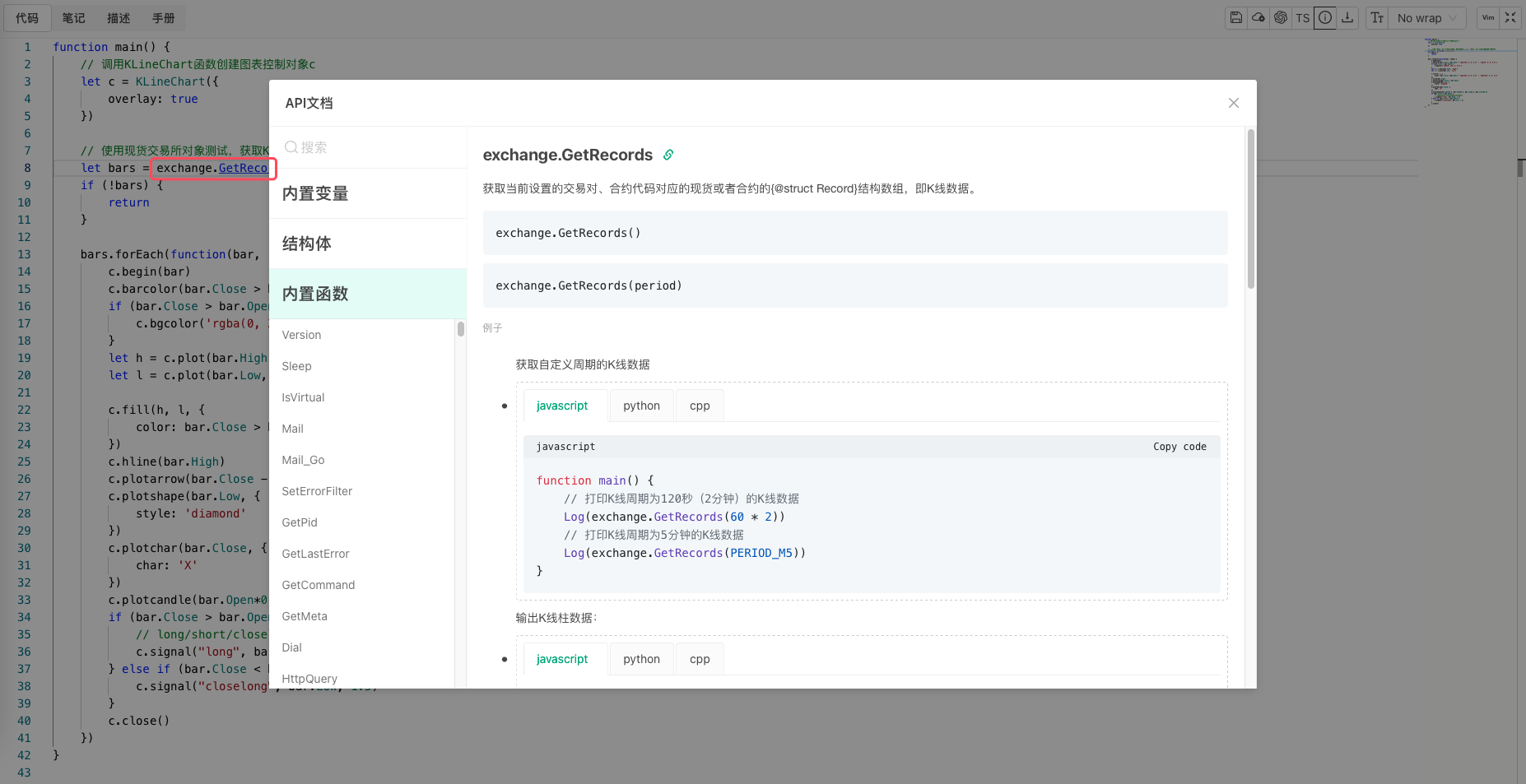
- In browsers on Mac systems (Apple computers): Hold down the
⌘key. - In browsers on Windows systems: Hold down the
Ctrlkey.
Then when you hover your mouse over the variable name or function name you want to look up, a jump link will appear. Click the link to open the "Syntax Manual" popup, which will automatically navigate to the queried content.