Getting Started
Platform Basics
Writing Strategies
Development Tools
Backtesting System
Advanced Topics
Data and Research
Integrations
Strategy Sharing
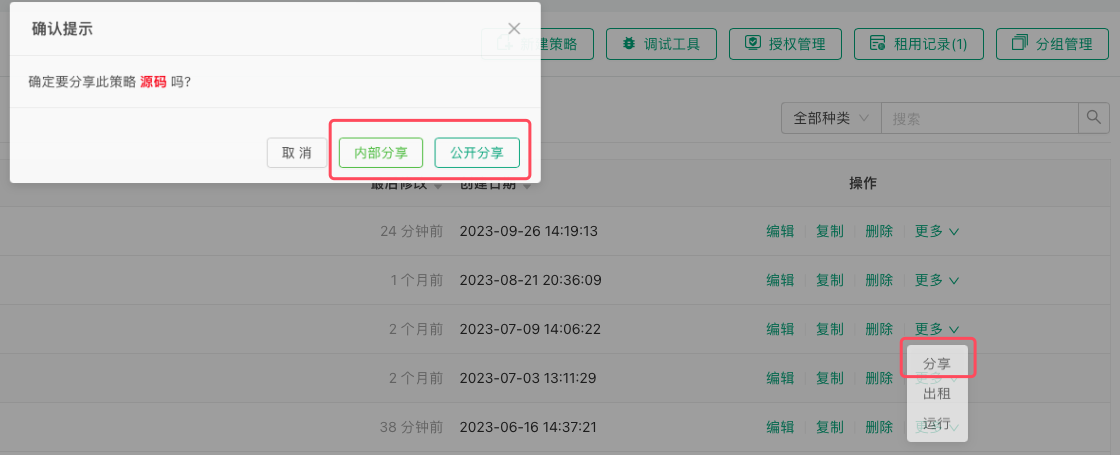
-
Public Sharing
After clicking the "Share" button, a dialog box will pop up where you can select "Public Sharing". The strategy will be fully shared to the platform's Strategy Square, where any user can copy the strategy. -
Private Sharing
After clicking the "Share" button, a dialog box will pop up where you can select "Private Sharing". After selecting the sharing validity period and sharing limit, a copy page URL and copy code for the strategy will be generated. These can be distributed to designated FMZ platform users. Users who need the strategy can simply use the copy page URL link, log in to the copy page and enter the copy code to obtain the strategy. Once obtained, the strategy will automatically appear in their strategy library.