Welcome to FMZ Quant Trading Platform
Programming Languages
Key Security
Live Trading
Strategy Library
Docker
Exchange
Strategy Editor
Backtesting System
Backtesting System Modes
Impact of Backtest Data Granularity on Backtesting
The backtesting system supports multiple programming languages
Exchanges Supported by Backtesting System
Backtest System Parameter Optimization
Save Backtest Settings
Custom Data Source
Local Backtesting Engine
Backtest Page Shortcuts
Backtest Data Download
Backtest System Sharpe Ratio Algorithm
Strategy Entry Functions
Strategy Framework and API Functions
Template Library
Strategy Parameters
Interactive Controls
Options Trading
Rust Strategy Development Guide
C++ Strategy Writing Guide
JavaScript Strategy Writing Guide
Web3
Built-in Libraries
Extended API Interface
MCP Service
Trading Terminal
Data Explorer
Alpha Factor Analysis Tool
General Protocol
Debugging Tool
Remote Editing
Import and Export of Complete Strategies
Multi-language Support
Live Trading and Strategy Grouping
Live Trading Display
Strategy Sharing and Renting
Live Trading Message Push
Common Causes of Live Trading Errors and Abnormal Exits
Exchange-Specific Notes
Syntax Manual Quick Reference
In the "Code" editing area of the Strategy Editor Page, you can quickly access the "Syntax Manual". Use the corresponding keyboard shortcuts based on your operating system:
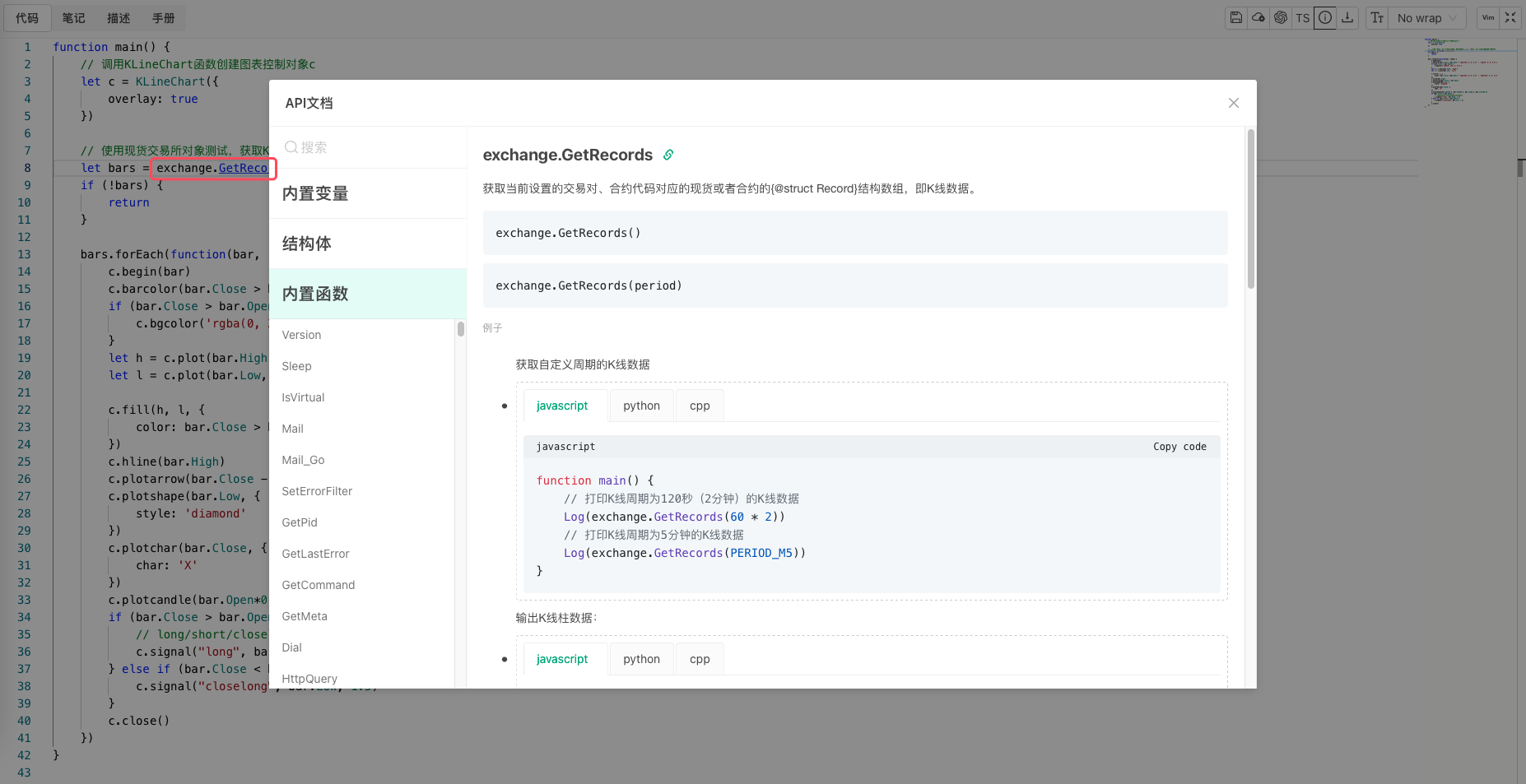
- In browsers on Mac systems (Apple computers): Hold down the
⌘key. - In browsers on Windows systems: Hold down the
Ctrlkey.
Then when you hover your mouse over the variable name or function name you want to look up, a jump link will appear. Click the link to open the "Syntax Manual" popup, which will automatically navigate to the queried content.