Welcome to FMZ Quant Trading Platform
FMZ Quant Trading Platform is the most professional quantitative community in the field of quantitative trading. Here, you can learn, write, share, and sell quantitative trading and algorithmic trading strategies; conduct online backtesting and paper trading; run, publish, and observe live trading strategies. FMZ Quant Trading Platform supports almost all mainstream cryptocurrency exchanges.
If you encounter any issues while learning and using FMZ Quant Trading Platform, you can post questions and discussions on the forum at any time, submit tickets on the platform, or @administrators in the Telegram community. Questions are usually answered quickly. The platform supports ChatGPT-assisted development. FMZ Quant Trading Platform has integrated ChatGPT as an auxiliary development tool. You can click "ChatGPT" in the shortcut bar of the "Dashboard" to jump to the ChatGPT Assistant Tool Page.
On FMZ Quant Trading Platform, you can start your quantitative trading journey by registering and logging in. After logging in, visit the main page, where you will see the following:
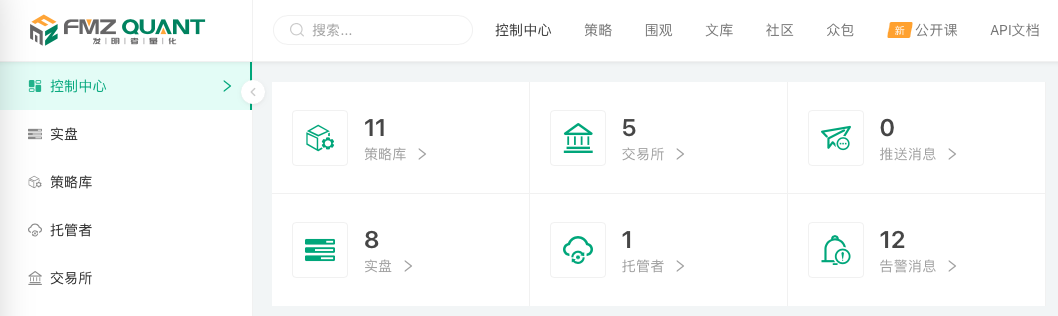
- Left navigation bar: Contains the main function navigation options for the user console.
- Top navigation bar: Provides navigation options for platform public resources.
- Page center: Displays account settings, debugging tools, analysis tools, development documentation, platform function shortcuts, and other content.
Main functions of the user console:
- Dashboard
Navigate to the "Dashboard" page. Running quantitative trading programs (i.e., live trading) on FMZ Quant Trading Platform requires three conditions: 1. Deploy an available docker. 2. Have an available strategy. 3. Configure exchange accounts for strategy program operations. - Live Trading
Navigate to the "Live Trading" page. Live trading refers to instances of quantitative trading strategy programs. The live trading page is mainly used to manage, create, and control strategy live trading. - Strategy Library
Navigate to the "Strategy Library" page. The strategy library can categorize, save, manage, and write strategies in various programming languages. - Dockers
Navigate to the "Dockers" page. The dockers page can manage and deploy docker programs associated with the current account. - Exchanges
Navigate to the "Exchanges" page. The exchanges page can manage and configure exchange accounts needed for quantitative trading.
Platform public resources:
- Strategies
In the strategy square, you can find public or rental strategies written in various programming languages, suitable for learning and reference. - Live Observation
The live observation page displays users' public strategy live trading. - Library
The platform library stores original articles and other materials from the platform, facilitating your introductory learning. - Community
The community forum provides you with a platform for communication and discussion in the field of quantitative trading. - Crowdsourcing
The crowdsourcing section builds an efficient communication channel for strategy designers and demanders. - Public Courses
The public courses page provides video tutorials for the platform. - API Documentation
The API documentation page provides technical documentation support for writing and designing strategies.